
If you're running a business in Henderson, your phone system probably isn't the first thing you think about in the morning. But it often becomes the first problem that interrupts the day. A caller gets bounced between extensions. A staff member working off-site answers on a personal cell phone. The front desk has no easy way to see the client record before picking up. None of those issues feel dramatic on their own, but together they slow down service, frustrate customers, and create avoidable risk.
That’s where mitel phone systems come into the conversation. For many small and midsize businesses, Mitel sits in a practical middle ground. It’s established, flexible, and built for companies that need more than a basic dial tone but don’t want to rebuild operations around a trendy platform that may not fit how they work.
Is Your Phone System Holding Your Business Back
A lot of business owners tolerate phone problems longer than they should. They assume dropped handoffs, clunky forwarding, and scattered voicemail are just part of doing business. They aren't. They’re signs that the communication side of the business hasn't kept up with the way the team works.
Take a common Henderson scenario. A property manager is in the field. The office gets a tenant call that should go directly to that manager, but the current setup sends it to voicemail. A second employee texts the manager from a personal phone. Meanwhile, the caller has already started wondering whether the company is responsive enough to handle urgent issues.
That same pattern shows up in accounting firms, legal offices, medical-adjacent practices, and small manufacturers. The phone system isn't broken in the obvious sense. It still rings. It still places calls. But it doesn't support speed, visibility, or control.
Mitel has a long enough track record to matter here. According to Mitel’s history of phone innovation, the company was founded in 1972, created the world’s first software-driven PBX in 1975, pioneered USB telephony in 1995, now holds over 1,200 patents, and has served more than a million UCaaS subscribers worldwide. For a business owner, that history matters less as trivia and more as a signal. This is a platform with depth, not a short-lived product line.
A phone system should reduce friction. If staff spend time working around it, the business is paying for the wrong setup.
The question is not whether Mitel can make calls. It can. The better question is whether the system you choose matches how your team answers customers, moves between office and remote work, and protects sensitive conversations.
Choosing Your Foundation Mitel On-Premise Cloud and Hybrid
The biggest decision with mitel phone systems is simple to describe and important to get right. Where does the system’s core live?
It's similar to real estate.
On-premise is ownership. The system lives at your business location on equipment you control.
Cloud is a hosted arrangement. The provider runs the core system elsewhere, and your team connects over the internet.
Hybrid combines both, keeping some capabilities local while using cloud services where they make sense.
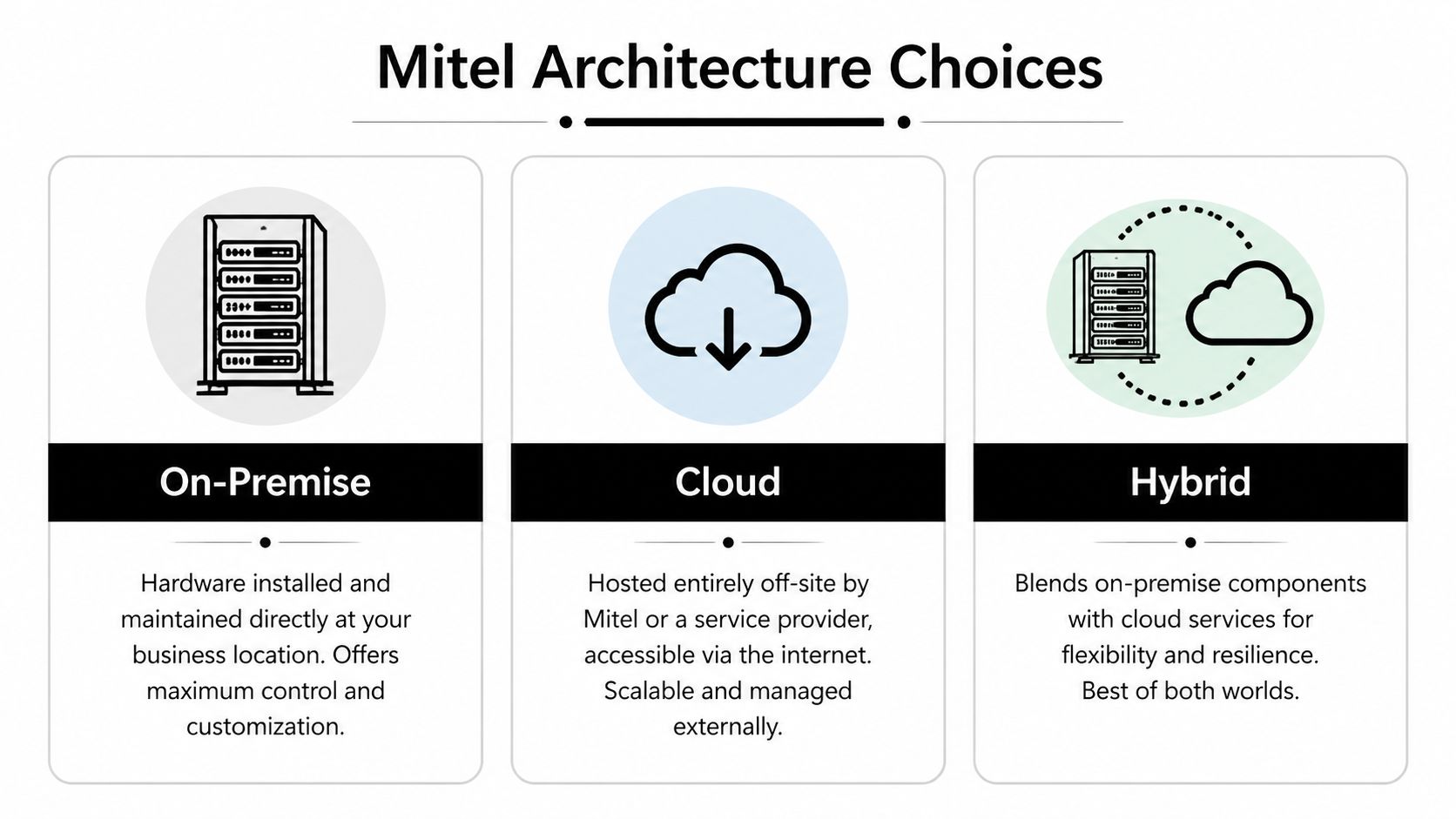
On-premise works best when control matters most
For some businesses, owning the phone platform still makes sense. If you have internal compliance requirements, specialized routing, a site that can't depend entirely on internet availability, or a need to keep tighter control over change timing, an on-premise system like MiVoice Business can be a strong fit.
The trade-off is responsibility. You own more of the control, but you also own more of the patching, hardware planning, and lifecycle management. That’s fine if you have the internal discipline and support structure for it. It becomes a problem if the system sits untouched until something fails.
Cloud fits businesses that want simplicity
A cloud deployment such as MiCloud Connect is often easier for smaller offices to operate day to day. You avoid much of the infrastructure burden, and adding users or supporting remote staff is usually more straightforward. For companies with a mobile workforce or a single office that doesn’t want to maintain telephony hardware, cloud can be the cleaner option.
Cloud does have trade-offs. You give up some direct control. You also need to be realistic about internet dependence, integration requirements, and whether your workflows are simple enough to fit a hosted model cleanly.
Hybrid is often the practical answer
Hybrid is where many real-world businesses land because it reflects how they operate. They may want local survivability, existing Mitel investments, office phones, remote access, and staged migration rather than a one-time cutover.
A hybrid approach can work especially well when a business has:
- One main office and remote staff who need a consistent calling experience
- Legacy equipment worth preserving while newer services are introduced
- Compliance or business continuity concerns that make all-cloud uncomfortable
- Microsoft 365 adoption in progress without a desire for a full telecom replacement at the same time
Practical rule: Choose the architecture that matches your operational risk tolerance, not the one with the most attractive sales pitch.
Here’s a simple comparison.
| Factor | On-Premise (MiVoice Business) | Cloud (MiCloud Connect) | Hybrid |
|---|---|---|---|
| Control | Highest control over configuration and timing | Less direct control | Shared control |
| Upfront investment | Usually higher because hardware is local | Usually lower upfront | Moderate, depends on what stays |
| Remote work support | Can work well, but needs planning | Often easiest to roll out | Strong when designed properly |
| Maintenance burden | Highest internal responsibility | Lower internal burden | Split responsibility |
| Customization | Strong | More standardized | Flexible |
| Business continuity options | Strong if built correctly | Depends on provider design | Often strongest for mixed environments |
| Best fit | Firms with strict control needs | Lean teams wanting simplicity | SMBs balancing legacy, flexibility, and resilience |
A mistake I see often is choosing cloud because it sounds modern, or choosing on-premise because “that’s what we’ve always had.” Neither reason is good enough. The right answer depends on how your staff work, what downtime would cost you, and how much technical ownership your business is prepared to carry.
Unlocking Productivity with Mitel Features and VoIP
A modern phone system should do more than ring desks. It should help employees answer faster, route smarter, and work from anywhere without making customers feel the difference.
That’s where Mitel’s feature set becomes useful in practical terms. Not abstractly useful. Operationally useful.
What the business actually notices
The first gains usually come from better call handling. Calls can go to the right person based on time of day, department, availability, or role. Reception stops acting like a human switchboard. Voicemail can become part of the normal workflow instead of a separate place people forget to check.
For a legal office, that can mean routing client calls to the right practice group without repeated transfers. For a property management company, it can mean getting maintenance calls to the correct staff member whether they’re at a desk or on-site. For a front office handling recurring clients, it can mean using programmable keys for faster transfers, pickup, and status visibility.
Mitel 5300 series phones support 48 programmable feature buttons, which matters in busy environments where speed depends on one-touch actions rather than digging through menus. As described in Mitel VoIP phone details, Mitel IP phones also convert analog voice into digital packets, which allows up to 30% higher call capacity per trunk line in hybrid deployments, supports HD voice quality with MOS greater than 4.2, and can reduce call setup times by 25% to 40% compared to older TDM systems.
Why VoIP helps more than old phone lines
Old systems establish a fixed path for each call. VoIP handles voice as data packets across the network, which gives the business more flexibility and better use of available capacity when the network is configured correctly.
That doesn’t mean every VoIP deployment is automatically better. Poor network design, weak prioritization, and unmanaged traffic can still create bad call quality. But when voice traffic is properly prioritized, VoIP lets businesses scale more cleanly and support mobile and remote users in a way older analog and TDM systems struggle to match.
If your team is already operating across office, home, and field locations, this matters. A desk phone, soft client, and mobile extension can work as one communication system instead of three disconnected habits. Businesses dealing with distributed staff often benefit from reviewing remote working phone system options before they commit to a design.
Features that tend to pay off fastest
Some features sound impressive in a brochure but don’t change much in practice. Others save time every day.
- Auto-attendant done well: Gives callers a clear path without trapping them in a maze.
- Mobile twinning: Lets calls follow the employee, which is useful for managers and field staff.
- Voicemail to email: Keeps messages visible inside normal work patterns.
- Presence and status buttons: Help staff see who’s available before transferring.
- SIP trunking support: Improves flexibility and can simplify how calls enter and leave the business.
If your staff still write extension notes on paper or ask across the office who can take a call, the phone system is behind the business.
The practical takeaway is simple. Mitel’s productivity value doesn’t come from flashy features. It comes from making everyday communication less manual, less fragmented, and less dependent on one person remembering where to forward a call.
Integrating Mitel into Your Microsoft 365 and CRM Workflow
The phone system creates much more value when it stops acting like a separate box on the desk.
For most Henderson businesses, genuine productivity gains come when Mitel connects to the tools staff already live in every day. That usually means Microsoft 365, email, calendars, contact lists, and a CRM used by sales, service, or administration.
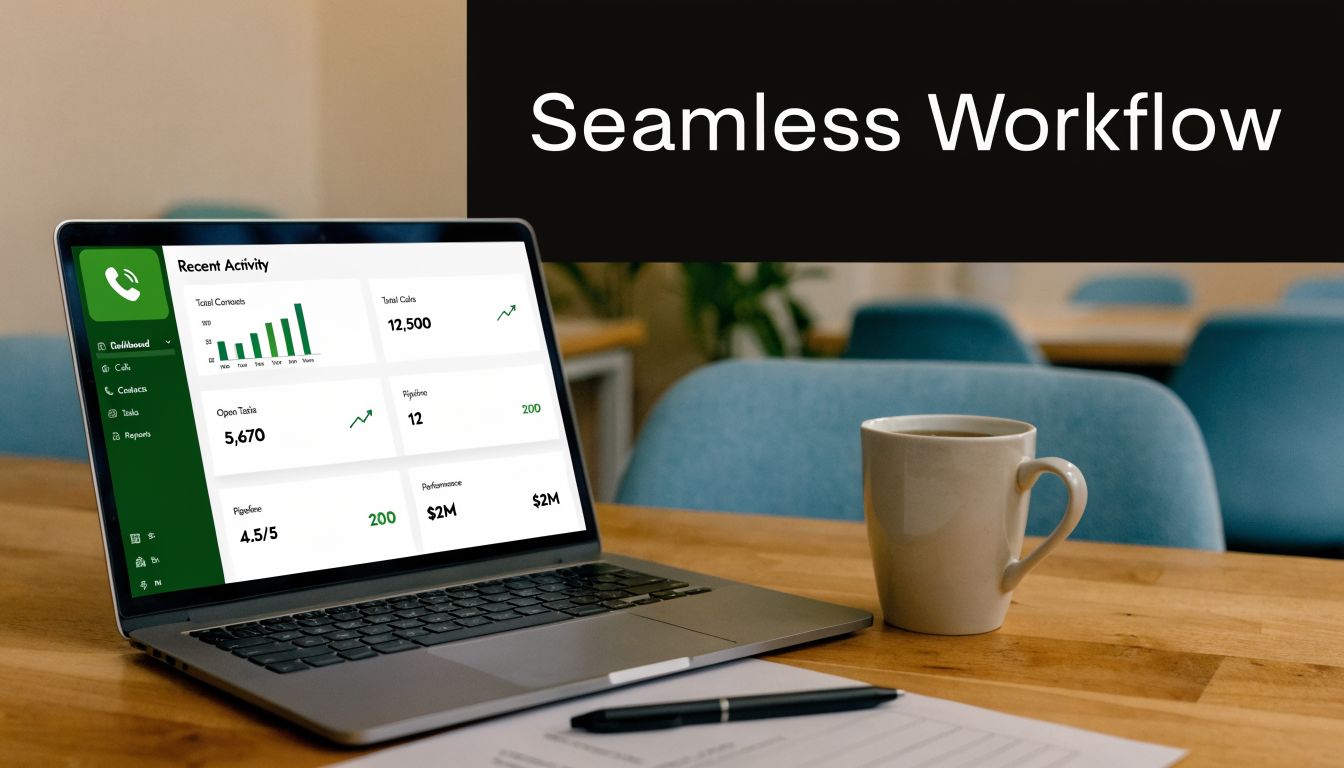
A disconnected phone system forces employees to context-switch. They answer the call, ask for a name, search Outlook, open the CRM, and try to catch up while the caller waits. An integrated system removes several of those steps. The incoming number can trigger a screen pop, staff can click to dial from business apps, and call activity can become part of the customer record instead of something employees have to log later.
Where this changes the workday
For an accounting office, integration means the person answering can see the client profile before discussing documents, appointments, or billing. For a property manager, a tenant call can be associated with the right property or issue faster. For a service coordinator, outbound callbacks become easier because the number is already inside the system they’re working from.
This matters even more for companies standardizing on Microsoft 365. Shared contacts, calendars, Teams usage, and email workflows already shape how work gets done. Adding Mitel into that environment is often much more effective than running telephony as a separate silo. Businesses already investing in Microsoft 365 Business Premium tools for business operations usually get better results when communications are part of the same workflow.
One desk phone can do more than a desk phone
Mitel’s 6940w is a good example of where this gets practical. According to Mitel’s 6900 phone series information, the 6940w uses patented PCLink technology to route PC collaboration audio from apps such as Microsoft Teams or Zoom through the desk phone. The same source notes that this setup reduces endpoint sprawl and can cut CRM lookup latency by 40ms per interaction through deep API integrations.
That may sound technical, but the business impact is straightforward. Fewer devices competing for attention. Cleaner audio handling. Less fumbling between a laptop speaker, a headset, a cell phone, and a desk handset.
A quick product walkthrough helps show how this kind of integration looks in practice.
A good integration saves seconds on each interaction. Over a full day, those seconds become focus, speed, and fewer mistakes.
If your current phone setup still lives outside your Microsoft 365 and CRM environment, that gap usually costs more in staff time than owners realize.
Mitel Security and Compliance A Critical Concern for NC Businesses
A lot of businesses make the same mistake with communications security. They assume that because the platform includes security features, their setup is compliant. That assumption causes trouble.
A secure product and a compliant deployment are not the same thing. Compliance depends on configuration, patching, user access, call handling practices, retention rules, vendor coordination, and ongoing monitoring. If any of those pieces are weak, the business can still fail an audit or expose sensitive information even when the core phone platform is reputable.

Why regulated firms hesitate
This issue is especially relevant in North Carolina for firms handling payment data, legal records, health-related information, or public safety communications. According to analysis of Mitel phone system risks and trends, a 2025 Gartner report noted that 45% of SMBs in regulated industries like finance and public safety delay VoIP upgrades over compliance fears. The same source says unpatched on-premise Mitel systems can fail PCI audits, and lifecycle changes can expose businesses using legacy systems to end-of-life risk without a clear compliant migration path.
That hesitation is understandable. Many owners don't object to modernization itself. They object to the possibility of introducing new audit issues while trying to improve operations.
Common gaps that create risk
In the field, the trouble usually comes from ordinary oversights rather than dramatic failures. Examples include:
- Patch lag: Updates are available, but nobody owns the schedule.
- Overbroad access: Too many people can administer the system.
- Call recording confusion: Policies exist loosely, but retention and access aren't tightly controlled.
- Aging hardware: Legacy endpoints remain in service because replacing them wasn't budgeted.
- Unreviewed integrations: CRM, email, and remote access tools are connected without a full security review.
A business owner doesn't need to memorize every compliance framework to understand the pattern. If no one is actively maintaining the phone environment, risk accumulates unobserved.
What compliant operations usually require
Most regulated organizations need a repeatable operating discipline around communications. That often includes:
- Documented ownership for updates, changes, and audit response
- Controlled admin access with limited permissions
- Regular review of endpoints and firmware
- Clear policies for recording, retention, and retrieval
- Monitoring and alerting so issues are caught before they become incidents
Compliance isn't a feature you buy once. It's a process the business has to maintain.
For Henderson firms in finance, legal services, and public functions, the resolution of many Mitel decisions is either enacted or postponed. Not because the platform lacks capability, but because unmanaged deployments create uncertainty. The businesses that handle this well usually treat phone systems the same way they treat firewalls, backups, and identity controls. As operational infrastructure, not office furniture.
Planning Your Deployment and Migration Strategy
A Mitel deployment goes smoothly when the business treats it as a workflow project, not just a hardware project.
The technical installation matters, of course. But migrations fail more often because nobody mapped how calls move through the company, who needs training, which numbers are mission-critical, or what happens if the cutover hits a snag on a busy weekday.
Start with call flow, not equipment
Before choosing handsets or debating cloud versus hybrid, map the current call experience. Where do inbound calls land first? Which departments need direct routing? Which employees move between locations? Which calls must never be missed?
That exercise usually reveals more than a feature checklist does. Some businesses discover they need better overflow handling. Others learn that the biggest issue isn’t capacity at all. It’s reception bottlenecks, ad hoc forwarding, or no clear after-hours path.
A practical planning list should include:
- Current numbers and dependencies: Main line, direct inward dial numbers, published lines, fax replacements if relevant
- User roles: Front desk, managers, mobile staff, shared phones, common areas
- Critical workflows: Billing calls, service requests, emergency contacts, intake
- Office realities: Internet stability, switch readiness, Wi-Fi coverage, power protection
- Business continuity expectations: What happens if a circuit fails or a site is inaccessible
Treat training as part of the deployment
Even a well-designed Mitel system will underperform if staff don’t know how to use it. The most common problem isn’t resistance. It’s partial understanding. People learn just enough to answer and transfer calls, then ignore the features that would save them time.
Training works better when it is role-based. Reception needs call handling and visibility tools. Managers need voicemail, mobile access, and reporting. Field staff need a simple process for taking business calls without exposing personal numbers. Short, relevant training beats generic instruction every time.
The best phone migration is the one your staff can use confidently on day one, not the one with the longest feature list.
Roll out in phases when the environment is complex
Some businesses benefit from a full cutover. Others should stage the transition. A phased approach often makes sense when you have multiple sites, a mix of old and new phones, compliance concerns, or integrations that need validation before broad rollout.
A sound migration plan usually has three checkpoints:
| Phase | What to confirm | Why it matters |
|---|---|---|
| Before cutover | Numbers, devices, routing, internet readiness, user lists | Prevents surprise outages and misrouted calls |
| During launch | Live call testing, voicemail, transfer behavior, remote access | Catches issues while support is active |
| After launch | User adoption, missed call patterns, training gaps, cleanup | Turns a technical install into an operational success |
Businesses that rush this process often end up with a “working” system that nobody likes. Businesses that plan it around real call flows usually get the opposite result. Less drama, faster adoption, and fewer support escalations right after go-live.
Calculating Mitel's True Cost and the Value of Managed Support
The advertised price of a phone system is almost never the actual price.
That’s true whether you're looking at on-premise, cloud, or hybrid mitel phone systems. The visible cost is the easy part. The harder part is everything around it: migration work, compatibility issues, firmware requirements, staff time, emergency support, and the operational cost of downtime when the system isn’t maintained well.

According to Mitel’s hybrid communications strategy discussion, 2025 analyst estimates peg the actual cost of full hybrid Mitel migrations at $150 to $300 per user because of hidden upgrade and integration fees. The same source notes that required firmware upgrades for new features are often incompatible with 40% of hardware purchased before 2023.
Those two facts explain why budget surprises are so common. A business may think it is paying for a move, but it is in fact paying for a move plus device refreshes, compatibility work, and integration cleanup.
Where owners underestimate cost
The missing costs usually show up in a few places.
- Old handsets and unsupported gear: They still power on, but they won’t support the features or firmware needed for the new design.
- Internal labor: Someone on your team spends hours coordinating carriers, users, extensions, and call flows.
- Downtime during troubleshooting: The invoice doesn’t show it, but missed calls and delayed responses still cost the business.
- One-off support events: Problems that could have been prevented become urgent service work.
A cheap proposal can become expensive if it leaves the business to sort out those details alone.
Why managed support changes the math
Many SMBs need to think beyond purchase price. The question isn't just “what does the system cost?” It’s “what does it cost us to keep this reliable, patched, and aligned with the way we work?”
Managed support turns unpredictable telecom maintenance into an operating discipline. Instead of waiting for a problem, the business has ongoing oversight for updates, issue detection, vendor coordination, and user support. That doesn’t eliminate every problem, but it changes how often small issues become business interruptions.
If you’re comparing providers or deciding whether to manage a phone platform internally, it helps to review what a support partner should own in practice. This guide on how to choose a managed service provider is a useful starting point.
A better way to evaluate value
When owners assess cost, I recommend looking at four categories instead of one:
Acquisition cost
Phones, licensing, implementation, and cutover work.Support cost
Monitoring, maintenance, troubleshooting, vendor coordination, and user assistance.Risk cost
Downtime, failed patches, security gaps, and unsupported hardware left in service too long.Productivity cost
Time lost to poor routing, manual lookup, weak integrations, and staff workarounds.
The lowest upfront price often belongs to the option that assumes your team will absorb the most risk later.
A business can absolutely run Mitel well. But it should go in with clear eyes. If the budget only covers installation and ignores lifecycle management, the phone system may become another under-maintained business tool that looked affordable on day one and expensive by year two.
Your Next Step to Modern Communications in Henderson
If your current phones are causing missed calls, awkward handoffs, or uncertainty around compliance, the next step isn’t buying random equipment online and hoping it fits. It’s getting a clear picture of what your business needs.
Start by documenting three things internally. First, how calls should flow during a normal business day. Second, what breaks when someone works remotely or leaves the office. Third, which parts of your phone environment create the most risk, whether that’s aging hardware, weak visibility, or poor integration with Microsoft 365 and your CRM.
Use a short decision process
A practical evaluation usually looks like this:
- List your pain points clearly: Missed calls, poor transfer handling, remote work friction, compliance concerns, or rising support headaches
- Identify your operating model: Single office, multiple sites, field staff, regulated workflows, or a mix
- Decide what must improve first: Reliability, reporting, mobility, security, integration, or cost predictability
- Review architecture fit: On-premise, cloud, or hybrid based on actual operations
- Validate lifecycle reality: What can stay, what should be replaced, and what creates future support problems
This gives you a business case, not just a technology wish list.
Don’t skip the environment review
Before any migration or upgrade, someone should examine the surrounding environment. That includes network readiness, handset age, internet dependency, remote user expectations, and any line-of-business systems that need to connect. If that review doesn’t happen, the project can still launch, but problems tend to show up later in the form of poor adoption or ongoing support tickets.
A good assessment should also answer plain-language questions like:
| Question | Why it matters |
|---|---|
| Can we keep any of our existing Mitel investment? | Helps avoid unnecessary replacement costs |
| Do we need cloud, hybrid, or local control? | Shapes cost, resilience, and support model |
| Will this support remote staff cleanly? | Prevents users from falling back to personal phones |
| Are we exposed from a compliance standpoint? | Keeps modernization from introducing new audit risk |
| Who will maintain this after install? | Determines whether the system stays healthy |
For most Henderson businesses, clarity is the first win. Once you know what the business requires, the right Mitel path becomes much easier to choose.
Cyberplex Technologies LLC helps Henderson-area businesses turn phone system confusion into a clear plan. If you need help evaluating mitel phone systems, sorting out compliance concerns, or planning a cloud, on-premise, or hybrid rollout, contact Cyberplex Technologies LLC for a practical conversation about what fits your business and what doesn’t.


