
A Disaster Recovery Time Objective (RTO) is your business's line in the sand for downtime. Think of it as the absolute maximum amount of time a critical system can be offline before the damage to your operations, reputation, and bottom line becomes unacceptable. It’s the ultimate deadline that answers one simple, urgent question: “How fast do we need to get this back up and running?”
Understanding Your Recovery Deadline
When an outage hits—whether it’s a failed server, a local power grid failure, or a full-blown cyberattack—every minute counts. Your RTO isn't just some IT jargon; it's a critical business decision that sets the pace for your entire recovery effort. This metric directly translates downtime into dollars and cents, customer frustration, and operational chaos.
Practical Example: Imagine your e-commerce website generates an average of $1,000 per hour. If you set an RTO of one hour for the site, you're making a data-driven decision: any downtime beyond 60 minutes will cause a minimum of $1,000 in direct revenue loss, not to mention customer frustration. That one-hour window becomes the non-negotiable deadline for your team to detect the problem, execute the recovery plan, and bring the site back to full function.
RTO Is About Speed, Not Data
It’s incredibly common for people to mix up RTO with its partner metric, the Recovery Point Objective (RPO). While they are the two pillars of any solid disaster recovery plan, they measure completely different things.
This can be a tricky concept, so we’ve put together a simple table to make the distinction crystal clear.
RTO vs RPO At a Glance
| Metric | Recovery Time Objective (RTO) | Recovery Point Objective (RPO) |
|---|---|---|
| Question It Answers | "How quickly must we recover?" | "How much data can we afford to lose?" |
| Focus | Time and Downtime | Data and Data Loss |
| Goal | Minimize the duration of the service interruption. | Minimize the amount of data lost since the last backup. |
| Example | "The CRM must be back online within 2 hours." | "We can't lose more than 15 minutes of CRM data." |
Actionable Insight: Your RTO dictates how fast you need to get back on your feet, while your RPO determines how recent the data needs to be once you’re back up. You need both to build a plan that actually works. For a critical database, this means you might need an RTO of 1 hour (to get the server running) and an RPO of 5 minutes (to ensure you don't lose recent transactions).
Why Defining Your RTO Matters
Without a clearly defined RTO, your recovery plan is nothing more than hopeful guesswork. Unfortunately, a lot of businesses are operating on hope. Industry data is pretty sobering here: a staggering 58% of disaster recovery plans fail when they are actually tested, often because the RTOs were based on wishful thinking instead of a real-world assessment.
Considering that average network failures can lead to four hours of downtime, the financial bleeding can be catastrophic. You can dig into more of these numbers in these disaster recovery statistics from Gitnux.org.
Your Recovery Time Objective is the promise you make to your business—and your customers—about how quickly you can recover from a crisis. It turns the vague idea of "downtime" into a hard, measurable goal that drives your entire continuity strategy.
Setting this objective is the foundational step in creating a truly resilient organization. Every decision that follows, from the technology you buy to the procedures your team follows, will be built on the RTOs you establish right now.
How to Calculate Your Business-Specific RTOs
So, how fast do you really need to be back online after a disaster? It’s not a trick question, and the answer isn't a number you just pull out of thin air.
The secret is a hands-on process called a Business Impact Analysis (BIA). This is where we move past guesswork and start making smart, data-driven decisions based on what downtime actually costs your specific business. Think of it as a guided walkthrough where we map out what happens when a system goes dark and measure the damage over time.
This is the foundation for setting realistic recovery deadlines that truly protect your company.
This timeline gives you a great visual of what we're talking about—the clock starts ticking the moment an incident occurs, and your RTO is the finish line.
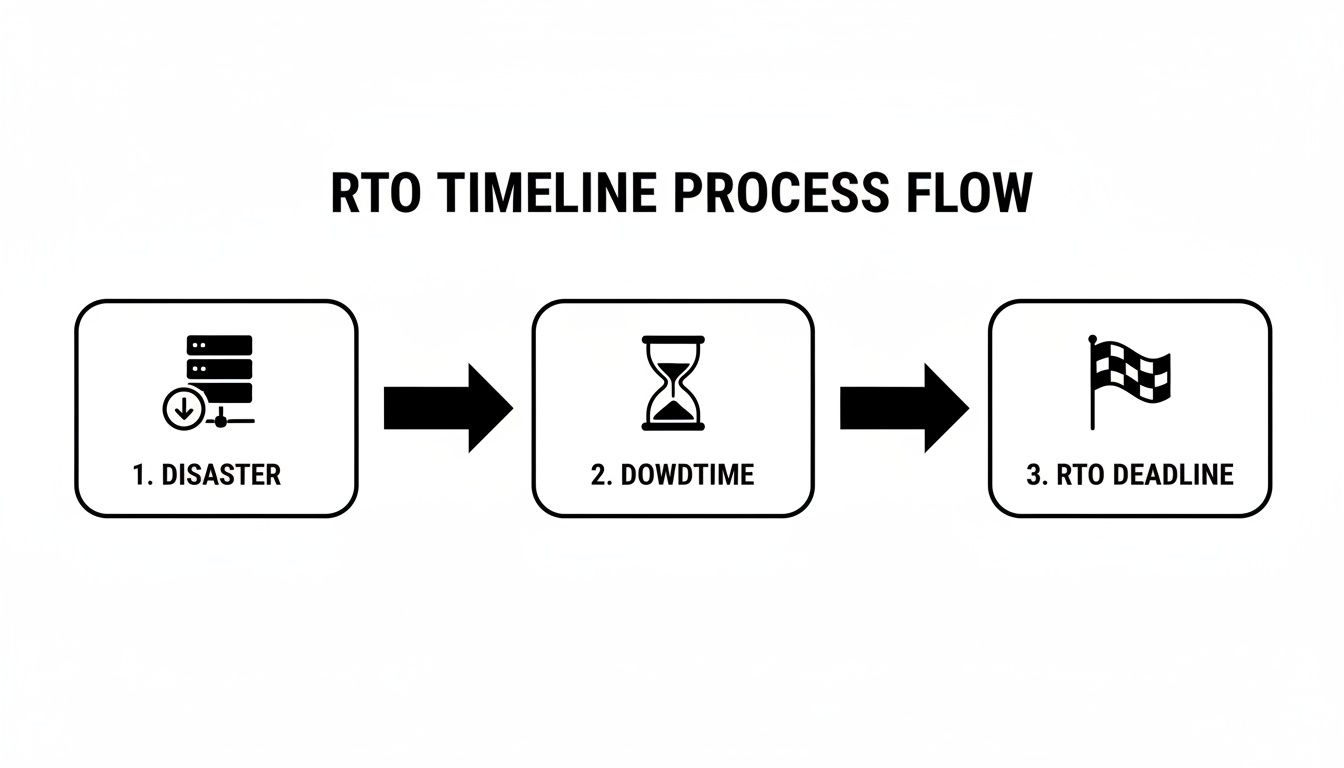
Your RTO is the absolute maximum amount of downtime your business can handle before you have to have services back up and running.
Start with a Business Impact Analysis
To get an RTO that actually makes sense, you have to understand the real-world pain of an outage. A BIA connects your day-to-day operations directly to the technology that powers them.
The entire goal is to answer one critical question for every single system: "How long can we survive without this before things get really bad?" That harm could be lost revenue, a damaged reputation, or even legal trouble.
The Four Steps to Setting Your RTO
By following a structured approach, we can figure out the right RTO for every piece of your IT puzzle. This makes sure we focus recovery efforts where they'll make the biggest difference.
Identify Critical Business Functions: First things first, list out the core activities that make you money and keep your doors open. Actionable Insight: Be specific. Instead of "sales," write down "Processing new customer orders via our website" and "Generating quotes for clients in the CRM."
Map Functions to IT Systems: Now, draw the lines. Connect each of those business functions to the specific application or server it needs to run. "Processing new customer orders" relies on your e-commerce platform and its database. "Generating quotes" depends on your CRM software.
Quantify the Impact of Downtime: This is the most important step. For each system, calculate the real costs—both tangible and intangible—of it being offline. Actionable Insight: Create a simple spreadsheet. List your systems in one column. In the next columns, estimate the financial loss for 1 hour, 4 hours, and 24 hours of downtime. Ask pointed questions:
- How much money do we lose for every hour our point-of-sale system is down?
- What are the compliance risks if we can't access customer records for four hours?
- How much does productivity sink if our team communication platform is out for a whole day?
Set the RTO Based on Tolerance: Once you see the damage piling up, setting the RTO becomes clear. If you discover that your CRM being down for four hours leads to unacceptable client frustration and lost sales, then your RTO for that system must be less than four hours. This quantified data gives you the justification for your RTO decision.
A Business Impact Analysis forces you to have honest conversations about what downtime truly costs. The insights gained from this process are the bedrock of a resilient and cost-effective disaster recovery strategy.
Practical RTO Examples
The right RTO is always specific to the job that system does. A one-size-fits-all approach is a recipe for disaster—you either overspend on protection you don't need or leave your most critical assets vulnerable.
Here are a couple of real-world scenarios for a typical small business:
- Financial Transaction Server: For an accounting firm, the server that handles client billing is mission-critical. If it's down, revenue stops cold. The impact is immediate and severe, which justifies a very aggressive RTO—maybe under 15 minutes. This might require a high-availability solution.
- Internal HR Portal: On the other hand, an internal website for booking vacation time is important, but it's not an emergency. If it's offline for a day, it's an inconvenience, not a financial crisis. A 24-hour RTO would be perfectly acceptable here, and a simple nightly backup would suffice.
By performing a BIA, you create a recovery roadmap that lines up perfectly with your business priorities. This strategic clarity ensures you invest your resources wisely, protecting what matters most first.
For a deeper look into building out a full strategy, you can learn more about our approach to backup and disaster recovery solutions.
Prioritizing Your RTOs for Key Business Systems
So you've gone through the process and have a Recovery Time Objective for every system. Now you’re probably looking at a long list of recovery deadlines and thinking, "How can we possibly meet all of these?"
Here’s the thing: not every system is created equal. Trying to give every single application the same VIP, near-instant recovery is a recipe for a blown budget. The key is to get strategic and prioritize.
This is where a simple tiering system makes all the difference. By sorting your applications based on how critical they are to keeping the lights on, you can focus your time, money, and energy where it truly counts.

Building Your Recovery Tiers
The most practical way to tackle this is to group everything into three distinct tiers. Each one gets its own level of urgency and, consequently, its own RTO target.
Tier 1: Mission-Critical Systems: These are the absolute non-negotiables. Think of the systems that, if they go down, your business grinds to an immediate halt. Downtime here means lost revenue, angry customers, and major operational chaos right away.
Tier 2: Business-Critical Systems: These applications are the backbone of your daily productivity. While the business can technically survive without them for a few hours, it's going to be painful. Their downtime hurts, but it isn’t a five-alarm fire in the first hour.
Tier 3: Non-Essential Systems: This group includes the tools and platforms that are nice to have but aren't vital for immediate operations. If they're down for a day or more, it’s an inconvenience your team can work around.
Actionable Insight: Create a shared document where you list every business application and assign it a Tier 1, 2, or 3 label. Get input from department heads to ensure everyone agrees on the priorities. This document becomes your blueprint for recovery.
Real-World Examples of RTO Tiers
Of course, what’s mission-critical for one business might be less important for another. For a law firm, their case management software is undoubtedly Tier 1. For a manufacturer, it’s the Enterprise Resource Planning (ERP) system that controls the production line.
A tiered approach isn't about ignoring your 'less important' systems. It’s about creating a clear sequence for recovery. When a disaster hits, your team knows exactly what to fix first to stop the financial bleeding and get the business stable again.
Let’s take that manufacturing company as a quick example. Their tiers might break down like this:
- Tier 1: The ERP software managing inventory and production schedules. RTO: Under 30 minutes.
- Tier 2: Internal email and the sales team's CRM. RTO: 4 hours.
- Tier 3: A development server used to test new software patches. RTO: 48 hours.
Segmenting your systems this way aligns your recovery plan with business reality. It also makes it much easier to match the right technology to the right job. For those Tier 1 systems, you’ll want robust, rapid-recovery solutions. If you want to dive deeper, our guide on how cloud backup for small business can protect your most vital assets is a great place to start.
To give you a better idea of how this looks in practice, we've put together a sample breakdown for a typical SMB.
Example RTO Tiers for Small and Midsize Businesses
This table shows sample RTO targets for common business applications, helping you prioritize your disaster recovery efforts based on system criticality.
| Tier | System Criticality | Example Applications | Typical RTO Target |
|---|---|---|---|
| Tier 1 | Mission-Critical | Customer-facing e-commerce websites, VoIP phone systems, core financial software (e.g., QuickBooks Enterprise), primary database servers. | Under 1 Hour |
| Tier 2 | Business-Critical | Microsoft 365 (Email & SharePoint), internal file servers, customer relationship management (CRM) software. | 1 to 4 Hours |
| Tier 3 | Non-Essential | Internal HR portals, marketing analytics tools, development or testing environments, archival storage. | 24+ Hours |
This framework gives you a clear roadmap for both action and investment. You’ll know to put your money into advanced recovery solutions for Tier 1, while more standard backup methods might be perfectly fine for Tier 3. This saves you money without exposing your business to unnecessary risk.
Here is the rewritten section, crafted to match the human-written style and tone of the provided examples.
Understanding the Cost of Your Recovery Time
Aiming for a zero-minute Recovery Time Objective for every system is the dream, but it's a dream that comes with a very real and significant price tag. When we talk about disaster recovery, there's a direct and unavoidable trade-off: the faster you need to get back online, the more you have to invest in the technology to make it happen.
This relationship between recovery speed and your budget is one of the most critical parts of building a practical and sustainable disaster recovery plan that actually works when you need it most.
The RTO and Cost Curve
Think of your RTO and your technology costs as being on a sliding scale. As your RTO gets shorter and moves closer to zero, the cost of the required technology doesn't just go up—it rises exponentially. A faster recovery simply demands more sophisticated, automated, and expensive solutions.
Near-Zero RTO (Minutes): To get this kind of speed, you’re looking at high-availability systems with real-time data replication and automated failover capabilities. Practical Example: This involves mirroring your primary server to a "hot site" that is always on and ready to take over instantly. This is the gold standard for Tier 1 systems but requires a substantial investment in hardware, software, and networking.
Moderate RTO (Hours): An RTO of a few hours can often be met with much more affordable solutions. Practical Example: This might involve restoring systems from recent cloud backups or snapshots onto standby infrastructure (a "warm site"). The process is more hands-on and takes longer, but the cost is significantly lower than a fully automated setup.
Longer RTO (24+ Hours): For your non-essential systems, a longer RTO opens the door to the most cost-effective recovery methods. Practical Example: Restoring from nightly or weekly backups to a "cold site" (basic infrastructure with no pre-loaded software) is a common approach here. While it's slower, it provides a reliable safety net for data and systems that aren't immediately critical to your day-to-day operations.
Making the right call means finding that sweet spot on the curve for each part of your business.
When Goals and Reality Don't Match
We see it all the time: businesses set aggressive recovery goals without fully grasping the investment needed to meet them. This disconnect is a primary reason why so many disaster recovery plans fail during a real crisis. In fact, research shows a huge gap between ambition and execution, revealing that only 18% of manufacturers actually meet the Recovery Time Objectives they set for themselves.
The goal isn't the fastest possible recovery for everything. It's about achieving the right recovery speed for each specific business function, ensuring you're protected without overspending on systems where a longer RTO is perfectly fine.
This performance gap is often a direct result of underinvesting in the right technology. For instance, a tiny 2% of companies can resolve an unplanned outage in under a minute. However, the data also shows that implementing automation can dramatically change these outcomes, cutting resolution time by an average of 78 minutes and slashing overall outage costs by 45%. You can dig deeper into how recovery speeds impact different industries in this manufacturing recovery research from Macrium.
Making Pragmatic and Informed Decisions
The point of defining your disaster recovery time objective is not to chase the lowest number you can think of. It's about making an informed, pragmatic choice that aligns your recovery goals with your budget and your actual tolerance for risk.
Actionable Insight: Use the tiering system we discussed earlier to strategically allocate your resources. Invest in high-cost, rapid-recovery solutions only for your Tier 1, mission-critical systems. For everything else, you can choose more economical options that still comfortably meet their less aggressive RTOs. This balanced approach protects your entire business without forcing you to overspend.
Test Your RTO Before a Disaster Strikes
Let's be blunt: a disaster recovery plan is just a theory until you test it. You can spend all the time in the world defining the perfect Recovery Time Objective, but until you prove you can meet that target under real pressure, it’s nothing more than a number on a spreadsheet. The only way to turn your plan from a document collecting dust into a capability you can bet your business on is to put it through its paces.
Think of it less as a pass/fail exam and more as a discovery mission. Testing is how you find the gremlins hiding in your strategy—the outdated contact list, the backup that failed silently last week, or that one critical step that takes twice as long as anyone thought. Finding these issues during a controlled drill is an inconvenience. Finding them during a real crisis is a catastrophe.

Debunking Common Testing Myths
We hear it all the time—businesses avoid DR testing because they think it’s too complex or will bring operations to a grinding halt. Let’s dismantle that myth right now. An effective test doesn't require shutting down the entire company for a day. You can, and should, start small and build up from there.
Actionable Insight: Schedule tests during off-peak hours, like a weekend or late at night, to minimize the impact. Start with your less critical Tier 3 systems. A successful test of your HR portal, for example, builds confidence and teaches valuable lessons before you ever touch your mission-critical applications. For example, you can schedule a test restore of your development server for a Friday evening and validate its success by Monday morning.
A disaster recovery plan you don't test is a plan you can't trust. Testing converts assumptions into facts, ensuring your RTOs are achievable when it matters most.
The numbers on unpreparedness don't lie. The average outage lasts a painful 196 minutes, and a staggering 35% of organizations report needing days or even weeks to get their SaaS data back. A huge reason for this is a lack of tested plans; over 70% of businesses don't have full automation in their incident response, and a tiny 13% use orchestrated workflows for disaster recovery. You can dig deeper into how preparation affects recovery with these disaster recovery statistics from Secureframe.
Practical Methods for Testing Your RTO
You don’t have to jump straight into a five-alarm fire drill. There are several ways to test your plan, each serving a different purpose. The best approach is a healthy mix of these methods to keep your team sharp and your plan sound.
Tabletop Exercises: This is the easiest and least disruptive starting point. Practical Example: Get key people in a room and pose a scenario: "A ransomware attack has encrypted our main file server. What's the first thing you do? Who do you call?" Walk through the entire communication and decision-making process. This is a fantastic way to find gaps in your communication plan and clarify who does what.
Walkthrough and Component Tests: This takes things a step further. Practical Example: Have an IT team member actually restore a single file from a recent backup to verify the process works. Or, test the startup of a backup virtual machine without connecting it to the network. This confirms the individual parts of your recovery puzzle are working as expected.
Full Failover Simulation: This is the ultimate stress test. In a controlled event, you intentionally take a production system offline and kick off the full recovery process, failing over to your secondary site or backup systems. Actionable Insight: Start a stopwatch the moment the "disaster" begins and stop it only when the system is fully functional for users. This is the only way to truly validate your RTO by measuring the actual time it takes to get back up and running.
By running these tests regularly, you methodically find and fix problems, building a recovery process that is both robust and reliable. Each test, big or small, helps you move from hoping your plan works to knowing it will.
How an Expert Partner Helps You Meet Your RTOs
Defining your RTOs is a huge step, but making those targets a reality when disaster strikes is a whole other ballgame. This is where having an expert partner makes all the difference—we’re the ones who translate your business goals into a robust, working technology strategy.
An experienced managed services provider (MSP) like us goes way beyond theory. We design and roll out the right solutions, from secure cloud backups to fully managed Disaster Recovery as a Service (DRaaS), that actually line up with your specific RTO tiers and, just as importantly, your budget.
Turning RTO Goals Into a Reality
The gap between having a disaster recovery time objective on paper and actually hitting that target during a real crisis is where most plans fall apart. A dedicated partner like Cyberplex bridges this gap with deep technical expertise and proactive management, making sure your systems are truly ready for a disruption.
Our entire approach connects every service we offer directly to your business continuity goals. Here’s a look at how we make your RTOs achievable:
Custom Solution Design: We don't do one-size-fits-all. We carefully select and configure the right backup and recovery tech to match the RTO of each system. Practical Example: For a Tier 1 application with a 15-minute RTO, we might implement a DRaaS solution with near-synchronous replication. For a Tier 3 server with a 24-hour RTO, a cost-effective daily cloud backup might be the perfect fit.
Proactive 24/7 Monitoring: Let's be honest, the fastest way to recover is to avoid a disaster in the first place. We keep an eye on your systems around the clock, catching and fixing potential issues before they can snowball into a major outage.
Automated Backup Verification: A backup that won’t restore is completely worthless. That's why we put automated verification processes in place to constantly test the integrity of your backups. Actionable Insight: Our systems can automatically "boot" a backup image in an isolated environment, take a screenshot of the login screen to prove it works, and then shut it down—all without any manual effort. This confirms your data is safe and ready to go.
This kind of hands-on management transforms your disaster recovery plan from a dusty document into a living, dependable system you can count on.
Professional Testing and Validation
As we've said, an untested RTO is really just a hopeful guess. A huge part of what we do as your IT partner is professionally manage and run disaster recovery tests, validating that your plan actually works under pressure.
An expert partner doesn’t just build your recovery plan; we prove it works. We schedule, manage, and document regular DR tests, transforming theoretical RTOs into guaranteed recovery capabilities that give you genuine peace of mind.
Practical Example: We schedule a full failover simulation for your Tier 1 financial software over a weekend. We time the entire process from the moment the primary system is taken offline to the moment the backup system is fully operational. We document the results in a report, confirming whether the four-hour RTO was met and identifying any bottlenecks (like slow DNS updates) that need fixing before a real disaster.
Strategic Guidance and Peace of Mind
At the end of the day, working with an IT partner is about building confidence. It means knowing a team of dedicated experts has your back, ensuring your business can survive the unexpected. From strategic IT consulting to business continuity planning, our focus is always on aligning technology directly with your operational resilience.
By combining proactive monitoring, verified backups, and rigorous testing, we make sure your disaster recovery time objective is more than just a number—it’s a promise we help you keep. To see how this approach can protect your organization, you can explore our full range of managed services and outsourcing options.
Frequently Asked Questions About RTO
To make sure everything we’ve covered about the disaster recovery time objective is crystal clear, let’s go over a few of the most common questions we hear from business owners. This should help tie all the key concepts together.
What Is the Difference Between RTO, RPO, and MTTR?
It’s easy to get these acronyms mixed up, but they each measure a very different, yet critical, piece of your recovery plan.
- RTO (Recovery Time Objective): This is your target. It answers the question, "How fast do we absolutely need to be back online?" It’s the maximum amount of downtime your business can handle for any given system.
- RPO (Recovery Point Objective): This is also a target, but it's all about your data. It asks, "What's the maximum amount of data we can afford to lose forever?" This goal directly determines how frequently you must run your backups.
- MTTR (Mean Time to Recovery): This is your actual result. It measures the average time it really takes to get back up and running after an outage. Think of RTO as the goal you’re aiming for and MTTR as your score after a real-world event or a drill.
Why Do So Many DR Tests Fail to Meet RTO?
It’s a tough truth, but a lot of disaster recovery plans simply don't work when they're actually put to the test. Even with 93% of organizations boosting their DR budgets after cyber incidents, a staggering 40% of DR tests still fail to hit their planned RTOs.
The usual suspects are untested backups, poorly defined communication plans, or a huge gap between the RTO goal and the technology in place to achieve it. You can dig into more of these trends with these disaster recovery insights from Gitnux.org.
A common failure point is a "set it and forget it" mentality. An RTO is not a one-time decision; it requires continuous validation through testing to ensure the people, processes, and technology can actually deliver on the promise.
Practical Example: A company might set an aggressive one-hour RTO for its main server but still be using a manual restore process that requires an engineer to physically drive to the office and manually start the recovery. Without testing, that fatal flaw only comes to light in the middle of a real crisis, making the one-hour goal impossible.
How Often Should We Review Our RTOs?
Your RTOs should never be set in stone. We recommend reviewing them at least once a year, or anytime your business goes through a significant change.
Key moments that should trigger a review include:
- Launching a new critical service: A new e-commerce site, for instance, will absolutely need its own RTO defined.
- Major changes in business operations: If you shift from 9-to-5 customer support to 24/7 support, the RTO for your CRM and phone systems needs a serious second look.
- Adopting new technology: Moving from an on-premise file server to a cloud-based platform like SharePoint is the perfect opportunity to reassess its recovery needs.
Actionable Insight: Schedule an annual "BIA Refresh" meeting with department heads to quickly review the existing RTO tiers and make adjustments based on the past year's changes. This keeps your recovery plan perfectly aligned with how your business actually operates today.
Turning recovery goals into a reliable reality requires a proactive strategy and the right technical expertise. The team at Cyberplex Technologies LLC designs, implements, and manages robust business continuity solutions that ensure your RTOs are not just targets, but achievable outcomes. https://www.cyberplextech.com


