
TL;DR: VoIP stands for Voice over Internet Protocol. It lets you make phone calls over your internet connection instead of traditional phone lines by converting your voice into digital data. For businesses, that usually means lower calling costs, more flexibility for office and remote staff, and access to modern phone features without relying on old-style landline infrastructure.
If you're running a business in Henderson, there's a good chance your phone setup feels older than the rest of your operations. Maybe your team uses Microsoft 365, cloud apps, and mobile devices, but your phone system still acts like everyone sits at the same desk all day.
That's where a lot of business owners start asking the same question: what is voip and how does it work, and is it a smart move for the business, not just a trendy one?
What Is VoIP in Plain English
VoIP is a phone system that uses your internet connection to carry calls instead of traditional telephone lines.
The easiest way to think about it is this. A landline sends your voice through a dedicated phone circuit. VoIP takes your voice, turns it into digital information, and sends it across a data network, just like email, video meetings, or cloud apps.
For a business owner, the practical difference is bigger than the technical one.
With a traditional system, adding lines, moving phones, and supporting remote staff can get clunky fast. With VoIP, your phone service is built around software and network connectivity, so it's easier to route calls, support mobile workers, and connect voice service to tools your staff already uses.
Why businesses moved this direction
VoIP isn't some untested new idea. Its history goes back to 1973, when researchers sent the first voice packets over ARPANET. It became commercially viable in 1995 with VocalTec's Internet Phone, then gained momentum with SIP in 1999 and Skype in 2003. VoIP traffic grew from 1% in 1998 to 25% by 2003, and today it powers over 83% of business communications in a $95 billion industry, according to Ring4's history of VoIP.
That timeline matters because many owners still think of internet calling as unreliable or experimental. It isn't. Modern VoIP is a mature business communication platform.
A plain-language analogy
Think of old phone service like sending one courier car for every conversation. It works, but it's rigid and expensive.
VoIP works more like digital delivery. Your voice gets broken into small pieces of data, sent efficiently across the network, then rebuilt on the other end almost instantly.
Bottom line: VoIP isn't just "internet calling." It's a different way to run business communications that fits how modern companies already work.
For many small and midsize businesses, that's its main appeal. You get a phone system that can follow your people instead of tying your people to the phone system.
The Technical Journey of Your Voice with VoIP
When people ask what is voip and how does it work, the confusing part is usually the "how."
The good news is that the process is easier to understand than the acronyms make it sound. A VoIP call is just your voice taking a short digital trip from one device to another.
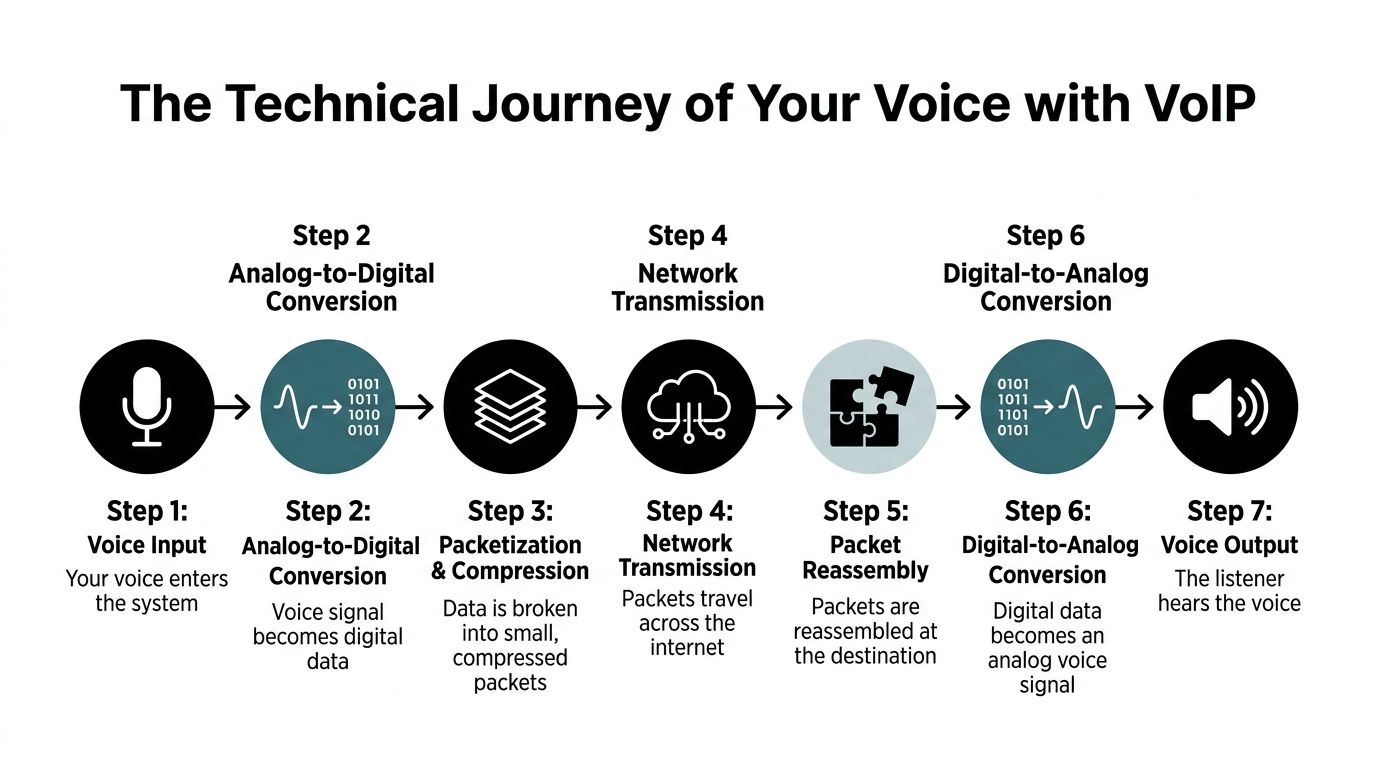
Step one starts with your voice
You speak into a desk phone, headset, laptop mic, or mobile app.
At that point, your voice is still an analog sound wave. The VoIP device has to convert that sound into digital information that a network can carry.
You can picture this like scanning a paper document so it can be emailed. The spoken words don't change. The format changes.
The voice gets converted and compressed
After the call device captures your voice, it uses a codec. A codec is basically a translator and packer.
It takes the audio and decides how to encode it for travel. Some codecs keep more detail and use more bandwidth. Others compress more aggressively to save network capacity.
According to Nextiva's explanation of how VoIP works, G.711 uses 64 kbps per call, while G.729 uses 8 kbps per call. The same source notes that jitter buffers of 20 to 50 ms help reorder packets and keep latency under the 150 ms ITU recommendation for high-quality calling.
That matters in plain English because bandwidth and call quality are always a tradeoff. If your network is tight, compression helps. If voice clarity is the priority, a less compressed codec may be the better fit.
Your call setup and your voice stream are not the same thing
Many often get lost here, so keep the distinction simple.
SIP sets up the call.
RTP carries the actual voice.
A useful analogy is a restaurant order.
- SIP is the host and server. It figures out who you're trying to reach, whether they're available, and where to send the request.
- RTP is the food runner. Once the order is placed, it delivers the actual content.
In technical terms, the call starts with a SIP INVITE. That tells the system who you want to call and begins the connection process. Once the call is established, your voice usually travels using RTP over UDP for low-latency delivery.
Your voice travels in digital envelopes
VoIP doesn't send one giant audio file. It breaks your voice into many small data packets.
Each packet is like a digital envelope carrying a tiny slice of the conversation. Those packets move across the network and may not all take the exact same path.
That sounds messy, but it's normal. The receiving system reorders the packets and plays the audio in sequence.
Practical rule: If packets arrive too late, out of order, or not at all, your staff hears the symptoms as echo, delay, choppiness, or robotic audio.
The receiving device rebuilds the conversation
At the other end, the packets are reassembled. The device converts that digital data back into audio the listener can hear.
This all happens fast enough that a normal call feels live and natural when the network is healthy.
Why this technical stuff matters to a business owner
You don't need to become a telecom engineer. You do need to know what the moving parts affect.
Here's the simple mapping:
| Technical piece | Plain-English role | Business effect |
|---|---|---|
| Codec | Compresses and translates voice | Affects sound quality and bandwidth use |
| SIP | Sets up the call | Affects whether calls connect properly |
| RTP | Delivers the live audio | Affects real-time conversation flow |
| Jitter buffer | Smooths packet arrival | Helps reduce choppy or broken audio |
| UDP | Sends data with low overhead | Helps keep voice responsive |
If a provider says your calls are "hosted in the cloud," these are still the mechanics underneath the service.
For a Henderson office, legal firm, or property management team, the takeaway is straightforward. Good VoIP isn't magic. It's a series of well-managed technical steps that produce a normal, professional-sounding phone call.
Building a Reliable Foundation for Your VoIP System
Monday at 9:00 a.m., your front desk is answering calls, accounting is syncing files to the cloud, and someone in the conference room starts a video meeting. If your network treats all that traffic the same, phone calls are usually the first thing staff notice. Words clip. Audio breaks up. Customers ask people to repeat themselves.
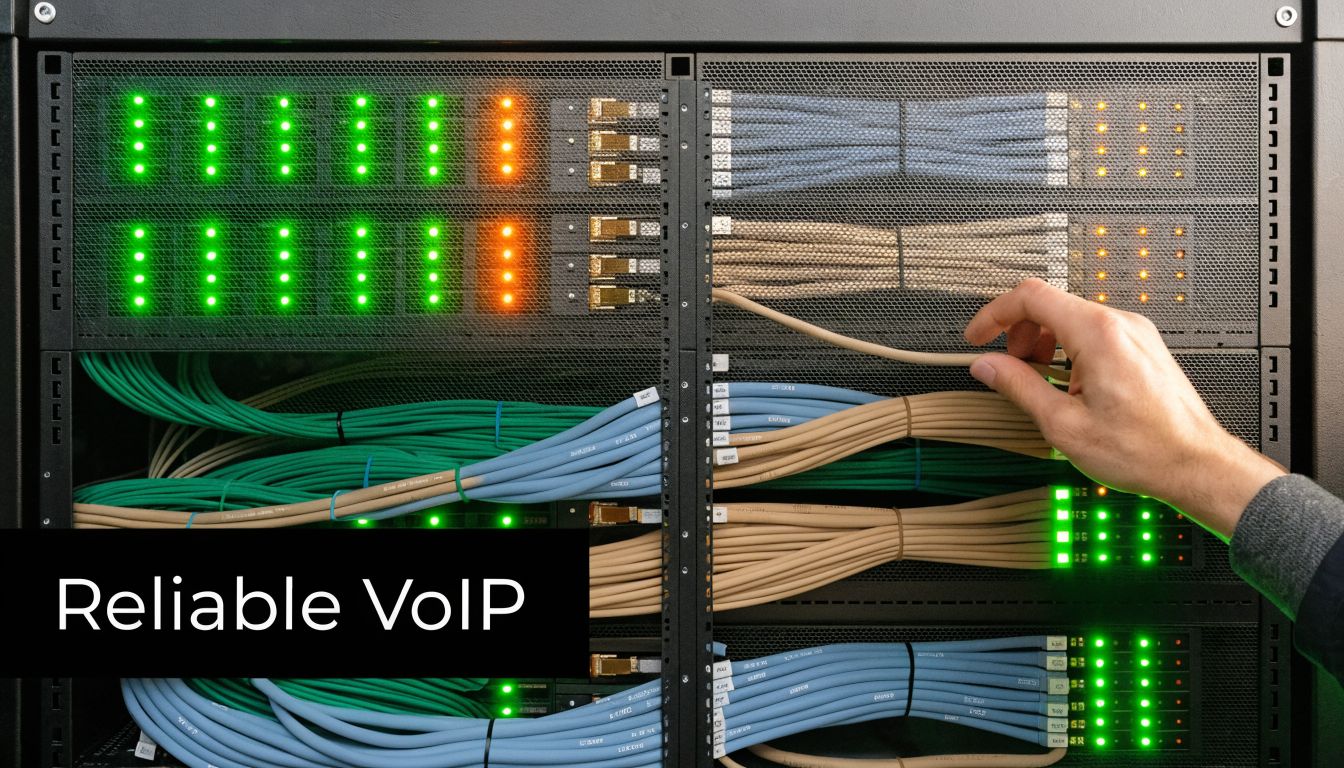
That is why a reliable VoIP setup starts with the network, not the handset.
Bandwidth matters, but consistency decides call quality
A lot of business owners hear "VoIP" and ask one question first: "Do we have enough internet speed?" That matters, but speed alone does not guarantee a good call.
Voice is a live conversation. Email can wait a few seconds. A file upload can retry in the background. A phone call cannot. If your connection gets unstable during busy hours, your team hears the result right away as delay, choppiness, or robotic audio.
The practical lesson is simple. Test your connection during real business conditions, not just with a one-time speed test at lunch. For Henderson SMBs comparing providers, this affects true TCO. A low monthly phone quote stops looking cheap if you also need circuit upgrades, switch replacements, or Wi-Fi fixes after the rollout.
QoS gives voice its own priority lane
Quality of Service, or QoS, works like a priority lane on a busy highway. Large downloads, cloud backups, and video traffic fill the regular lanes. QoS tells your network that voice packets should go first so calls stay clear even when the office is busy.
QoS does not create more bandwidth. It helps your existing network make smarter decisions.
That distinction matters for ROI. In some offices, a few sound network changes delay or avoid the cost of a bigger internet circuit. In others, QoS reveals that the internet connection really is too small. Either way, you get a clearer picture of what the phone system will cost to run well.
A voice VLAN keeps phone traffic organized
A voice VLAN is a separate lane inside your local network just for phones and voice devices.
If every device in the office shares one large pool of traffic, voice has to compete with everything else. A voice VLAN keeps conversations more isolated and easier to manage. That usually means more predictable call quality and simpler troubleshooting when something goes wrong.
This can be especially helpful in offices with lots of cloud app activity, guest Wi-Fi use, video meetings, or shared workspaces.
You do not need to memorize VLAN settings. You only need to know the business outcome. Separating voice traffic often leads to fewer call quality complaints and faster problem resolution.
Firewalls need to allow VoIP traffic without exposing the business
Some phone issues have nothing to do with speed or congestion. The call may fail because the firewall is blocking the traffic your phone system needs to register, ring, or pass audio correctly.
When that happens, the symptoms are confusing. A user might place outbound calls but not receive inbound ones. Another may hear the customer while the customer cannot hear them. Those problems look random from the desk, but they often point back to firewall rules, SIP handling, or session timing.
Security also belongs in the budget discussion. A VoIP project is not only a communications upgrade. It is also part of your security posture. If your business handles legal, financial, healthcare, or client-sensitive conversations, phone system planning should include access controls, fraud prevention, and a review of how voice traffic moves through the network.
Wireless can work, but wired is usually safer for desk phones
Wi-Fi has improved a lot, and softphone apps on laptops and mobile devices are common. Still, a wired connection is usually the safer choice for desk phones and other fixed workstations.
Wireless networks deal with interference, distance, and device density. Those factors can be manageable for web browsing but more noticeable on live calls. If your team depends on consistent call quality at reception desks, front offices, or shared service counters, wired connections often reduce trouble and make support easier.
If you are comparing systems, this guide to the best VoIP phone systems for small business can help you match features to the kind of network environment you already have.
A simple readiness checklist
Before moving to VoIP, ask your IT team or provider to validate these basics:
- Internet health: Review stability during peak hours, not just advertised speed.
- Router and switch support: Confirm the equipment can apply QoS and handle voice traffic properly.
- Traffic separation: Check whether a voice VLAN makes sense for your office layout.
- Firewall setup: Make sure the environment allows voice traffic securely and reliably.
- Power backup: Confirm critical network gear and phones stay up during short outages if your business depends on phone availability.
- Wired vs. wireless use: Decide which users need the consistency of Ethernet and which can work well with Wi-Fi or mobile apps.
A well-prepared network usually makes VoIP feel ordinary in the best way. Calls sound clear, staff stop thinking about the phone system, and your monthly savings are not erased by avoidable fixes after go-live.
Choosing Your VoIP Deployment Model On-Premise vs Cloud
Once you understand the basics of what VoIP is, the next practical question is where the system should live.
This decision isn't really about trendy tech labels. It's about control, maintenance, flexibility, and who handles the hard parts.
On-premise means local control
An on-premise PBX puts the phone system equipment and core management inside your business.
That can appeal to organizations that want tighter control over configuration, integrations, and internal policies. A company with an in-house IT team and a stable office footprint may prefer that model.
The tradeoff is responsibility. Your business owns more of the maintenance, updates, troubleshooting, and lifecycle planning.
Hosted cloud VoIP means provider-managed infrastructure
A hosted or cloud VoIP model shifts most of the phone system infrastructure to the provider.
Your team still uses desk phones, softphones, and mobile apps, but the heavy lifting happens offsite. This usually fits SMBs that want easier scaling, less hardware management, and better support for remote staff.
For many growing firms, this feels more like subscribing to a service than maintaining telecom equipment.
If you're weighing providers and feature sets, this guide to best VoIP phone systems for small business is a useful starting point.
Hybrid tries to balance both
A hybrid VoIP setup combines parts of both models.
A business might keep some local phone components for specific workflows while using hosted services for flexibility, remote access, or newer collaboration features. This can make sense during phased migrations or in organizations with specialized needs.
It can also be a practical middle path when you don't want a full rip-and-replace project on day one.
VoIP Deployment Model Comparison
| Criteria | On-Premise PBX | Hosted/Cloud VoIP | Hybrid VoIP |
|---|---|---|---|
| Primary strength | Control | Convenience | Flexibility |
| Hardware ownership | Mostly your business | Mostly provider-managed | Shared |
| Maintenance burden | Higher internal responsibility | Lower internal responsibility | Mixed |
| Scalability | Slower, depends on equipment and setup | Easier to scale through service changes | Moderate |
| Remote work support | Possible, but often more complex | Usually straightforward | Good, depends on design |
| Best fit | Firms with in-house IT and fixed locations | SMBs that want simpler operations | Businesses migrating in phases or with mixed needs |
| Budget style | More infrastructure commitment upfront | More service-based recurring costs | Mixed spending model |
| Customization | Strong | Good, but provider-defined in places | Strong in targeted areas |
How to choose without overcomplicating it
Ask three questions.
Who will manage the system day to day?
If the answer is "we don't want that burden," hosted service often makes more sense.
How important is remote flexibility?
If your team works from home, across locations, or on mobile devices, cloud options usually align better with daily operations.
Do we need a phased transition?
If you have legacy equipment, specialized workflows, or a cautious rollout plan, hybrid may be the safest path.
The right model isn't the one with the most features. It's the one your business can support reliably without adding unnecessary complexity.
Key Advantages and Potential Limitations of VoIP
VoIP has earned its place in business communications, but it isn't perfect in every environment. A smart decision comes from understanding both sides clearly.
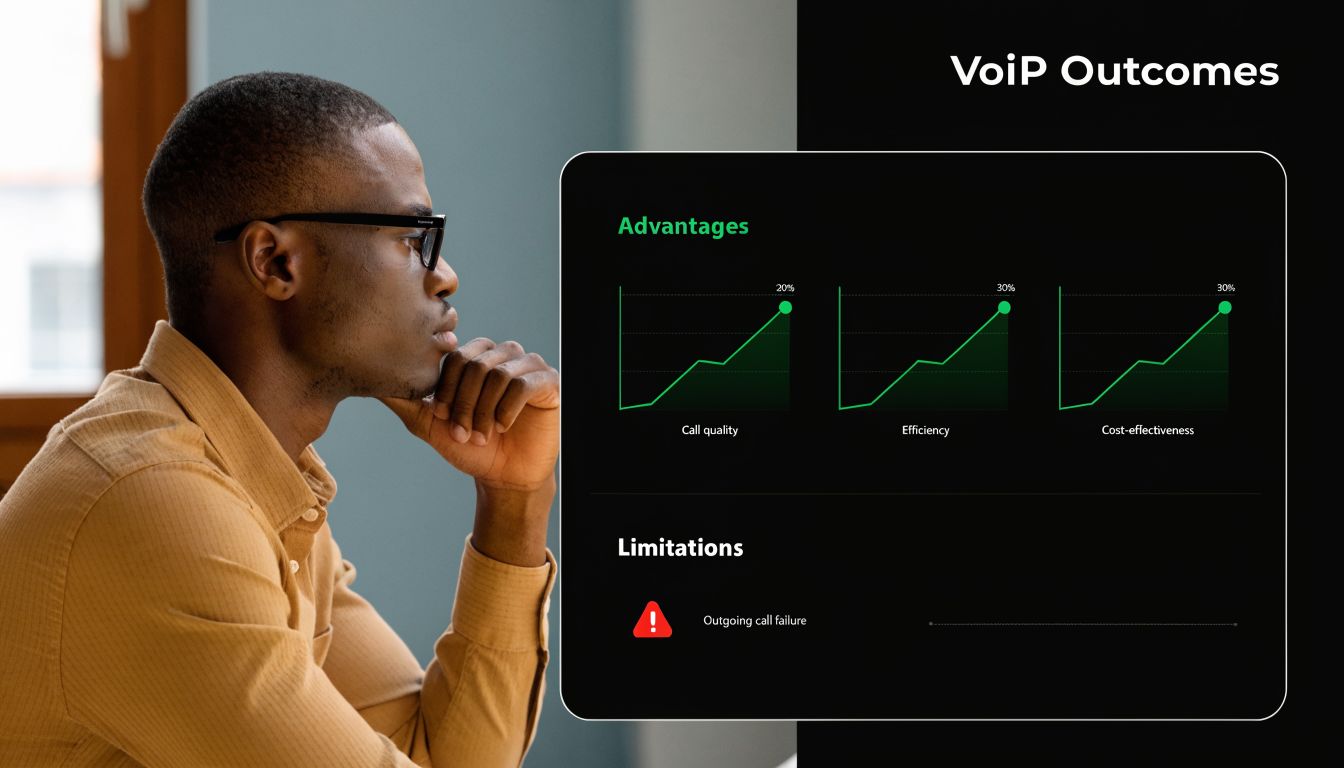
Where VoIP usually delivers the most value
The first big advantage is cost structure.
VoIP often reduces the need for old-style line infrastructure and makes it easier to bundle calling, routing, and collaboration features into one service. For businesses comparing modern service to legacy phone setups, the Ring4 background cited earlier notes cost savings of up to 50% versus POTS in practical business use.
The second advantage is flexibility.
A receptionist can answer from the front desk. A property manager can answer from a mobile app. A remote accountant can transfer a call from home and still appear to be working from the company number. That kind of mobility is often a significant business advantage.
The third advantage is integration.
VoIP works naturally with modern software habits. Businesses using Microsoft 365, Teams, shared calendars, CRM tools, and cloud file platforms can build a more connected communication workflow around the phone system instead of treating calling as a separate island.
Business examples that make this real
A legal office may want calls routed by practice area, with voicemail handled centrally and staff reachable after hours without sharing personal numbers.
A property management company may need one published office number, while leasing staff, maintenance coordinators, and field personnel answer from wherever they are.
A manufacturing office may want simple call handling in the front office but also need flexibility when managers are moving between the floor, warehouse, and remote locations.
Those aren't edge cases. They're common operating realities.
The limitations are real too
VoIP depends on internet quality. If the network is unstable, calls suffer.
It also depends on good setup. A poorly configured network can turn a good platform into a frustrating daily experience.
Security needs attention as well. Phone systems now live on data networks, so access control, firewall policy, vendor configuration, and user practices all matter more than they did with old analog lines.
For teams planning mobility and distributed calling, a remote working phone system becomes part of the conversation because call flow design changes once staff aren't all in one place.
A balanced pros and cons view
| Area | Advantage | Limitation |
|---|---|---|
| Cost | Can reduce legacy phone expenses | Savings depend on setup choices and migration costs |
| Mobility | Staff can work from office, home, or mobile devices | Requires thoughtful routing and user training |
| Features | Supports call handling, collaboration, and integration | Too many features can complicate administration |
| Scalability | Easier to add users and locations | Growth still depends on network readiness |
| Reliability | Strong when the environment is well designed | Weak internet or poor configuration will show up quickly |
A short visual overview can help tie that together.
VoIP is a strong business tool. It just isn't a shortcut around bad infrastructure or unclear planning.
That's the honest answer most business owners need.
Planning Your VoIP Migration and Calculating True ROI
A Henderson office manager approves a new phone system expecting lower monthly bills. Three months later, the subscription is fine, but the business has also paid for headsets, switch upgrades, staff training, and time spent fixing call flow issues during cutover. The project may still be worth it. The key question is whether the business priced the full move before signing.
That is why a VoIP business case should start with two clear views. First, what the system will cost over time. Second, how the migration will affect daily operations while your team is adjusting.

Monthly fees are only one piece of the cost
A VoIP quote often looks simple because the monthly license is easy to compare. Real ownership cost is wider than that.
Analysts at Gartner explain that total cost of ownership should include acquisition, deployment, support, training, and ongoing operations, not just the purchase price, in Gartner's explanation of total cost of ownership. That framework fits VoIP well because the phone platform touches your internet connection, internal network, devices, user habits, and support process.
For a Henderson-based property management firm, the return may come from more than replacing phone lines. It may come from fewer missed tenant calls, easier after-hours routing, and the ability for staff to answer from the field without giving out personal cell numbers. For a local medical or legal office, ROI may show up in less receptionist bottleneck, cleaner call handling, and fewer disruptions when staff work from home during storms or office closures.
A practical TCO checklist for Henderson SMBs
Use this as a working list during budgeting meetings.
1. Current phone expenses
Start with what the business already spends today, including costs that hide in different places.
- Service charges: Current carrier bills, PRI circuits, analog lines, fax lines, and long-distance charges.
- Aging system support: Maintenance contracts, break-fix work, replacement parts, and the time spent chasing vendors.
- Admin effort: Hours your office manager, IT contact, or outside provider spends on adds, moves, changes, and troubleshooting.
Small recurring costs add up fast when they have been spread across years of invoices.
2. New platform and device costs
Next, price the new system as people will use it.
- User licenses: Individual staff, shared phones, conference rooms, lobby phones, and common-area devices.
- Endpoints: Desk phones for front-desk or warehouse staff, softphones for mobile users, and quality headsets for people on calls all day.
- Spare equipment: Extra handsets, power adapters, conference units, and replacements for damaged gear.
A sales manager, a receptionist, and a shop-floor supervisor rarely need the same setup. Matching the device to the job helps control cost without making the system harder to use.
3. Network readiness costs
This category is where many budgets drift off course.
VoIP depends on a stable data network, so any weak spot in switching, cabling, Wi-Fi coverage, firewall rules, or internet service can become part of the project cost. In Henderson and across North Carolina, that can also mean checking whether your location has enough business-grade connectivity options from local providers before rollout, especially if your office sits outside the strongest service corridors.
If your team already sees video meetings freeze or cloud apps lag in the afternoon, those symptoms deserve attention before phone service moves onto the same network.
4. Migration and training costs
A phone system change affects how people work minute by minute.
- Number porting and setup: Porting timelines, auto attendant setup, ring groups, voicemail rules, and call flow design.
- Cutover planning: Temporary overlap with the old system, fallback procedures, and after-hours scheduling for the switchover.
- User training: Front desk staff, managers, and remote employees all need role-specific training, not a generic demo.
- Admin training: Someone in your business needs to know how to make basic changes after launch.
Training is part of ROI because a feature no one uses has no return.
A simple ROI framework that business owners can actually use
A first-pass ROI review does not need a complicated spreadsheet. It needs the right buckets.
| ROI factor | What to include |
|---|---|
| Current costs | Existing phone bills, support contracts, admin time, repair costs, carrier charges |
| Transition costs | New devices, setup, number porting, training, consulting time, network upgrades |
| New ongoing costs | Monthly licenses, support, replacement hardware, internet changes |
| Operational gains | Fewer missed calls, faster call handling, easier remote work, less admin effort, simpler scaling |
The last row matters more than many business owners expect.
If your front desk answers and routes calls faster, that saves staff time. If your team can keep working during a weather event from home or mobile apps, that protects revenue. If adding a new employee no longer requires a service call and a week of waiting, growth gets easier. Those gains may not appear as a separate line item on day one, but they still affect return.
How to plan a lower-risk migration
A phased rollout usually gives small and midsize businesses a better result than an all-at-once switch.
Start with a group that will expose problems early. Front-desk users are good at finding call flow issues. Remote staff quickly reveal app or headset problems. High-call-volume teams show whether call quality holds up under real use.
Then test the details that determine whether the rollout feels organized or chaotic:
- inbound routing during busy hours
- voicemail and after-hours behavior
- mobile app performance off-site
- headset comfort for heavy users
- failover handling if internet service drops
- porting status and fallback steps on cutover day
That process is especially useful for multi-site businesses in the Henderson area, where one location may have stronger connectivity than another. A small pilot helps you see whether every office is equally ready or whether one site needs extra work before full launch.
Questions to ask before you sign
Bring these into provider meetings and internal budget reviews.
- What network changes are required before deployment?
- Which employees need desk phones, and which can work well with softphones or mobile apps?
- How will inbound calls be handled during an internet outage or power issue?
- What training is included for reception, managers, remote users, and system administrators?
- How are number porting, cutover timing, and fallback planning managed?
- What support is available after launch, and who handles day-to-day changes?
- What does success look like after 30, 90, and 180 days?
A good ROI review should leave you with more than a lower monthly estimate. It should tell you whether the move will reduce missed calls, lower support burden, fit your network, and make life easier for staff.
If you want help turning that worksheet into an actionable plan, Cyberplex offers managed VoIP services for Henderson businesses that can support readiness reviews, migration planning, and long-term operations.
Partner with Cyberplex for a Seamless VoIP Transition
A VoIP project often looks simple at the quote stage. Then key questions emerge. Will your internet connection handle peak call times? Will the receptionist's call flow match what happens on a busy Monday morning? Will your team need desk phones, mobile apps, or both?
Those details shape the true cost of ownership.
Understanding how VoIP works gives you the foundation. Getting good results from it takes planning that fits your business, your staff, and your network. For many Henderson small and midsize businesses, the biggest risk is not the phone platform itself. It is paying for a system that looks good in a demo but creates call quality problems, training gaps, or extra support work after launch.
Cyberplex helps businesses turn that risk into a practical plan through its managed VoIP services for Henderson businesses. That support can include readiness reviews, migration planning, cutover preparation, and ongoing administration after the system goes live.
That matters because VoIP touches several parts of your operation at once. It works like a front desk, a network application, and a business continuity tool all in one. If any one of those pieces is set up poorly, employees feel it right away in missed calls, confused routing, or inconsistent audio.
A well-planned rollout usually includes a few things:
- Network readiness review: Check whether your connection, switching, Wi-Fi, and internal traffic can support clear calls before phones are deployed.
- Security review: Configure the phone system as part of your wider IT environment so accounts, devices, and admin access are protected.
- Call flow and user planning: Match ring groups, auto attendants, voicemail, mobile access, and device choices to how your staff works.
- Cutover planning: Prepare number porting, training, fallback options, and launch-day support to minimize disruption.
- Post-launch support: Handle changes, troubleshooting, and optimization without putting that burden on your office manager or internal team.
That approach is especially useful if you are comparing providers on more than monthly price. A lower bill can lose its appeal fast if you also need unexpected network upgrades, extra staff training, or repeated support tickets after deployment. Looking at readiness, rollout effort, and long-term support gives you a more honest view of ROI.
If you are replacing an aging phone system or want a second opinion on costs, readiness, and migration planning, Cyberplex Technologies LLC can help you build a VoIP transition that minimizes disruption and fits real day-to-day operations.


