
A property manager in Henderson gets an email that looks like it came from a vendor. An office manager at a local finance firm clicks a Microsoft 365 sign-in page that looks normal enough. By the time anyone notices, the attacker is inside email, payment workflows, or shared files.
That is how many small business security problems start. Not with a movie-style breach, but with an ordinary login, a rushed payment approval, or an old account nobody disabled after an employee left.
If you run a small business in Henderson, NC, your systems already support daily operations from every direction. Microsoft 365, cloud accounting tools, VoIP phones, tenant portals, remote access, and shared file platforms keep work moving. They also expand the number of places a mistake, weak setting, or stolen password can turn into downtime, fraud, or a client trust problem.
That risk shows up differently by industry. A property management company may have to deal with a compromised tenant portal, a fake maintenance invoice, or exposed lease documents. A finance, accounting, or insurance office may face stolen credentials, business email compromise, or unauthorized access to tax records and client files. Small manufacturers and law offices in the Henderson area run into the same pattern. The tools are different. The entry points are often the same.
The practical answer is not to buy every security product on the market. It is to set the right controls in the right order, then maintain them. That means closing easy gaps first, checking whether your backups restore, tightening admin access, and using tools that fit your staff and budget. If you are still treating passwords alone as enough protection, start with a plain explanation of why MFA matters for small business security.
This guide focuses on the controls that reduce risk in real small business environments, including Henderson property management offices, local financial firms, and other teams that cannot afford much downtime. Use it as a working plan. Print the checklist, mark what is already in place, and identify what still needs an owner, a budget, or outside help from an MSP such as Cyberplex.
1. Implement Multi-Factor Authentication Across All Systems
A Henderson property manager approves a vendor payment from Microsoft 365, then gets a prompt on their phone they did not expect. If they tap approve out of habit, a stolen password turns into account access, fake invoices, and a cleanup project that eats the rest of the week. MFA exists to stop that second step.
Microsoft reports that MFA can block the vast majority of automated account compromise attempts, which is why it remains one of the first controls to put in place for small business accounts and remote access. For local firms, that means protecting the systems that would create immediate operational or financial damage if someone got in.
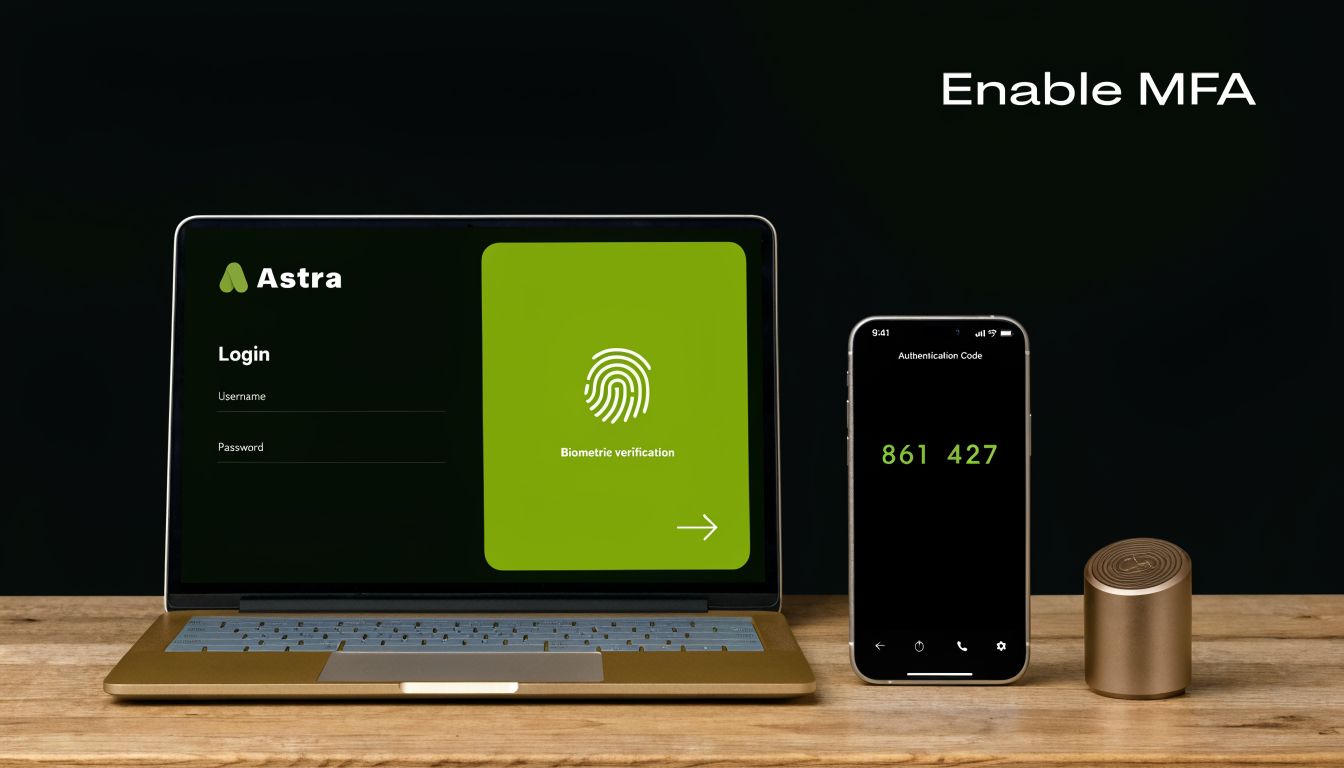
A Henderson accounting office using Microsoft 365 should start with the highest-value targets first. Turn it on for admin accounts, email, VPN access, and any financial platform that can move money or expose tax documents and client records. In property management, add tenant portals, maintenance systems, remote desktop access, and any cloud dashboard tied to buildings, locks, cameras, or payment workflows.
Where to turn it on first
Rollout order matters. Push MFA to every account at once and users often create their own shortcuts. They keep old sign-ins open, ignore prompts, or call for resets all day. A staged rollout usually holds better and causes less disruption.
Use this order:
- Protect admin accounts first: Microsoft 365 global admins, firewall admins, backup admins, and domain admins should never rely on only a password.
- Move to email and remote access next: Email remains the starting point for many compromises. Remote access is close behind.
- Use authenticator apps over SMS when possible: App-based prompts and time-based codes are usually a better security and support choice than text messages.
- Document backup login methods: Phones get replaced, lost, or broken. If recovery is improvised, lockouts become a business problem.
Practical rule: If an account can approve payments, access sensitive files, reset other users, or administer systems, require MFA.
There is a trade-off. MFA adds a little friction, especially during setup and device changes. That inconvenience is small compared with recovering a compromised mailbox, rebuilding trust after a payment fraud incident, or explaining to clients why their files were exposed. If you want a plain-English explanation of rollout mistakes and what good deployment looks like, read Cyberplex’s guide on the truth about MFA.
One more point gets missed in a lot of rollouts. Staff need to know what a legitimate prompt looks like, when to deny it, and who to call if repeated prompts start showing up. That is not the full training program. It is basic deployment hygiene, and it keeps MFA from becoming another button people approve without thinking.
For a quick visual refresher, this short video covers the basics well.
2. Conduct Regular Employee Security Awareness Training
A Henderson property management office gets an email at 4:42 p.m. The sender looks like a vendor. The subject mentions an urgent invoice. Someone opens it fast because tenants are still calling, a lease packet still needs to go out, and nobody wants to hold up a payment before close. That is how a normal workday turns into a security incident.
Small businesses get hit through routine behavior. Someone trusts a familiar-looking message, approves a login prompt they did not initiate, or sends records to the wrong recipient because the request sounded urgent. Verizon’s Data Breach Investigations Report continues to show the same pattern. The human element shows up in a large share of breaches. For a small business, that means awareness training belongs in daily operations, not in a once-a-year compliance box.

Henderson businesses are easy to map to realistic attack paths. A property manager sees lease renewals, ACH questions, maintenance approvals, and access requests. A local finance office sees statements, tax documents, wire instructions, and client identity records. Attackers write messages that fit those workflows because routine work gets less scrutiny than obvious spam.
Train by role, not by generic slideshow
Annual training fades fast. Staff remember examples that match the decisions they make every day.
Build training around the jobs people do:
- Front desk and tenant-facing staff: Focus on account reset scams, fake maintenance approvals, and social engineering tied to building access.
- Accounting and finance staff: Train heavily on business email compromise, payment-change requests, and executive impersonation.
- Remote staff: Emphasize browser sign-in prompts, fake Microsoft 365 pages, and home network hygiene.
- New hires: Give security orientation on day one, before they receive broad system access.
That role-based approach works because it lowers the guesswork. An employee should know what to check, what to pause, and who to contact before acting. CISA’s phishing guidance for organizations is a good baseline, but significant improvement comes from tailoring examples to your own vendors, software, and approval steps.
Report suspicious messages without punishing people for asking. Silence helps attackers more than false alarms do.
Keep the program short and repeatable. Five to ten minute refreshers each month usually work better than a long annual session people forget by next quarter. Include phishing simulations, but use them to coach, not embarrass. If somebody clicks, the follow-up should explain what they missed and how to spot the same trick next time.
Training also needs a clear reporting path. Staff should know exactly where to forward a suspicious email, how to report an unexpected MFA prompt, and when to pick up the phone instead of replying. If you already have an MSP helping with device security, tie training to that support process so reports turn into action quickly. Cyberplex covers that operational side well in its guide to managed endpoint security for small business devices.
A printable checklist helps here. Put one near the front desk, one in accounting, and one in your onboarding packet. Three questions are enough for a first pass. Did I expect this request? Does the sender, link, or attachment match our normal process? Have I verified any payment, password, or records request through a second channel?
That is practical training. It fits Henderson SMBs because it respects how people work under pressure.
3. Deploy Managed Endpoint Detection and Response
A Henderson office can go from normal to incident in minutes. An accountant opens a file that looks routine, a background process starts pulling scripts, and shared folders begin changing faster than anyone can explain. By the time basic antivirus shows a warning, the business may already be dealing with encrypted files, exposed data, or both.
That gap is why EDR matters. Endpoint Detection and Response looks for behavior that signals an attack in progress, not just a known malicious file. It can catch suspicious PowerShell activity, unusual login patterns, privilege changes, or encryption behavior that points to ransomware before one infected device turns into a wider outage.
Why managed EDR makes more sense for SMBs
The software is only part of the control. The hard part is reviewing alerts, deciding what is real, and acting fast enough to contain it.
For a small business, that usually means managed EDR is the better fit. A property management firm or finance office in Henderson may have one office manager, one outsourced IT contact, and no one assigned to watch endpoint alerts after hours. If the tool fires at 9:40 p.m. and nobody sees it until morning, detection did not solve the problem.
A managed team can investigate, isolate a device, and escalate based on an agreed process. That response layer is what SMBs are usually missing.
A Henderson finance office is a good example. You may have a controller, a few staff laptops, a server, and remote access for hybrid or seasonal work. If one laptop starts launching suspicious scripts from an email attachment and then touches shared files in a way that breaks normal user behavior, a managed EDR service can quarantine that device quickly and limit the blast radius.
What to prioritize
Start with the endpoints that create the most business risk if they are compromised.
- Protect executive and administrative workstations first: These systems often have broader access to banking, payroll, tenant records, or accounting platforms.
- Include remote laptops early: Devices used from home or on public networks are harder to monitor and easier to overlook.
- Cover servers and line-of-business systems: File servers, QuickBooks hosts, document repositories, and industry applications usually matter more than low-value endpoints.
- Set response rules before rollout: Decide who can approve isolation, what happens after hours, and which systems need immediate escalation.
EDR also works best when it is tied to the rest of your recovery plan. If a device has to be isolated or rebuilt, you need clear restore priorities and tested recovery steps. Cyberplex explains that operational side in its guide to backup and disaster recovery planning for small businesses.
If you are comparing tools versus managed service, use a simple test. Ask who reviews alerts, who makes the call to isolate a machine, and who owns containment at 7 p.m. on a Friday. If the answer is unclear, the gap is not the software. It is the response process.
4. Establish Regular Data Backup and Disaster Recovery Systems
A Henderson property management office gets locked out of its lease files on Monday morning. Staff cannot pull tenant records. Maintenance history is unavailable. Payment questions start stacking up at the front desk. At that point, nobody cares whether the backup job showed green overnight. They need to know what can be restored first, who is doing it, and how long the office will be working at half speed.
That is why backup strategy has to be built around recovery.
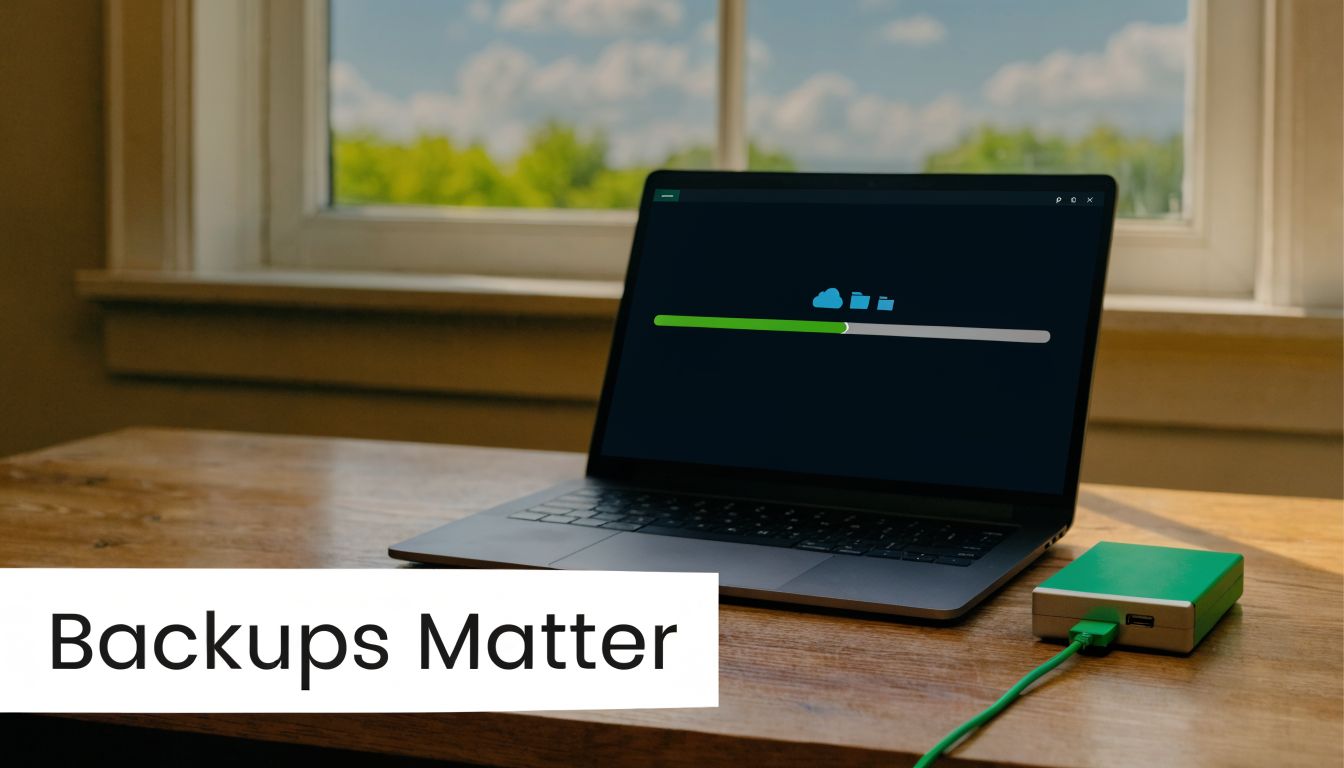
For small businesses in Henderson, NC, the right approach depends on what stops operations. A property management company may need lease files, camera footage, payment records, and its work-order platform back in a specific order. A local finance office may care more about document management, client communications, and line-of-business systems than older archived data. The priority is not backing up everything the same way. The priority is restoring the right systems fast enough to keep serving clients.
Test the restore, not just the backup
This is the part many businesses skip.
Backup logs confirm that data was copied somewhere. They do not confirm that a full server will boot, a database will mount cleanly, or staff can sign back in and work. I have seen companies discover that problem during an outage, which is the worst time to learn it.
Use a routine that reflects real failure scenarios:
- Keep multiple copies: Separate production systems from backup storage so one compromise or hardware failure does not take both out.
- Maintain one protected offsite copy: Cloud backups are useful if access is locked down, monitored, and not tied to the same credentials an attacker could steal.
- Run scheduled restore tests: Restore a file, a shared folder, and a full system image on a schedule. Test what your business would need during a bad day.
- Set a recovery order: Payroll, accounting, tenant systems, and client records usually come before old archives or low-use shared drives.
- Write down the steps: If the person who usually handles IT is unavailable, someone else should still be able to follow the recovery process.
“Backup completed” and “business can recover” are two different outcomes.
There is a real cost trade-off here. Keeping every system on short recovery times gets expensive fast. Smaller companies usually do better by ranking systems by business impact. Start with the tools that stop revenue, payroll, compliance work, or customer service when they fail. Then decide what can wait four hours, one day, or longer. That gives you a disaster recovery plan you can afford and use.
If you want a practical model for setting restore priorities, retention, and testing cadence, Cyberplex breaks it down in this guide to backup and disaster recovery planning for small businesses.
5. Harden Network Infrastructure with Firewalls and Segmentation
A Henderson property management office adds a few smart locks, a camera system, guest Wi-Fi for the lobby, and remote access for staff. A year later, those systems are still sitting too close to accounting files and tenant records. That is how a routine device problem turns into a business-wide incident.
Network segmentation reduces that blast radius. If one laptop, printer, or camera gets compromised, the attacker should not get a clear path to everything else.
Firewalls are part of that work, but the most impactful improvement comes from how you set the rules and divide traffic. Small businesses often buy decent firewall hardware and then run it with broad allow rules because nobody wants to break line-of-business apps. I understand the trade-off. Tight rules take planning and testing. Loose rules are easier to live with until something goes wrong.
Build walls inside the business
Start by separating systems based on business function and risk.
A practical small business layout usually includes these zones:
- Employee business network: Workstations, shared resources, line-of-business apps
- Guest wireless network: Internet only, no access to internal resources
- IoT or device network: Cameras, printers, badge readers, smart devices
- Server or critical systems segment: Systems that hold sensitive data or core services
That structure fits real Henderson SMBs. A finance office should keep advisor workstations and client data away from guest devices and office printers. A property management company should isolate cameras, door access systems, and maintenance tablets from accounting platforms and file shares. If one device in a lower-trust segment has a problem, the rest of the business keeps more distance from it.
What good firewall policy looks like
The firewall should enforce business boundaries, not just block random internet noise.
Review these points:
- Deny by default where possible: Allow required traffic intentionally instead of leaving broad access in place.
- Require VPN with MFA for remote access: Remote desktop exposed to the internet is still an unnecessary risk.
- Audit old rules on a schedule: Temporary vendor access and one-off support exceptions tend to stay long after the project ends.
- Turn on logging you will review: Alerts need an owner, whether that is internal staff or an MSP.
The Cybersecurity and Infrastructure Security Agency recommends segmenting networks and separating business functions so intruders have a harder time moving between systems in small business environments, as outlined in CISA guidance for securing small business and home networks.
One caution. Segmentation done badly can frustrate staff, break printing, interrupt VoIP, or block vendor tools that the business needs. Start with the highest-risk separations first, then test. Guest Wi-Fi, IoT devices, and critical systems usually give you the fastest security gain with the least operational pain.
If you use a managed IT partner like Cyberplex, this is one of the areas where outside oversight helps. Someone needs to review rules, document exceptions, and clean up access that no longer serves the business. Otherwise, the network slowly turns flat again.
6. Implement Email Security and Advanced Threat Protection
A Henderson property manager gets an email that looks like it came from a repair vendor. The logo matches. The tone is normal. The invoice amount is believable. One click on the attachment can turn a routine Monday into a mailbox takeover, wire fraud attempt, or malware incident.
Email is still the easiest path into a small business because it targets people in the middle of normal work. A finance office processing ACH requests, a law office exchanging documents, or a property management team coordinating vendors all rely on email for fast decisions. Attackers know that.
The technical controls here matter because staff will sometimes receive a message that looks legitimate. Your job is to cut down what reaches the inbox and make the remaining messages easier to judge.
The controls that matter most
Start with the protections built into Microsoft 365 or Google Workspace. Then decide whether your risk justifies a stronger email security layer. For firms in Henderson handling client financial data, legal documents, rent payments, or vendor invoices, that added filtering is often a reasonable cost.
Focus on these controls:
- SPF, DKIM, and DMARC: These validate your domain and make it harder for outsiders to spoof your business.
- Attachment sandboxing: This opens suspicious files in an isolated environment before they reach staff.
- URL rewriting and time-of-click checks: A link that looks safe at delivery can turn malicious later.
- External sender banners: These give users a clear warning when a message came from outside your organization.
- Mailbox anomaly detection: This helps catch suspicious forwarding rules, unusual login patterns, and account behavior that often follows compromise.
The Federal Trade Commission warns that business email imposters often pressure staff to buy gift cards, change payment details, or send sensitive information quickly, which is exactly why small accounting firms and office managers get targeted so often in day-to-day operations, as described in the FTC’s guidance on how to recognize and report spam text messages, phishing, and smishing.
Configuration matters as much as licensing. I have seen businesses pay for advanced email protection and still leave DMARC in monitor-only mode for months, or skip mailbox alerting for suspicious forwarding rules. That leaves gaps attackers know how to use.
A practical setup for a Henderson law office or accounting firm usually includes domain authentication, attachment detonation, link protection, VIP protection for partners or finance staff, and a clear process for reporting suspicious email. Add a simple user habit: if payment instructions, banking details, or password prompts arrive by email, verify them through a separate channel before acting.
A printable checklist helps here. Review whether your domain authentication is active, whether high-risk mailboxes have stronger protections, whether suspicious messages are easy to report, and who reviews the alerts. If no one owns that process internally, an MSP like Cyberplex can tune the filters, monitor the alerts, and fix configuration drift before it becomes an incident.
Polished phishing emails usually look ordinary. Good filtering reduces exposure. Clear reporting steps and regular review keep one bad message from turning into a business disruption.
7. Enforce Strong Password Policies and Credential Management
A Henderson property manager loses a leasing coordinator on Friday, then realizes Monday morning that the former employee still knows the password to a shared vendor portal, a utility account, and the company password spreadsheet. That is how weak credential management shows up in real businesses. Not as a policy failure on paper, but as a messy offboarding problem with direct financial risk.
Weak passwords are only part of it. The bigger issue in many small businesses is reuse, informal sharing, browser-saved logins, and no clear ownership over who can access what.
The recommendation here is straightforward. Give staff a secure way to use unique passwords for every business account, and give management a controlled way to grant, review, and remove access. A business-grade password manager is usually the cleanest answer because it solves two problems at once. It reduces password reuse, and it makes offboarding far easier.
That matters in Henderson firms with lots of external systems. A property management company may need logins for banking tools, maintenance vendor portals, utility dashboards, lease platforms, Microsoft 365, remote support tools, and accounting software. A finance office may also deal with custodial platforms, tax tools, secure document portals, and vendor billing accounts. If those credentials live in spreadsheets, browser autofill, or one employee's notebook, you have a process that breaks under stress.
Use these rules in practice:
- Require unique passwords for every business system: Email, financial platforms, administrator accounts, and remote access tools need their own credentials.
- Deploy a business-grade password manager: Use shared vaults with role-based access, audit logs, and clear ownership.
- Reserve stronger authentication for privileged users: FIDO2 security keys or app-based authentication make sense for admins, finance staff, and anyone approving payments.
- Change passwords when risk changes: Reset after suspected compromise, staff departures, vendor changes, or unauthorized access. Blind scheduled resets often lead to weaker habits.
- Review shared access regularly: Service accounts, shared vendor logins, and old emergency credentials tend to stay active longer than they should.
Current guidance from NIST's Digital Identity Guidelines supports longer passwords, screening new passwords against known compromised values, and avoiding frequent mandatory resets unless there is evidence of compromise. The Cybersecurity and Infrastructure Security Agency's guidance on password managers also supports using password managers to generate and store strong, unique credentials.
The trade-off is simple. Password managers add setup work, user training, and a monthly cost. They also reduce the odds that one reused password gives an attacker access to email, finance systems, and vendor accounts at the same time. For most small businesses, that trade is worth making.
Good credential management should feel routine. If your printable checklist for this article has a section for passwords, include five items: unique passwords, password manager deployment, admin protection, offboarding steps, and a review of shared accounts. If no one on staff has time to enforce that consistently, an MSP like Cyberplex can set the policy, migrate stored credentials out of unsafe locations, and help you keep access tied to real job roles instead of old habits.
8. Deploy Intrusion Detection, Prevention, and Network Monitoring
Small businesses often know something is wrong only after users complain. Files won’t open. Internet feels strange. Printers go offline. An account starts behaving oddly. By then, the attacker may have been active for hours or longer.
Network monitoring changes that by giving you visibility into traffic patterns, unusual destinations, lateral movement, and suspicious activity that endpoint tools alone might not fully explain. IDS and IPS tools add another layer by inspecting traffic and flagging or blocking known malicious patterns.
Visibility matters more than gadget count
You do not need a room full of blinking appliances. You need enough visibility to answer practical questions quickly. Which device is talking to what? Is a workstation making outbound connections it shouldn’t? Did a server start scanning other systems? Did a compromised user suddenly touch systems outside their normal pattern?
That matters in Henderson manufacturing environments where office and production networks intersect, and in finance environments where after-hours traffic can indicate account misuse.
Strong monitoring usually includes:
- Edge inspection: Watch inbound and outbound traffic at your perimeter
- Alert correlation: Connect firewall, endpoint, and authentication data where possible
- Baseline review: Know what “normal” looks like before you try to detect “abnormal”
- Escalation ownership: Someone must review serious alerts promptly, including after hours
If your logs exist but nobody can interpret them quickly, you have storage, not monitoring.
There’s a trade-off here too. In-house monitoring is hard to sustain for SMBs because alert fatigue is real. Managed monitoring through an MSP or security partner often works better because somebody is responsible for tuning, escalation, and follow-through. The goal isn’t collecting more alerts. It’s shortening the time between suspicious behavior and decisive action.
9. Establish Vendor and Third-Party Risk Management
Your security posture includes the vendors you depend on. If your bookkeeper uses a weak file-sharing process, if your payment processor has poor controls, or if a software provider gives support staff broad unattended access, their weaknesses can become your incident.
This matters a lot for property management, finance, and legal organizations because they typically rely on multiple specialized SaaS platforms and outside service providers. A tenant portal, accounting platform, hosted phone system, copier vendor, payment processor, and maintenance platform may all touch business-critical data in some way.
The challenge for SMBs is practical. You can’t thoroughly audit every provider. You need a simple way to tier them.
Classify vendors by risk, then ask better questions
Treat vendors differently based on what they access.
A useful small-business split looks like this:
- High-risk vendors: Access sensitive data, financial workflows, or your internal systems
- Moderate-risk vendors: Handle business operations but with limited data exposure
- Low-risk vendors: Minimal or no direct access to sensitive systems or records
For higher-risk vendors, ask direct questions before renewal or onboarding:
- What access do they have: Admin, user-level, API, or file-transfer access
- How do they authenticate: MFA should be expected
- How do they notify you of incidents: You need a real process, not a vague promise
- How is your data returned or destroyed: Offboarding matters as much as onboarding
The ROI gap in a lot of cybersecurity advice is real. Many guides tell SMBs what to buy but not what to prioritize when budgets are tight. The Loudoun Chamber source provided in your research summary highlights that gap and the lack of practical sequencing in many public recommendations through its small and medium business cyber tips page.
That’s especially important here. If you can’t assess every vendor thoroughly, start with the ones that can move money, store client records, or connect into your environment. Those relationships deserve the most scrutiny.
10. Develop and Test an Incident Response Plan
At 4:20 p.m. on a Friday, your office manager at a Henderson property management company sees rent payment emails sent from the wrong mailbox, a staff laptop starts encrypting files, and no one is sure whether to shut systems down or keep them running for evidence. That is the moment an incident response plan earns its keep.
A written plan gives you order under pressure. It assigns decisions before the bad day starts, so your team is not debating who calls the bank, who contacts your MSP, who approves account lockouts, or who speaks to tenants, owners, or clients.
The Cybersecurity and Infrastructure Security Agency outlines a practical incident response process for organizations, including preparation, detection, containment, recovery, and post-incident review on its incident response guidance for businesses. For a small business, the value is simple. Faster decisions usually mean less downtime, less confusion, and fewer expensive mistakes.
A Henderson finance office dealing with suspicious Microsoft 365 logins needs more than general advice. It needs a working contact sheet, clear authority, and a short set of first actions. If your controller cannot reach the cyber insurance carrier, or your front desk does not know how to escalate a business email compromise attempt, the plan is not ready.
Keep the plan practical
Short plans get used. Bloated plans sit in a folder until someone realizes they are 20 pages long and full of language nobody can act on quickly.
Your incident response plan should include:
- Roles and contact details: Internal decision-makers, MSP, legal counsel, cyber insurance, bank contacts, and key software or cloud vendors
- Priority incident types: Ransomware, business email compromise, lost or stolen device, vendor breach, unauthorized admin access, and payment fraud
- First containment actions: Which accounts to disable, which devices to isolate, what logs or screenshots to preserve, and who can authorize those actions
- Communication templates: Internal alerts, customer notices, vendor outreach, and a statement for cases where email is unavailable
- Recovery order: Which systems come back first, how restoration is approved, and how you verify that restored systems are clean
NIST also provides small-business-focused guidance that helps translate incident response from enterprise language into usable operating steps, especially around preparation and recovery, in its Small Business Cybersecurity Corner.
Testing matters as much as writing the document. Run a tabletop exercise with the people who would be involved. Ask one hard question and work it through: “Our Microsoft 365 admin account was compromised at 9:15 a.m. What do we do in the first 30 minutes?” That exercise usually exposes gaps fast. Missing phone numbers. No decision-maker for shutting off remote access. Backups that exist, but have not been restored in months.
If you work with an MSP such as Cyberplex, use them in the exercise. A good provider should help define escalation paths, validate recovery steps, and pressure-test whether your plan matches your actual systems. That is a real trade-off for small teams in Henderson. You may not have in-house security staff, but you still need a response process that works when payroll, trust accounts, or tenant communications are on the line.
Small Business Cybersecurity: 10-Point Controls Comparison
| Item | Implementation Complexity 🔄 | Resource Requirements ⚡ | Expected Outcomes 📊⭐ | Ideal Use Cases 💡 | Key Advantages ⭐ |
|---|---|---|---|---|---|
| Implement Multi-Factor Authentication (MFA) Across All Systems | 🔄 Low–Medium: policy setup and rollout | ⚡ Low ongoing; auth apps inexpensive; tokens optional | 📊 Large reduction in account compromise; ⭐ high account security | 💡 Remote work, cloud email (M365/Google), admin accounts | ⭐ Blocks most credential attacks; aids compliance; enables secure BYOD |
| Conduct Regular Employee Security Awareness Training | 🔄 Medium: program design + continuous delivery | ⚡ Low–Medium recurring (platforms, simulations) | 📊 Reduces human-caused incidents 45–70%; ⭐ improves detection/reporting | 💡 All organizations, high-phishing risk, compliance-driven firms | ⭐ High ROI; builds security culture; improves incident response |
| Deploy Managed Endpoint Detection and Response (EDR) | 🔄 Medium–High: deployment, tuning, integrations | ⚡ Medium–High: per-endpoint licensing + managed SOC | 📊 Faster detection/response; reduced dwell time; ⭐ finds advanced threats | 💡 Organizations lacking security staff; high-risk industries | ⭐ Real-time remediation, forensic data, 24/7 monitoring (managed) |
| Establish Regular Data Backup and Disaster Recovery (BDR) Systems | 🔄 Medium: config, testing, RTO/RPO planning | ⚡ Medium: storage, bandwidth, licensing, testing time | 📊 Rapid recovery from ransomware/hardware failure; ⭐ business continuity | 💡 Any org with critical data, regulated environments | ⭐ Immutable backups, compliance support, minimal downtime |
| Harden Network Infrastructure with Firewalls and Segmentation | 🔄 Medium–High: architecture and rule management | ⚡ Medium: NGFW appliances/software + skilled admin | 📊 Limits lateral movement; reduces attack surface; ⭐ improves visibility | 💡 Multi-site networks, IoT environments, PCI/HIPAA scope | ⭐ Granular access control; containment of breaches; threat filtering |
| Implement Email Security and Advanced Threat Protection | 🔄 Medium: auth config (SPF/DKIM/DMARC) + ATP tuning | ⚡ Low–Medium: cloud filtering/ATP subscription | 📊 Blocks majority of phishing/malware via email; ⭐ reduces delivery-based attacks | 💡 Cloud email users (M365/Google), high-volume email orgs | ⭐ DLP, sandboxing, time-of-click protection, user reporting |
| Enforce Strong Password Policies and Credential Management | 🔄 Low–Medium: policy + password manager rollout | ⚡ Low–Medium: manager licenses, FIDO2 keys for priv. accounts | 📊 Fewer credential breaches; ⭐ improves password hygiene and auditability | 💡 All orgs, privileged account protection, password-heavy environments | ⭐ Enables unique complex passwords; supports passwordless auth |
| Deploy Intrusion Detection/Prevention (IDS/IPS) and Network Monitoring | 🔄 High: deployment, tuning, SIEM integration | ⚡ Medium–High: sensors, storage, analyst time, SIEM costs | 📊 Detects evasive attacks and exfiltration; ⭐ provides forensic network visibility | 💡 High-risk networks, compliance-heavy environments, critical infra | ⭐ Deep packet inspection, anomaly detection, SIEM correlation |
| Establish Vendor and Third-Party Risk Management Program | 🔄 Medium: inventory, assessments, contract updates | ⚡ Low–Medium: questionnaires, audits, monitoring tools | 📊 Reduces supply-chain risk and third-party breaches; ⭐ clarifies responsibilities | 💡 SaaS-heavy businesses, firms handling regulated data | ⭐ Lowers vendor-related liability; supports compliance and insurance |
| Develop and Test an Incident Response (IR) Plan | 🔄 Medium–High: plan creation, playbooks, tabletop exercises | ⚡ Medium: staff time, drills, external advisors (legal/MSP) | 📊 Faster, coordinated recovery; ⭐ minimizes downtime and legal risk | 💡 All organizations, especially regulated or high-impact ops | ⭐ Clear roles/communication; required by insurers; improves resilience |
Your Next Step From Plan to Actionable Protection
Understanding these cybersecurity tips for small business use is a strong start. Implementation is what changes outcomes. Most cyber incidents in small organizations aren’t caused by a total lack of concern. They happen because controls were only partially deployed, never tested, or left unmanaged after the initial project ended.
That’s why it helps to think in layers. MFA protects logins. Email security cuts down malicious messages. Training helps users make better decisions. EDR watches devices when prevention fails. Backups give you a path to recover. Firewalls, segmentation, password management, monitoring, vendor review, and incident response all reduce the chances that one mistake becomes a major business event.
For Henderson businesses, that layered approach should reflect local reality. A property management firm may need stronger controls around remote staff, tenant communications, vendor invoices, and shared devices. A financial or accounting office may need tighter access controls, better logging, and stronger email protection around payment workflows. A manufacturer may need network separation between office operations and production-related systems. The best security plan is the one that maps directly to how your business operates.
It also needs prioritization. Small businesses usually can’t fund everything at once, and pretending otherwise leads to stalled projects and weak adoption. If your budget is limited, fix the highest-risk gaps first. Lock down admin accounts with MFA. Clean up password practices. Improve email filtering. Make sure backups can restore. Get visibility on endpoints. Then move into deeper hardening and monitoring. That sequencing isn’t glamorous, but it works.
Printability matters too. Most security advice disappears into bookmarked blog posts that nobody opens again. A printable internal checklist is more useful because it turns a broad topic into concrete tasks your leadership team can review. You should be able to sit down with operations, finance, and your IT partner and answer basic questions quickly. Do all privileged accounts use MFA? Are backups tested? Who owns incident response after hours? Which vendors have access to sensitive data? If you can’t answer those questions clearly, you’ve found your next priorities.
Cybersecurity is also not a one-time clean-up. Staff changes. New software gets added. Old vendor access lingers. Employees travel, work remotely, and click things when they’re rushed. Attackers change tactics constantly. Security has to be reviewed, tuned, and maintained like any other critical business function.
That’s where many small organizations decide they need outside help. Not because they can’t understand the basics, but because consistent execution takes time, tools, and follow-through. A managed service partner can reduce that burden by handling the parts that usually slip: endpoint monitoring, patching, firewall reviews, backup oversight, email hardening, user support during MFA rollout, and incident coordination when something suspicious happens.
Cyberplex Technologies fits that role for many Henderson-area businesses. The value isn’t just access to tools. It’s having people who can help you prioritize, implement, monitor, and improve without turning cybersecurity into a second full-time job for your office manager or controller. If you want real resilience, that operational support matters as much as the technology itself.
Take the list above and turn it into action this quarter. Pick the first three gaps that would hurt most if ignored. Fix those. Document the changes. Test them. Then keep going.
If your business in Henderson needs help turning these priorities into a workable security plan, Cyberplex Technologies LLC can help you assess gaps, roll out practical protections, and manage the day-to-day security work that often gets pushed aside. Whether you need stronger Microsoft 365 security, managed endpoint protection, better backups, firewall oversight, or a tested incident response process, Cyberplex gives small and midsize organizations hands-on support built around real operations, not generic advice.


