
Thinking about business continuity planning steps isn't just about ticking a box on a compliance checklist. It's about building a real, strategic defense for the business you've worked so hard to grow. We see it as a living process—a cycle of assessing risks, figuring out what's most important, and then rigorously testing your playbook to make sure it actually works when you need it.
The whole point is to have a plan that ensures you can keep the lights on, protect your reputation, and ultimately, survive whatever comes your way.
Why a Continuity Plan Is Your Best Defense
Let's get real for a minute. Imagine your accounting firm gets slammed with ransomware right in the middle of tax season. Every piece of client data is locked up, deadlines are breathing down your neck, and your phone is blowing up with panicked calls. An actionable plan means you know exactly who to call, which backup to restore, and how to communicate with clients in the first 30 minutes.
Or what if you run a manufacturing shop, and a freak storm knocks your servers offline? Suddenly, no one can access the critical project files or production schedules. An actionable insight here is having pre-arranged access to a cloud-based version of your schedule that can be accessed from any device, keeping the production floor moving. These aren't just "IT problems"—they are full-blown threats to your company's survival.
This is exactly why a Business Continuity Plan (BCP) is a non-negotiable for any small or mid-sized business. It’s not some dusty binder that sits on a shelf. It's your playbook for resilience. Without one, you’re gambling with devastating financial losses, damage to customer trust that you may never repair, and even hefty regulatory fines.
The Real Cost of Being Unprepared
For an SMB, the fallout from a major disruption can be swift and brutal. One study found that a staggering 90% of small companies shut their doors for good within a year if they can't get back up and running within five days of a disaster. The costs go way beyond just the revenue you lose during the downtime.
Think about the other consequences:
- Reputational Damage: Trust is everything. If your systems are down and you can't deliver, your clients won't wait around. They'll find someone who can. A practical example: a local florist that misses Valentine's Day orders because their online system crashed will not just lose that day's revenue, but future business from every disappointed customer.
- Regulatory Penalties: If you're in a regulated industry like finance, law, or healthcare, failing to protect data and maintain services can bring massive fines and legal trouble. For a medical clinic, a data breach during a system outage could lead to HIPAA fines in the hundreds of thousands of dollars.
- Operational Chaos: Without a clear plan, panic sets in. Your team is left scrambling, confused, and making a bad situation exponentially worse. An actionable insight is to pre-assign roles. For instance, the office manager handles client communication, the lead tech contacts the IT partner, and the CEO coordinates with the leadership team. This prevents everyone from trying to do everything at once.
A Business Continuity Plan is what moves your organization from reactive crisis management to proactive operational resilience. It’s about taking control of the outcome instead of just being a victim of the event.
The Building Blocks of a Strong BCP
Getting started with business continuity planning steps doesn't have to be some intimidating, overwhelming project. It really just boils down to a few fundamental components that form the foundation for protecting your business.
First, you'll kick things off with a risk assessment to pinpoint the most likely threats to your specific business, whether that's a cyberattack, a key supplier going under, or a natural disaster. From there, you'll do a business impact analysis (BIA), which is a fancy way of saying you'll figure out which parts of your business are most critical and how fast they need to be back online.
Once you know your priorities, you can build practical recovery strategies and create a crystal-clear communication plan. The final, and maybe most important, piece is testing and training. You have to run drills regularly to make sure the plan actually works and your team knows exactly what to do. This is what turns your BCP from a static document into a powerful, living tool.
Laying the Groundwork: Your Business Impact and Risk Assessment
Alright, let's get down to the real work. The first step in building a business continuity plan that actually works is to stop guessing and start analyzing. This is where you roll up your sleeves and conduct a Business Impact Analysis (BIA) and a risk assessment. These two pieces are the absolute foundation for every decision you'll make from here on out.
Think of it this way: you wouldn't build a house without a blueprint, right? A BIA and risk assessment are your blueprints for business resilience. They tell you exactly what you need to protect and what you're protecting it from.
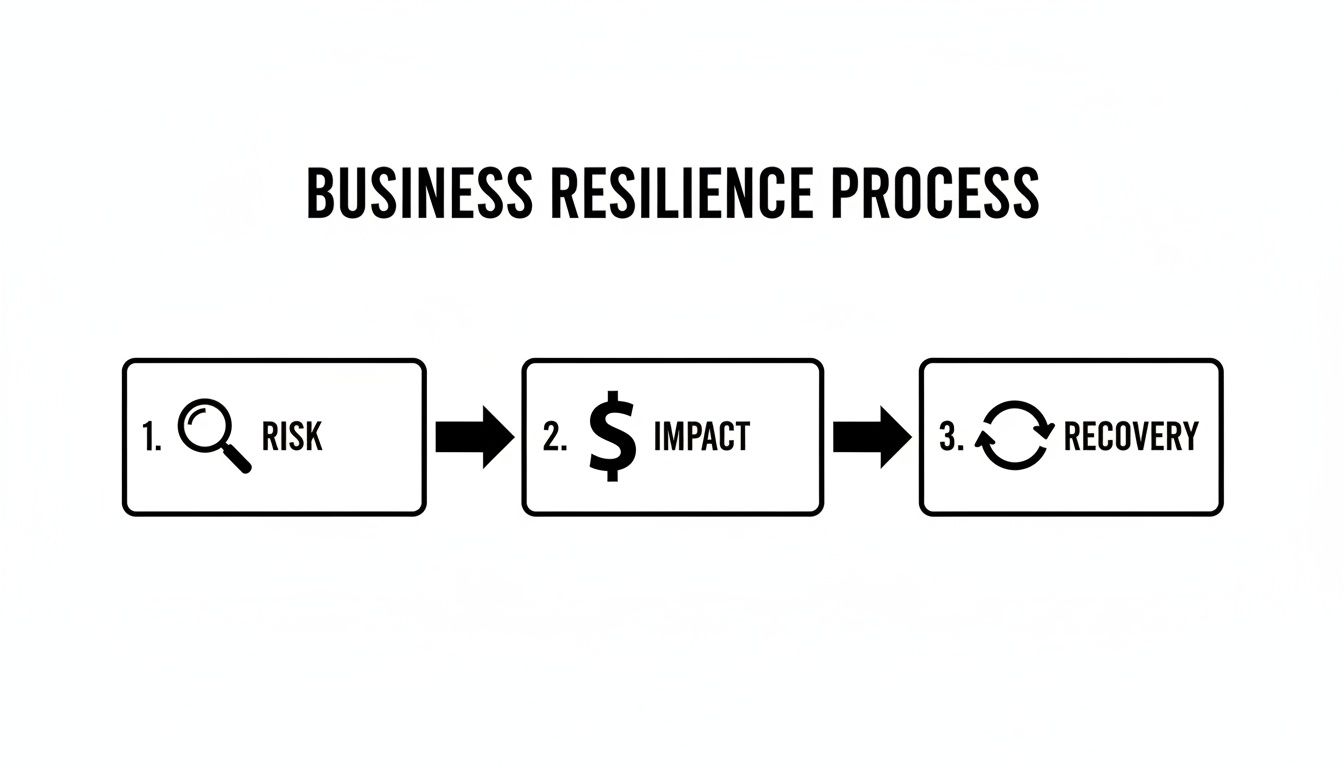
This process isn't just busywork. You have to identify the threats and understand what they'll cost you before you can decide what to save first.
What Are Your Most Critical Functions?
The BIA cuts through the noise to answer one simple question: what parts of my business absolutely, positively have to keep running? To keep things organized and avoid getting bogged down, I like to use a simple "Five P's" framework.
- People: Who are the essential team members needed to get critical tasks done? For a construction company, this is the project manager and the site foreman, not necessarily the marketing intern.
- Places: What physical locations are non-negotiable for your operations? (Think office, warehouse, etc.) For a restaurant, it's the kitchen. For a remote-first tech company, it might be the data center where their servers are co-located.
- Providers: Which vendors, suppliers, or MSPs would bring you to a screeching halt if they went down? For a logistics company, it's their primary freight carrier. For a retail shop, it's their payment processor.
- Processes: What are the most vital workflows? We're talking about things like payroll, client intake, or your core service delivery. A law firm's most critical process is likely e-filing documents with the court, which has hard deadlines.
- Programs: What software, applications, or specific data can you not operate without? For a dental office, the patient scheduling and records software is non-negotiable.
Let's make this real. Imagine a local accounting firm during tax season. For them, the People are the CPAs and payroll specialists. The Programs are their tax software and the client accounting platform. If either of those goes down in March, it's a catastrophe.
Mapping this out gives you a concrete inventory of what to protect. You can't save everything at once in a real disaster, so this tells you what gets recovered first.
How to Set Your Recovery Objectives
Once you know what’s critical, you have to define how fast it needs to come back online. This is where you set two of the most important metrics in business continuity: your RTO and RPO.
Recovery Time Objective (RTO): This is the maximum amount of downtime your business can tolerate for a specific function. For that accounting firm, the RTO for their tax software might be one hour. The RTO for their marketing website, on the other hand, could probably be 24 hours. A practical tip: think in terms of customer impact. If a customer can't get service after X amount of time, what's the financial loss? That helps define your RTO.
Recovery Point Objective (RPO): This defines how much data you can afford to lose, measured in time. The firm’s client transaction database might have an RPO of just 15 minutes—meaning losing more than 15 minutes of data would be unacceptable. A practical tip: Consider the data entry volume. A busy e-commerce site needs a very short RPO (minutes), while an internal project management tool might tolerate a longer one (hours). You can dig deeper into how the recovery point objective impacts disaster recovery in some of our other guides.
These two numbers turn vague goals like "get back online quickly" into measurable targets that will directly shape your backup and recovery strategy.
Putting this all together in a simple matrix can bring incredible clarity to your planning. It helps you visualize priorities and justify the resources needed for different RTOs.
Business Impact Analysis Priority Matrix Example
| Business Function | Impact of Downtime (1-5) | Maximum Tolerable Downtime | Recovery Time Objective (RTO) |
|---|---|---|---|
| Client Accounting Platform | 5 (Catastrophic) | 2 Hours | < 1 Hour |
| Payroll Processing System | 5 (Catastrophic) | 8 Hours | < 4 Hours |
| Email & Communications | 4 (Severe) | 4 Hours | < 2 Hours |
| Employee File Server | 3 (Moderate) | 24 Hours | < 8 Hours |
| Marketing Website | 2 (Minor) | 72 Hours | < 24 Hours |
This kind of table is your roadmap. It shows that while the website is important, it's nowhere near as critical as the accounting platform, allowing you to allocate your resources intelligently.
Running a Practical Risk Assessment
With your priorities and recovery targets locked in, it’s time to figure out what could actually go wrong. A risk assessment shouldn't be a generic exercise; it needs to be specific to your business, your industry, and even your physical location.
I find the easiest way to start is with a simple checklist of potential threats, grouped into a few key categories.
Sample Threat Assessment Checklist:
- Cyber Threats
- Ransomware attack on your servers. Example: A phishing email dupes an employee, encrypting your entire customer database.
- Targeted phishing that compromises credentials. Example: The CFO's email is hacked, leading to fraudulent wire transfers.
- Denial-of-Service (DoS) attack that takes your website offline. Example: A competitor floods your e-commerce site with traffic during a Black Friday sale.
- Physical & Environmental Events
- Extended power outage (more than a day). Actionable insight: Identify a secondary work location with generator power or ensure all critical staff have mobile hotspots.
- Fire, flood, or major leak at your main office. Actionable insight: Digitize all critical paper documents and store them in the cloud.
- Severe weather common to your region (hurricanes, blizzards, etc.). Example for a Florida business: Have a clear "work from home" activation trigger when a hurricane watch is issued.
- Human & Operational Issues
- Accidental deletion of critical data by an employee. Example: A junior staffer deletes the entire client contact list, but you have backups from 15 minutes ago.
- Sudden departure of a key person with unique institutional knowledge. Actionable insight: Document all critical processes and cross-train at least two employees on each one.
- A critical supplier or vendor goes out of business. Example: Your single-source packaging supplier shuts down. Your plan should have two alternative suppliers pre-vetted with contact info.
This foundational phase is what separates the businesses that survive a disaster from those that don't. A Mercer survey found that only 49% of businesses even have a continuity plan. That's a terrifying statistic, especially when FEMA data shows that 90% of small companies that can't get back up and running within 5 days of a disaster will fail within a year.
By taking the time to list your likely threats and evaluate their potential impact, you can build a plan that truly protects your most essential operations. Now you have a data-driven foundation to build the rest of your business continuity plan.
Developing Your Prevention and Recovery Strategies
You’ve done the hard work of analyzing the risks and impacts. Now it’s time to move from analysis to action. This is where you build the playbook your team will actually use when things go wrong—a documented strategy that anyone can pick up and follow.
We find it helps to build your plan around three core pillars: Prevention, Mitigation, and Recovery. Let’s look at what each of these means in the real world.
The Prevention Pillar
An ounce of prevention is worth a pound of cure—it's a cliché for a reason. This pillar is all about the proactive steps you take today to stop a disaster from ever happening. It's almost always easier to prevent a problem than to clean up after it.
Think about ransomware protection. You don’t just cross your fingers and hope you’re not a target. You proactively harden your systems. This goes way beyond simple antivirus software; it means implementing multi-factor authentication (MFA), enforcing strong password policies, and locking down administrative privileges. A practical example is using an app-based MFA (like Google Authenticator) for all remote access instead of less-secure SMS codes.
Another critical piece is continuous security training for your people. Your team is your first and best line of defense. Regular, engaging training on how to spot phishing emails and other social engineering scams can shut down an attack before it ever gets a foothold in your network. An actionable insight: Run a simulated phishing campaign quarterly. Anyone who clicks the link gets immediate, friendly online training on what to look for next time.
The Mitigation Pillar
Let's be realistic: some disasters are simply unavoidable. Mitigation is about accepting that reality and working to limit the damage when it happens. If prevention is your security gate, mitigation is the fire suppression system—it helps you absorb the hit and keep going.
The single most important mitigation strategy is a solid backup and disaster recovery system. And I don’t just mean having a backup; it’s about having the right kind of backup. For a real estate agency running on Microsoft 365, this means a third-party backup solution that protects their cloud data from accidental deletion or a ransomware attack that locks up their SharePoint files. An actionable example is using a backup service that follows the 3-2-1 rule: three copies of your data, on two different media types, with one copy off-site.
Your mitigation plan also needs to look beyond IT. A manufacturing plant, for instance, should have alternate suppliers identified for critical raw materials. If your main vendor gets hit by a hurricane, having a pre-vetted secondary supplier on deck can keep your production line from grinding to a halt. The actionable step here is to actually contact that secondary supplier once a year to confirm they can still meet your needs and update their contact info in your plan.
The Recovery Pillar
Recovery is your step-by-step game plan for getting back to business after a disruption. This is your tactical playbook. It needs to be crystal clear, concise, and leave zero room for guesswork during a high-stress crisis.
A well-written recovery plan assigns specific roles and responsibilities. Everyone on the team needs to know exactly what they are supposed to do—and just as importantly, what they are not supposed to do.
Practical Recovery Plan Examples:
- For a Manufacturing Plant: The plan for a critical machinery failure would spell out who to call for repairs (with primary and secondary contact numbers), the process for shifting production to other machines, and exactly how to communicate delays to customers (including pre-written email templates).
- For a Real Estate Agency: A communication "runbook" is vital. If the office is inaccessible, the plan would detail how to instantly activate the firm's VoIP system to route calls to agents' cell phones and how to use Microsoft Teams to coordinate client activities remotely. A practical step is to create a "phone tree" card for every employee's wallet with key contacts.
These documented strategies are what turn chaos into a structured, calm response. It’s no surprise that organizations with this level of detail recover much faster. In fact, recent data shows 69% of enterprises now use flexible, hybrid plans to deal with modern threats like cyberattacks. This detailed approach is central to successful business continuity, and you can find out more about these successful planning steps.
This is the part of the process where you build true resilience. Knowing who does what, and when, is the key to minimizing downtime and protecting your bottom line. A well-designed recovery strategy is the backbone of your entire effort. For more in-depth guidance, check out our guide on designing a resilient backup and disaster recovery solution.
Putting Your Plan into Practice with Drills and Training
A business continuity plan that just sits on a shelf is worse than useless—it’s a liability. The most critical, and honestly, the most overlooked part of this whole process is bringing that plan to life with consistent testing and training. This is where you find the cracks in your strategy before a real crisis blows them wide open.

Think of it like a fire drill. You don't just hand out an evacuation map and cross your fingers. You practice. The exact same principle applies here, and an untested plan creates a false sense of security that can be more dangerous than having no plan at all.
Starting with Tabletop Exercises
You don’t need to simulate a full-blown catastrophe on day one. The best and easiest place to begin is with a tabletop exercise. This is really just a low-stress, discussion-based meeting where you get your key team members in a room and talk through a disaster scenario.
The goal is simple: walk through the plan, step by step, out loud.
For instance, get your response team together and drop a scenario on them: "It's 10:00 AM on a Tuesday, and our main server just got hit with ransomware. Every single shared file is encrypted. What do we do right now?"
Go around the table and have each person explain their first move based on the BCP. An actionable tip: have a facilitator write the "next action" on a whiteboard and the time elapsed. This creates a visible timeline and shows how quickly (or slowly) the response is proceeding. I guarantee you’ll quickly find out where the plan is vague, where roles get muddled, or where a crucial step was completely missed. These exercises are fantastic for revealing the human element and building your team's crisis-response muscle.
Advancing to Functional Drills
Once you've smoothed out the big wrinkles through tabletop discussions, it's time to get your hands dirty with functional drills. These are hands-on tests of specific parts of your BCP. It's one thing to say you’ll restore from a backup; it’s another thing to actually do it when the clock is ticking.
Some key functional drills include:
- Backup Verification: Don't just look at the report that says your backup completed. Actually perform a test restore of a critical file or even a whole virtual machine into an isolated environment. Can you open the data? Is it corrupted? You need to know for sure. Actionable insight: Schedule this test restore for the first Friday of every quarter and document the results—pass or fail.
- Failover Testing: If you have redundant systems, you absolutely have to test the failover. For a property management firm we worked with, this meant intentionally cutting their primary internet to see if their VoIP calls automatically rerouted to employee cell phones as designed. The test revealed that only half the phone numbers were correct in the failover system, a critical flaw fixed before a real outage.
- Communication Test: Trigger your emergency notification system. Send a test alert to make sure your contact lists are up-to-date and that everyone actually gets the message on the right channels (SMS, email, app notification, etc.). Practical example: Send a test message saying, "This is a test of the BCP alert system. Please reply 'RECEIVED' to confirm." Track who doesn't respond.
A financial services firm, for example, might run a quarterly drill to restore a sample of client transaction data. This isn't just about checking a technical box; it’s about proving to auditors they can meet their strict RTO and data integrity requirements under pressure.
A business continuity plan is not a "set it and forget it" document. It has to be a living, breathing part of your company culture, constantly refined through testing and improved with every lesson learned.
Building a Continuous Improvement Loop
Every test you run, from a simple chat to a full-scale drill, is going to teach you something. The final, and arguably most important, piece of the puzzle is to turn those lessons into real improvements.
You need to create a feedback loop:
- Test the Plan: Run a drill based on a scenario that could actually happen to your business.
- Document Everything: Take detailed notes during the exercise. What worked? What was a disaster? What took way longer than you thought it would? Use a simple template: Time, Action Taken, Expected Outcome, Actual Outcome, Notes.
- Hold a Post-Mortem: Get the team together right after the drill to debrief. Talk openly about what went wrong and why. The key here is a "blameless" culture. The goal isn't to point fingers but to fix the process.
- Update the Plan: Assign someone to fix what was broken. Maybe a contact list was outdated, or a recovery procedure was too complicated for anyone to follow. Actionable tip: Create a trackable ticket or task for each follow-up item with a deadline and owner. Don't just say "we should fix that."
This cycle is what keeps your BCP from gathering dust. It evolves right alongside your business, adapting to new threats and a team that's getting sharper with every practice run.
To help you get started, here’s a simple, tiered schedule you can adapt. The idea is to build momentum throughout the year, with each test building on the last.
Sample Annual BCP Testing Schedule for SMBs
| Quarter | Test Type | Objective | Example for a Property Management Firm |
|---|---|---|---|
| Q1 | Plan Review & Tabletop | Review the entire BCP for outdated info. Run a discussion-based scenario to re-familiarize the team. | Scenario: "A water main breaks, flooding our main office and knocking out power. What's the plan?" |
| Q2 | Component-Level Drill | Conduct a hands-on test of one critical system, like communications or data recovery. | Test the emergency notification system to ensure all property managers and on-call maintenance staff receive alerts via SMS and email. |
| Q3 | Functional Drill | Test a multi-system recovery process to validate RTOs and dependencies between systems. | Perform a test restore of the tenant payment portal and leasing database from cloud backups to a separate, isolated environment. |
| Q4 | Full-Scale Simulation | Run a more comprehensive drill involving multiple teams, possibly including a key vendor or your MSP. | Simulate a ransomware attack. Practice isolating the network, failing over to backup systems, and executing the communication plan with tenants. |
Sticking to a schedule like this turns planning from a one-time project into an ongoing business process. It’s how you build real resilience.
Regular testing is the only way to ensure your plan actually works, but recent data shows a worrying trend. The 2023 preparedness report on business continuity revealed that while 51% of companies update their BCPs annually, the number doing continuous updates has fallen to just 11%. With 90% of small businesses failing within a year of a major disruption that lasts more than five days, that gap is a risk you can’t afford. You can get more benchmarks by reading the full report on the state of business continuity in 2023.
Partnering for Resilience with a Managed Service Provider
Let's be honest—for most small and midsize businesses, the technical side of a business continuity plan is completely overwhelming. That’s exactly where partnering with a Managed Service Provider (MSP) changes the entire game.
Instead of your team shouldering the burden of complex IT recovery, you're turning it over to dedicated experts. An MSP takes your plan from a daunting internal project and transforms it into a managed, professional service. This frees you up to focus on running your business, not just recovering it.
The Technical Heavy Lifting Done for You
A great MSP doesn't just show up when things break; they build resilience directly into your daily operations. It all starts with putting a robust backup and disaster recovery (BDR) solution in place. We're talking about moving beyond simple file backups to full system imaging, which ensures that in a true disaster, your entire server environment can be restored, not just a few folders.
Their role also includes providing 24/7 monitoring to catch threats before they turn into full-blown crises. Rather than you walking in at 8 AM on a Monday to discover a problem, their systems are designed to spot anomalies around the clock. They often neutralize threats while you're asleep, and that proactive stance is one of the most powerful business continuity steps you can take.
Hardening Your Defenses and Guaranteeing Recovery
Ransomware remains one of the single biggest threats to keeping your business running. A good MSP actively hardens your systems against these attacks by managing your firewalls, deploying advanced endpoint protection, and making sure security patches are applied the moment they're available. They take full ownership of keeping your digital walls strong.
A partnership with an MSP also introduces a level of accountability you just can't get on your own. This is all laid out in your Service Level Agreement (SLA).
An SLA isn't just a document; it's a contractual promise that guarantees specific outcomes. It defines the MSP's responsibilities and sets clear, measurable targets for response and recovery times. A practical example: your SLA might state a 15-minute response time for critical alerts and a 4-hour RTO for your primary server, guaranteed in writing. It turns vague promises into concrete commitments you can count on.
This means you know exactly how quickly the team will respond and how long it will take to get your critical systems back online. That's true peace of mind.
A Real-World Success Story
Picture a local law firm right here in Henderson, NC. On a Thursday afternoon, a nasty thunderstorm causes a power surge that completely fries their on-site server. Before they had an MSP, this would have been a catastrophe—days of downtime, lost billable hours, and a frantic search for a new server.
But because they had a managed BCP in place, the outcome was entirely different.
- 1:15 PM: The MSP’s monitoring system instantly sees the server go offline and triggers a high-priority alert.
- 1:20 PM: A technician is on the phone with the firm’s office manager, confirming the outage and letting her know the recovery plan is already in motion.
- 1:45 PM: The MSP initiates a "cloud spin-up," bringing the firm's latest server backup to life on their secure data center infrastructure.
- 2:30 PM: The law firm's staff is back online and reconnected to their systems, working securely from the cloud as if nothing ever happened. The total downtime for their critical operations was just over one hour.
This isn’t a fantasy. It’s the direct result of a well-managed continuity plan. The MSP handles the entire process, from detection to resolution, letting the business get back to serving its clients with almost no disruption. It's this type of expert partnership that turns a BCP from a document on a shelf into a reliable, proven safety net.
If you are considering this path, it's vital to find the right partner. You can learn more about how to choose a managed service provider in our detailed guide. Assessing your current preparedness is the first step toward achieving this level of operational resilience.
Your Business Continuity Questions, Answered
Even with the best plan in front of you, it’s only natural for questions to come up as you get into the details of business continuity. It happens to everyone.
To help you move forward with confidence, we've gathered some of the most common questions we hear from small and midsize business owners just like you.
How Often Should I Review and Update My Business Continuity Plan?
A full, deep-dive review should happen at least once a year. But here's the thing: the most resilient businesses we work with treat their BCP as a living document, not something that gathers dust on a shelf.
It’s crucial to make updates anytime your business undergoes a significant change.
Think about triggers like:
- Moving your main office or spinning up a new location.
- Making a major tech switch, like migrating from an old in-house server to Microsoft 365.
- Onboarding a new critical supplier or changing a key vendor relationship.
- Any big shifts in your team or how your company is structured.
An actionable insight: Add "Review BCP Impact" as a mandatory checklist item in your project management process for any major company initiative. This ensures it's not forgotten. Even a seemingly minor change can poke a hole in your plan. It’s far better to make small, continuous adjustments than to face a massive, painful overhaul once a year.
My Business Is Very Small. Do I Really Need a Formal BCP?
Yes, without a doubt. From our experience, smaller businesses are often more exposed during a disruption because they simply don’t have the same financial cushion or extra resources to absorb a hit. The data doesn't lie: FEMA has shown that most small businesses forced to close for just five days after a disaster will fail within a year.
A formal BCP for a small business doesn’t have to be some 100-page monster. It just needs to be a practical, focused guide. A practical example: for a solo freelance graphic designer, the plan could be a one-page document listing their cloud backup service, the contact for their web host, and a pre-written email to inform clients of a project delay. It should identify your make-or-break functions, map out how you'll protect your data, and create a clear communication playbook for your team and clients. The real goal is survival, and a simple, actionable plan is the best tool you have.
What Is the Difference Between Business Continuity and Disaster Recovery?
This is a common point of confusion, but it gets a lot simpler when you think about scope. The best way to look at it is to see your Business Continuity Plan (BCP) as the overall game plan for keeping the business afloat, while Disaster Recovery (DR) is a specific, tech-focused play within that larger strategy.
Business Continuity (BC): This is the big picture. It’s about how your people will work, where they'll work from, how you'll manage your supply chain, and how you'll talk to your customers during a crisis. It covers every piece of keeping the business running. Practical example: The BC plan for an office flood includes remote work procedures, client communication, and insurance contacts.
Disaster Recovery (DR): This is the IT department’s playbook. It details the technical, step-by-step process for restoring your technology and data after something goes wrong—like firing up servers from backups or switching over to a secondary data center. Practical example: The DR plan for the same flood details how to restore the server from cloud backups and redirect network traffic.
A BCP answers, "How do we keep serving customers and making money?" A DR plan answers, "How do we get our tech back online so we can do that?" You absolutely need both.
Are Cloud Services Like Microsoft 365 Enough for My BCP?
Cloud platforms are a fantastic tool for building resilience, but they are not a complete business continuity plan by themselves. A provider like Microsoft works on a "shared responsibility model." What that means is they promise to keep their global platform running, but you are still 100% responsible for protecting and securing your own data inside that platform.
You still need a documented plan to handle risks they don't cover, such as:
- An employee accidentally deleting a critical folder.
- Ransomware that gets past your defenses and encrypts your cloud files.
- A disgruntled ex-employee intentionally wiping out data.
A practical example: If a manager deletes a shared SharePoint folder containing all project files for the quarter, Microsoft's responsibility is to keep SharePoint online. It's your responsibility (and your third-party backup's job) to restore that specific folder. Your BCP must define how you use these tools, who has the keys, and—most importantly—how you independently back up that critical cloud data. Just assuming the cloud provider has your back is a dangerous blind spot in any plan.
A solid business continuity plan is the ultimate safety net for your organization. At Cyberplex Technologies LLC, we specialize in transforming this complex process into a managed, professional service that gives you true peace of mind. Learn how we can build resilience for your business.


