
For a small law firm, professional IT support used to be a "nice-to-have." Today, it's a core operational necessity. You're handling incredibly sensitive client data—from case strategies to personal financial details—and that makes your practice a prime target for cybercriminals. Let's put it bluntly: the cost of a single breach far outweighs the investment in proactive IT support.
Why IT Support Is No Longer a Luxury for Small Law Firms

The days of flying under the radar because you're a small firm are long gone. Most cyberattacks are automated now, which means they hunt for vulnerabilities, not company size. A two-attorney family law practice is just as likely to get hit with ransomware as a massive corporate firm—and the fallout can be much, much worse.
Think about this real-world scenario we've seen happen. A small personal injury firm runs everything off a single server in their office: case files, billing, client emails. One morning, they walk in to find everything encrypted. A ransomware note demands $50,000. They don't have any recent, tested backups. The firm is dead in the water. Court deadlines are missed, and client trust is destroyed for good. This isn't a scare tactic; it's a grim reality for firms without a solid IT plan.
The Rising Tide of Client Expectations
Security threats are only half the story. Your clients' expectations are also changing how law firms operate. They now expect secure, digital-first service. They want to sign documents electronically, send files through an encrypted portal, and get instant updates. A firm still relying on fax machines and unsecured email just looks outdated and, frankly, careless.
This is where professional it support for small law firms gives you a real competitive edge. It’s not about just fixing a broken printer anymore. It's about putting the right technology in place to meet and even surpass what your clients expect. Here are actionable examples:
- Secure Client Portals: Instead of emailing sensitive discovery documents, you provide clients with a unique login to a branded portal. They can upload tax records, view case updates, and sign retainers, all within a secure, encrypted environment. This looks more professional and is far more secure.
- Reliable Remote Access: Your partner is at a deposition and needs a key document from the server. With a secure VPN, they can connect from their laptop as if they were in the office, accessing the file in seconds without exposing the firm's network to the public Wi-Fi at the hotel.
- Efficient Case Management: You can automate client intake. When a new client fills out a form on your website, it automatically creates a new matter in your case management software like Clio or MyCase, sets up the necessary folders, and drafts a retainer agreement, saving hours of manual admin work.
From Reactive Fixes to Proactive Strategy
Too many small firms are stuck in a "break-fix" IT cycle. When something breaks, they call someone to fix it. This approach is not only inefficient, but it also leaves your firm wide open to attack. Modern IT support, especially from a managed service provider (MSP), is all about being proactive.
An MSP doesn't just wait for your server to go down. They monitor it 24/7 to stop problems before they start, apply security patches before hackers can exploit them, and make sure your backups are always ready to go. This turns technology from a potential headache into a powerful business asset.
This guide is your practical roadmap for making smart decisions about your firm's technology. As you'll see when you learn more about modern IT solutions for law firms, the right strategy helps you protect client data, stay compliant, and build a resilient practice that will thrive for years.
How to Assess Your Firm's Real-World Cyber Risks

Before you can build a solid defense, you have to know what you’re up against. For a law firm, that means taking a hard, honest look at where your practice is truly vulnerable. Forget generic checklists. A real risk assessment means digging into your daily operations to find the specific cyber risks tied to how your firm actually works.
The goal here isn't to point fingers. It's to get clarity. This is the first step in moving from assumptions to a concrete plan, allowing you to build a resilient practice supported by technology that genuinely protects you.
Mapping Your Data and Access Points
You can't protect what you can't find. The first thing you need to do is follow the data trail to understand where every piece of client information lives and who can touch it. Grab a spreadsheet and start a list.
Here are actionable questions to answer for your firm:
- Where is every piece of client data stored? Be specific. List every location: the main server in the closet, each attorney's laptop, paralegal workstations, employee smartphones (if they access email), cloud accounts like Dropbox or Google Drive, and even old USB backup drives.
- Who has access to this data? Next to each location, list every user—attorneys, paralegals, admin staff, and even third-party contractors like accountants. Then, map out exactly what folders, apps, and files each person can access.
- How is access controlled? Note whether you use simple passwords or have multi-factor authentication (MFA) enabled. A shocking number of breaches happen just because a stolen password was the only thing standing in the way.
This process is almost always an eye-opener. You might find a former paralegal's account is still active, creating a backdoor to your document system. Or you could discover sensitive discovery files synced to a personal cloud drive, completely outside the firm's control.
A thorough data map isn't just some technical document—it's your firm's security blueprint. It shows you exactly what you need to protect and helps focus your IT support where it matters most, turning abstract risk into a concrete action plan.
Evaluating Your Remote Work Security
These days, work happens everywhere. That flexibility is great for productivity, but it also creates a much larger attack surface for your firm. If your team is connecting from home, a coffee shop, or the courthouse, their connection security is your security.
A classic weak spot is a staff member using their home Wi-Fi to access the firm's server without a secure connection. That’s like leaving the front door of the office unlocked. The actionable solution that professional it support for small law firms will always implement is a Virtual Private Network (VPN).
A VPN creates a private, encrypted tunnel over the public internet. It's like a secure, digital corridor. Practical Insight: Your IT provider can set this up so that connecting to the VPN is a simple, one-click process for your team, making security easy to adopt. For any practice that allows remote work, this is absolutely non-negotiable.
Stress-Testing Your Legal-Specific Software
Your firm runs on specialized software—tools like Clio, MyCase, and PracticePanther for billing, timekeeping, and case management. They're powerful, but their security is only as good as their configuration. An IT expert who understands the legal world will make sure these platforms are properly locked down.
Here are a few common software risks to check for:
- Improper Permissions: Actionable Step: Log into your case management software and review user roles. Does your new junior paralegal really need access to the firm’s financial reports? Limit each user to only the data they need to perform their job (the "principle of least privilege").
- Lack of Updates: Software companies regularly push out security patches. Your IT provider should manage a patching schedule to apply these updates during off-hours to avoid disrupting your work, keeping known backdoors closed.
- Integration Gaps: When your case management system sends data to your accounting software, is that connection encrypted? An IT partner can verify these API connections are secure, preventing data from being intercepted between your core applications.
For a deeper dive into the fundamental principles of defense, our guide on Cyber Security 101 provides essential context for any professional handling sensitive data.
Uncovering Hidden Vulnerabilities
Finally, a true risk assessment means looking for the "unknown unknowns"—the problems you haven't even thought of yet. This is where an experienced IT partner really earns their keep, because they’ve seen what can go wrong at other firms.
Practical Example: What’s the plan if your primary server dies right before a critical e-filing deadline? Do you have a documented and tested recovery plan? An untested backup is just wishful thinking. Actionable Insight: Your IT support plan must include regular, verified backup tests. For example, your provider should, on a quarterly basis, restore a random set of files to a test location to prove the backups are viable. This ensures you can get back online quickly and completely.
Navigating Security and Legal Compliance Mandates
For any law firm, security and compliance aren't just IT buzzwords. They're fundamental to your ethical duties. The complex web of rules governing legal practice has very real, non-negotiable implications for your IT. Getting this wrong isn't a simple technical slip-up; it's a serious professional and financial liability.
The first step is actually understanding what these rules require from a technology standpoint. This is where professional it support for small law firms becomes so critical—it's about translating those legal mandates into a solid technological defense, making sure you're always protecting your clients and your firm.
Decoding Your Ethical Technology Duties
The American Bar Association (ABA) Model Rules, especially Rule 1.1 (competence) and Rule 1.6 (confidentiality), have evolved. They now explicitly demand technological competence. You have a duty to grasp both the benefits and the risks of the technology you rely on every single day.
This isn't just an abstract idea. It directly impacts your firm's operations:
Confidentiality in Communication: Are your emails encrypted? Sending sensitive case details over a standard, unencrypted email is basically like mailing a postcard for the world to see. Practical Solution: An IT partner can implement email encryption that is seamless. For example, you can set a rule that any email containing the word "confidential" in the subject line is automatically encrypted before it's sent.
Data Protection: Your duty to protect client files from prying eyes is absolute. This means having strong access controls. Actionable Step: Implement folder-level permissions on your server. The "Smith Divorce Case" folder should only be accessible to the two attorneys working on it, not the entire firm.
Technology Competence: You are required to take reasonable steps to prevent the accidental or unauthorized disclosure of client information. That ethical burden lands squarely on the firm's leadership.
Your ethical obligation to maintain client confidentiality now directly includes an obligation to secure the technology that stores and transmits that confidential information. Ignorance of cybersecurity risks is no longer a defense.
The Essentials of Encryption and Audit Trails
To truly meet these duties, two technical concepts are non-negotiable: data encryption and audit trails. Any experienced IT provider will tell you these are standard practice, not optional upgrades.
Data Encryption is the process of scrambling your data so it's completely unreadable without the right key. This has to be applied everywhere.
Data-in-Transit: This protects information as it moves across networks. Example: When you access your cloud-based case management software from the courthouse, SSL/TLS encryption (the little lock icon in your browser) and a secure VPN ensure no one can intercept the data.
Data-at-Rest: This protects data that's just sitting on a server or laptop. Example: If a laptop is stolen from your car, full-disk encryption (like BitLocker for Windows) makes the hard drive an unreadable brick without the password, protecting every client file on it.
An Audit Trail is just a detailed log that tracks who accessed what data, and when they did it. Practical Use: If there is a dispute over a document, your IT provider can pull the audit log to show a complete history: "Attorney Jane Doe accessed 'Exhibit_A.pdf' at 2:15 PM on Tuesday and made no changes." This is indispensable for compliance and eDiscovery.
Proactive Threat Management in Practice
Let’s be honest: small law firms are huge targets for cyberattacks. Why? Because you're sitting on a treasure trove of sensitive data—client records, financial details, intellectual property, and litigation strategies. This makes you a prime candidate for ransomware and data breaches.
And as firms embrace more technology for things like legal research (used by 69% of firms), billing (65%), and eSignatures (62%), the attack surface just gets bigger. You can see more on how tech is changing the game in the 2026 litigation support trends survey.
To see why proactive management matters, picture this scenario. A small, three-attorney firm gets hit with ransomware. Their server is locked down, client files are gone, and a $75,000 ransom is demanded. Their backups? Inconsistent, and now also encrypted. The firm is staring down the barrel of devastating downtime, regulatory fines, and a reputation that may never recover.
Now, let's rewind. Imagine that same firm had proper managed IT support. That same ransomware email arrives, but this time, a layered security approach stops it cold:
- The Firewall: First, an advanced firewall with threat protection recognizes the malicious link in the email and blocks the user from ever reaching the dangerous website, displaying a warning page instead.
- Endpoint Protection: If the user downloaded a file, the sophisticated antivirus (Endpoint Detection and Response) on the computer would detect the ransomware file trying to execute and immediately quarantine it before it could encrypt anything.
- 24/7 Monitoring: Behind the scenes, the security team at the MSP gets an instant alert. They investigate the blocked attempt, see which user was targeted, and can remotely verify the user's computer is clean, ensuring the threat is fully neutralized.
This is what proactive, multi-layered defense looks like. It’s not about waiting for a disaster to strike; it’s about having the systems and expertise in place to make sure it never happens in the first place. It’s what lets you get back to focusing on practicing law.
How to Choose the Right IT Partner for Your Firm
Picking an IT provider is one of the most critical decisions you'll make for your firm. This isn't just about hiring someone to fix a misbehaving printer; it's about trusting a partner with the keys to your entire practice—your case files, client data, and billing records. You need to get this right.
It's a big decision, especially now. Technology spending in the legal world is climbing, with a recent analysis showing a 9.7% jump year-over-year. More importantly, midsize firms saw their demand grow by nearly 5% as clients move away from big law. This puts small firms in a great position to compete, but only if your technology can keep up. That means finding solid it support for small law firms is non-negotiable. The 2026 State of the US Legal Market report has some fascinating data on this trend if you want to dig deeper.
Asking the Questions That Truly Matter
Any IT company can throw a quote together. What you need to find is a team that actually understands the high-stakes environment of a law firm. Your vetting process has to cut through the sales pitch and get to what they really know.
Let's move past the generic "What's your hourly rate?" and start asking questions that reveal whether they're the real deal.
On Legal Software: "Tell me about your team's experience with Clio, MyCase, or PracticePanther. Walk me through a time you solved a tricky software integration issue for another law firm, for example, getting case management data to sync properly with accounting software."
On After-Hours Emergencies: "It's 2 AM on a Saturday, and we suspect a data breach. What happens next? Who gets the call, what's their response time, and what's the very first action they take? Show me your documented incident response plan."
On Proactive Compliance: "How do you stay ahead of changes to data privacy laws and ABA technology guidelines? Give me a specific example of a change you helped another firm implement to maintain compliance."
These questions force them to give you concrete, experience-based answers, not vague promises. How they respond—or if they stumble—tells you everything about whether they're equipped to handle the unique pressures of a legal practice.
To make this easier, here is a checklist of actionable questions you should be asking any potential IT provider. Think of this as your vetting toolkit.
Key Questions to Ask a Potential IT Support Provider
| Area of Concern | Crucial Question to Ask | Why This Matters for a Law Firm |
|---|---|---|
| Legal Industry Expertise | "Which legal-specific software are you experts in? Can you provide references from other law firms you support?" | You need a partner who won't be learning on your dime. They must understand the tools you use daily. |
| Security & Compliance | "How will you help us meet our ethical and legal obligations for data security and client confidentiality?" | Your duty to protect client data is absolute. A generic IT provider won't understand ABA guidelines or eDiscovery. |
| Emergency Response | "What are your guaranteed response times for a critical system failure, and is that guarantee in writing in your SLA?" | When your systems are down, you're losing billable hours and potentially missing deadlines. "Best effort" isn't good enough. |
| Proactive Maintenance | "How do you proactively monitor our systems to prevent problems before they start? What specific tools do you use?" | The goal is to avoid downtime altogether. A good partner is working in the background, not just waiting for things to break. |
| Onboarding & Migration | "Describe your process for migrating a law firm to Microsoft 365 or a new cloud platform. What does that project look like day-by-day?" | A chaotic migration can bring your firm to a standstill. You need a provider with a proven, structured plan. |
| Pricing Transparency | "Is your monthly fee all-inclusive, or are there extra charges for on-site visits, projects, or after-hours support? Show me a sample invoice." | You need predictable costs. Hidden fees and surprise charges are a major red flag and can wreck your budget. |
These questions aren't just for conversation; the answers form the basis of your decision. A provider who can confidently and specifically answer these questions is one worth considering. A provider who can't is a risk you simply can't afford.
A provider who can't speak your language on compliance, case management software, and security isn't a partner. They're a liability. For a law firm, that’s a deal-breaker.
Making Sense of the Service Level Agreement (SLA)
The Service Level Agreement, or SLA, is the most critical piece of paper in the entire deal. It's the contract that outlines exactly what the provider promises to deliver. Don't just skim it—read every single word.
You're looking for specifics, not fluff. Vague promises like "best effort" are giant red flags. A solid SLA for a law firm must clearly define:
- Guaranteed Response Times: How fast they promise to start working on your problem. For a critical outage (like your server crashing), this needs to be 15-30 minutes, not "by end of day."
- Guaranteed Resolution Targets: The timeframe for fixing the issue. While not everything is an instant fix, the SLA should have clear targets based on severity. Example: "Critical Priority 1 issues resolved within 4 hours."
- Penalties for Failure: What happens if they don't hold up their end of the deal? A reputable MSP will offer service credits or other concrete penalties if they miss their guaranteed targets.
Think of the SLA as a prenup for your technology. It sets crystal-clear expectations and protects your firm if things don't go as planned.
Breaking Down the Pricing Models
Finally, you have to get a handle on the pricing so there are no surprises down the road. Most IT support providers stick to a couple of common models.
The per-user, per-month model is almost always the best fit for a small law firm. It gives you a predictable, all-inclusive monthly bill that covers everything from day-to-day support to security monitoring for one flat fee.
The other common option is a tiered plan (think Bronze, Silver, Gold), where you pick a package of services. This can work, but you have to be careful you're not paying for things you don't need or, worse, missing a critical service that's only in a higher tier.
No matter the model, get absolute clarity on what's included. Ask them directly:
- Is on-site support included, or is that extra?
- Are cybersecurity tools like email filtering and endpoint protection part of the flat fee?
- What about project work, like setting up a new office or a major migration? Is that covered or billed separately?
Your goal is to find a partner whose pricing is as transparent as their service. Choosing the right it support for small law firms comes down to finding that sweet spot of expertise, trust, and clear communication. Get that right, and your technology will be a true asset that helps you grow, not a risk that keeps you up at night.
Your Firm's Proactive IT and Security Checklist
Getting your IT set up is just the beginning. The real work—and the real value—comes from treating IT support as a continuous, collaborative partnership. Your IT provider isn't just a vendor; they're a key partner in keeping your firm secure and efficient. When you take a proactive stance, IT stops being a liability and starts becoming a true asset.
This isn't just about good practice, either. It’s a direct line to better client satisfaction and firm growth. Think about it: most clients hire the first lawyer who gets back to them, yet only 32% of firms manage to reply to online leads within 30 minutes. And research shows that one out of three people will hang up if they reach an automated message. Good IT that supports things like integrated VoIP and 24/7 answering is how you stop missing those calls and opportunities. You can see more on how communication is shaping legal practices in this deep dive into 2026 legal trends.
Your Weekly Security and Operations Rhythm
A healthy IT environment is built on consistent, weekly habits. While your IT partner will handle the heavy lifting, it’s smart for you to know what’s happening. A quick check-in ensures everything is running smoothly.
Here’s a practical weekly checklist your IT partner should be managing:
- Reviewing Backup Logs: A backup only counts if it actually works. Your provider should send you a simple "Success/Fail" report each week showing that all server and key workstation backups completed without errors.
- Applying Security Patches: New software vulnerabilities pop up all the time. Your provider should have a solid process for testing and deploying critical security patches weekly for operating systems and key software like Adobe and Chrome.
- Scanning for Malware and Threats: While automated scanning should be constant, your provider should review a weekly threat report. Practical Insight: This review can spot patterns, like one user repeatedly clicking on malicious links, identifying a need for targeted training.
Finding a partner who can manage these critical weekly tasks is foundational.
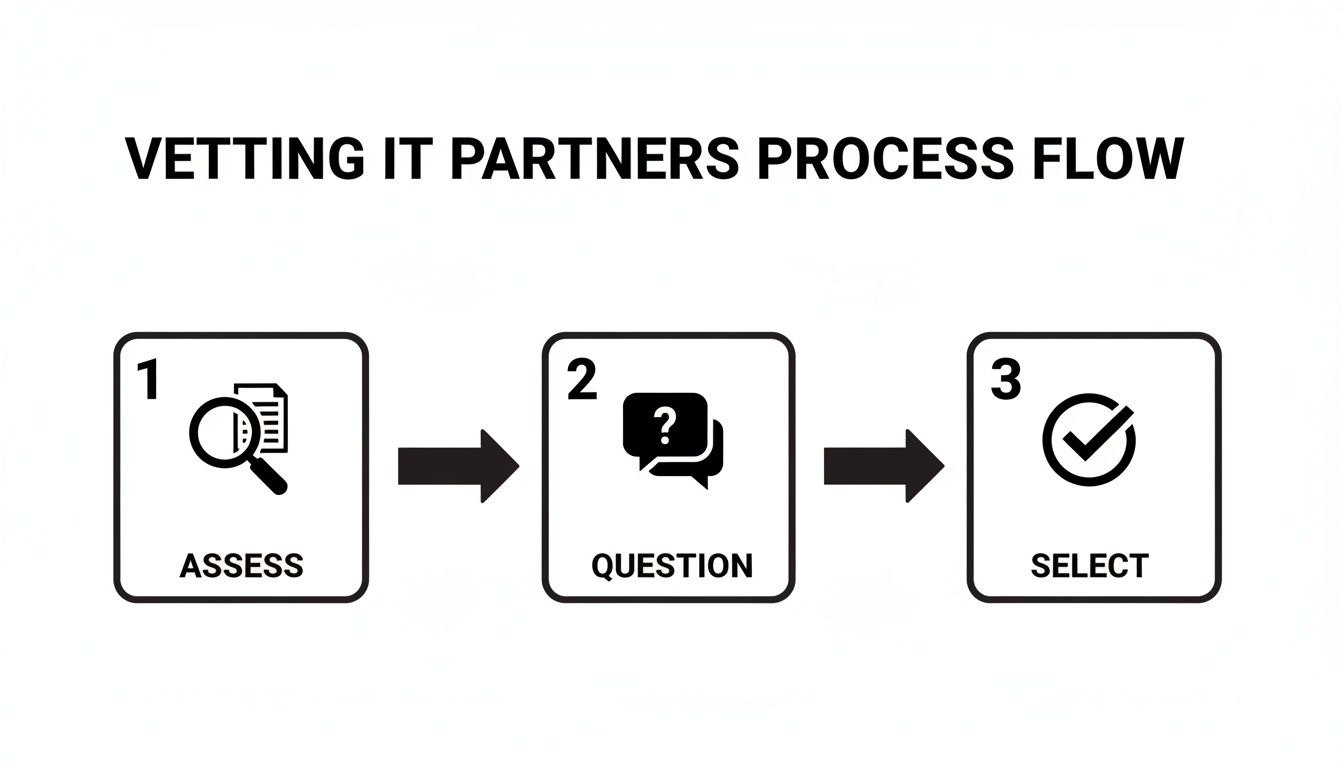
The process of choosing the right it support for small law firms really comes down to this methodical approach: assess your needs, ask the right questions, and select your partner carefully.
Monthly and Quarterly Strategic Reviews
Beyond the weekly tasks, your monthly and quarterly reviews should zoom out to focus on bigger-picture security and access controls. These are your chances to adapt your IT strategy to changes happening within the firm.
Monthly Phishing Simulations are one of the best training tools out there. Your IT partner can send a simulated phishing email to your team—for example, one that looks like a subpoena from the local court—to see who clicks and who reports it. It’s a completely safe way to create teachable moments, building security awareness without any real-world risk.
A quarterly review of user access controls is non-negotiable. It's the moment you ensure that people only have access to the data they absolutely need to do their jobs—a principle known as 'least privilege.'
During this review, you and your IT partner should take these concrete steps:
- Audit New Hires: Pull a list of all new users created in the last 90 days. Review their permissions against their job descriptions. Confirm they weren't accidentally given administrative rights.
- Validate Offboarding: Generate a list of all disabled user accounts. Cross-reference this with your HR records to ensure every departed employee's account has been fully deactivated and their access revoked.
- Review Role Changes: Did a paralegal become an attorney? Their access to financial or management-level folders probably needs to be updated. This review catches those internal moves.
For a deeper look into safeguarding your firm’s most critical asset, our guide on backup and disaster recovery strategies has you covered.
The Annual Technology Business Review
The most strategic meeting you'll have with your IT partner is the annual technology business review. This isn't a tech-heavy meeting about servers and firewalls; it’s a business meeting about where your firm is headed.
This is your time to align the technology roadmap with your firm's growth plans for the next one to three years. Actionable Agenda Items:
- Growth Planning: "We plan to hire five more paralegals. What's the budget for their laptops, licenses, and onboarding?"
- Office Expansion: "We are considering a satellite office. What technology do we need to ensure seamless connectivity and security between the two locations?"
- Efficiency Gains: "What new technology could automate our client intake process or improve our billing efficiency?"
The annual review is where you budget for future upgrades, look at new tech that could boost efficiency, and make sure your IT strategy is built to support your business goals. This is how your it support for small law firms shifts from being a reactive cost to a proactive investment in your firm's success.
When you're busy running a law firm, it's natural to have questions about the practical side of IT. You're focused on your clients, not on cybersecurity or cloud migrations. We get it.
Here are some of the most common questions we hear from partners at small firms just like yours. We've laid out straightforward answers to give you the clarity you need.
We’re a Very Small Firm. Can We Really Afford a Managed IT Service Provider?
Absolutely. In fact, for most small firms, the real question is whether you can afford not to.
Let's do some quick math. A single data breach can cost a small business, on average, tens of thousands of dollars in recovery, fines, and lost business. Compare that to a predictable monthly MSP fee, which is often less than the cost of a single part-time, entry-level employee.
With an MSP, you get a predictable, flat-rate monthly fee. This shifts your IT costs from a reactive, potentially massive capital expense to a stable, manageable operational one.
The return on your investment starts on day one. You're not just buying tech support; you're investing in 24/7 monitoring, solid cybersecurity, reliable data backups, and on-demand expertise. That investment pays for itself in security, efficiency, and the kind of peace of mind you can't put a price on.
What Is the Single Most Important IT Security Measure Our Firm Should Implement?
If you do only one thing, make it Multi-Factor Authentication (MFA). Roll it out across every single account you have, starting with your email, document management system, and any cloud storage.
The vast majority of data breaches start with a compromised password. MFA stops criminals in their tracks by requiring a second piece of information to log in, usually a code from an app on your phone.
Practical Example: A paralegal's password is stolen in a breach from another website. The hacker tries to log into your firm's email system with that password. They are immediately stopped because they don't have the paralegal's phone to approve the MFA prompt. It’s a simple, incredibly effective step that dramatically cuts your risk. A good IT partner can get this implemented for your whole team without a headache.
We Already Use Microsoft 365. Isn’t That Secure Enough on Its Own?
Microsoft 365 is a fantastic platform with a strong security foundation, but it works on what’s called a “shared responsibility model.” In short, Microsoft secures its global infrastructure, but you are responsible for securing your firm’s data within that infrastructure.
Here are practical security gaps you must address:
- Proper Configuration: Are your security policies set up correctly? Actionable Example: An IT partner can set up a data loss prevention (DLP) rule that blocks any email containing more than one credit card number from leaving your firm, preventing accidental data leaks.
- Access Management: Who really has access to that confidential M&A folder in SharePoint? An IT provider will conduct quarterly access reviews to ensure only authorized users can view it.
- Threat Defense: You need advanced threat protection to scan email attachments and links in real-time to block sophisticated phishing attacks designed to steal login credentials.
- Independent Backups: Microsoft's built-in tools are not a true backup solution. If ransomware encrypts your SharePoint files, you need your own independent, third-party backup to restore that data quickly.
An experienced provider of IT support for small law firms knows how to lock down platforms like Microsoft 365, adding the necessary layers of protection and backup to meet your ethical and legal obligations.
How Long Does It Take to Switch to a New IT Provider?
Most firm partners are surprised by how quick and smooth the transition is. A good provider will have a refined onboarding process to ensure there’s minimal disruption to your workday.
For most small firms, the entire switch takes between 30 to 60 days.
Here's a practical timeline:
- Weeks 1-2: Deep-dive assessment, documentation of your current setup, and creation of a migration plan.
- Weeks 3-4: Quietly deploying new security tools (like antivirus and monitoring agents) in the background without interrupting your work.
- Weeks 5-6: The "cutover" phase, often done over a weekend. This is when key services (like email filtering or data backups) are switched to the new provider.
- Weeks 7-8: Post-migration support, user training, and fine-tuning.
Our goal is always a seamless cutover where you feel the benefits of better security and support right away, without any painful downtime.
Ready to secure your practice and turn technology into a real asset? The team at Cyberplex Technologies LLC has been providing proactive, reliable IT support for professional firms since 2008. We build custom solutions to protect your data, ensure compliance, and keep your team productive. Let's start a conversation about your firm's future.


