
At its core, cloud storage is a service that keeps your digital data—from crucial documents to business files—safe on a network of remote servers you access over the internet. Instead of keeping everything on your office computer's hard drive or a local server, you’re letting a provider like Microsoft or Google manage and maintain all that complex infrastructure for you.
The Digital Vault Explained
Imagine all your business files are in a cabinet in your office. That single cabinet is at risk of everything from theft and fire to a simple lost key. Cloud storage is the modern equivalent of moving those files into a high-security, climate-controlled vault that you rent from a company specializing in protection.
This "digital vault" isn't just one room; it's a global network of incredibly secure facilities called data centers. When you save a file to the cloud, you're sending an encrypted copy over the internet to be stored on powerful servers in these locations. From there, you can pull up that file on your laptop, tablet, or phone, as long as you have an internet connection.
This straightforward shift from local to remote storage has solved huge challenges for businesses, especially around security, accessibility, and teamwork. It's no surprise the market is booming, with experts projecting it to grow from USD 179.26 billion in 2026 to over USD 513.86 billion by 2031, as detailed in this cloud storage market analysis.
Key Business Advantages
For small and medium-sized businesses, moving to the cloud brings immediate, game-changing benefits.
- Disaster Resilience: Practical Example: A pipe bursts in your office over the weekend, flooding the server room. With local storage, your data is gone. With cloud storage, you buy a new laptop, log in, and your entire business is back up and running.
- Cost Efficiency: You can stop spending big on buying and maintaining your own server hardware. The high upfront costs are gone.
- Enhanced Collaboration: Practical Example: Your marketing team is working on a new brochure. The copywriter in one city, the designer in another, and the manager at home can all edit the same document simultaneously, seeing changes in real-time.
- Scalability: Need more space as you grow? You can get it in minutes. Need less during a slow season? You can scale back just as easily, only paying for what you actually use.
This model transforms IT from a major capital expense (buying servers) into a predictable operational expense (a monthly subscription). It makes enterprise-level technology affordable for any business.
To make the difference crystal clear, let's break down how cloud storage stacks up against the old way of doing things.
Cloud Storage vs Local Storage At a Glance
The table below gives you a quick side-by-side look, showing exactly why so many businesses are leaving their on-premise servers behind.
| Feature | Local Storage (On-Premise Servers/Hard Drives) | Cloud Storage (e.g., Microsoft 365, AWS) |
|---|---|---|
| Accessibility | Limited to the office network or specific devices. | Accessible from any device with an internet connection. |
| Upfront Cost | High; requires buying servers, drives, and licenses. | Low to none; typically a monthly or annual subscription. |
| Maintenance | Your IT team is responsible for all updates, patches, and repairs. | The cloud provider manages all hardware and software. |
| Disaster Recovery | Complex and expensive to set up and manage backups effectively. | Built-in redundancy and backup options are standard. |
Looking at it this way, it’s easy to see the cloud offers far more flexibility, security, and financial predictability, which are critical for any growing business today.
How Your Data Travels to the Cloud and Stays Safe
When you save a file to a cloud folder, you’re starting a process that’s far more secure than just sending an email. Think of it less like mailing a letter and more like hiring a digital armored car. Your data doesn't just float up to the cloud in one piece; it's meticulously prepared for a safe, efficient trip.
The very first step is encryption. Before your file even leaves your computer, it gets scrambled into an unreadable code. This ensures that even if someone managed to intercept your data while it was traveling over the internet, it would be complete gibberish to them.
This diagram gives you a simple visual of that journey—from your device straight to a secure data center.
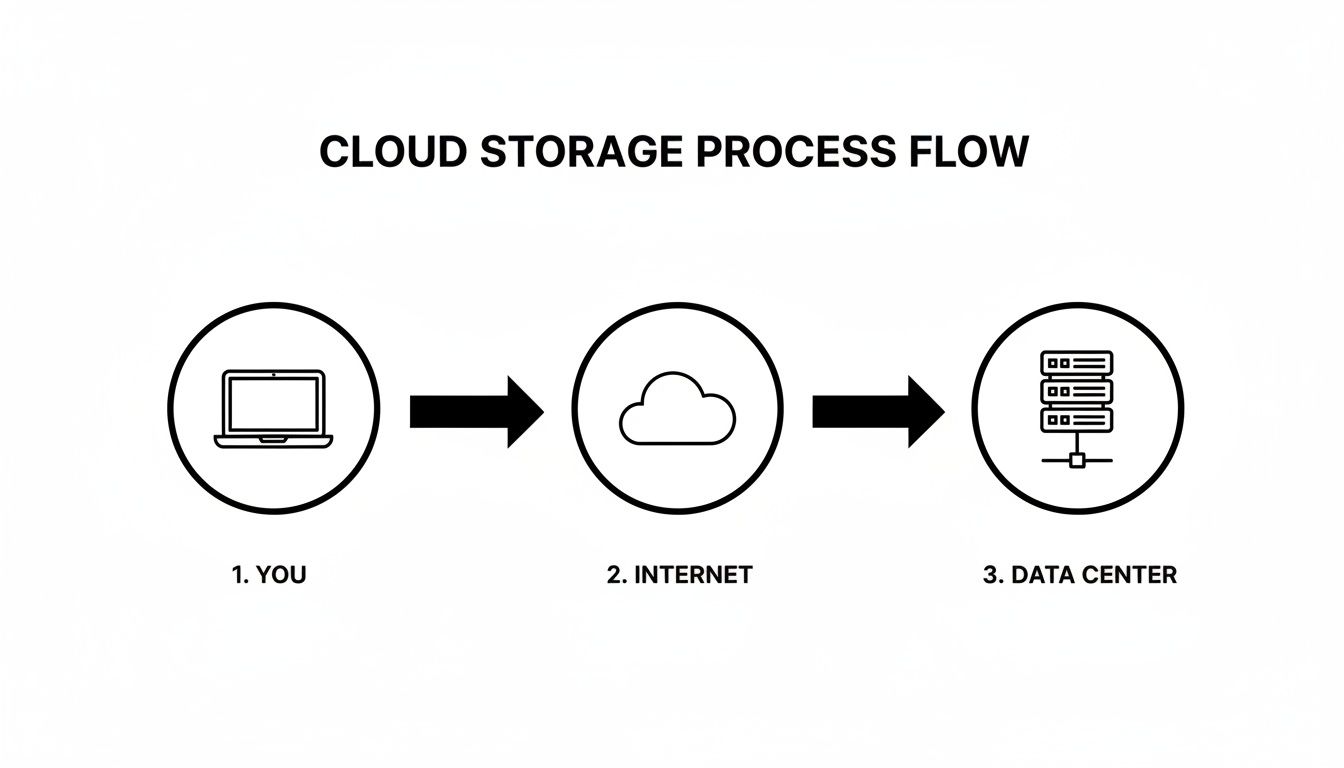
It’s a straightforward path, but one that’s protected every step of the way, with the internet acting as the secure highway between your office and the provider's heavy-duty infrastructure.
Smart Storage for Efficiency and Savings
Once your encrypted data arrives, the cloud provider uses some clever tricks to store it efficiently, which saves your business real money. The two most common methods are compression and deduplication.
Compression is simple: it shrinks files to take up less physical space, like using a vacuum sealer to fit a bulky blanket into a small bag. Deduplication is even smarter. It scans for identical chunks of data across all your files.
For instance, if ten people on your team all save the same 20MB company presentation, the system is smart enough not to store ten separate copies. It stores the file just once and simply creates ten pointers back to that single version, dramatically cutting down on wasted space.
Building Resilience with Redundancy
A big question we often hear from business owners is, "What happens if a server in the cloud crashes?" This is where data redundancy comes in, and it's one of the biggest benefits of professional cloud storage.
Your data is never just sitting on one machine.
Actionable Insight: Your files are automatically copied and stored across multiple physical servers, often in data centers hundreds of miles apart. If a power outage takes down a server in Virginia, your data is instantly and seamlessly available from a copy in Ohio. You don't have to do anything; the system handles the failover automatically.
This is the kind of built-in resilience that a single server in your office closet just can't match. It’s a core reason why the cloud is such a reliable foundation for keeping your business running.
The Layers of Cloud Security
True cloud security is a multi-layered defense, not just a single password. The best providers build their entire service around protecting your information at every possible point of weakness.
This commitment to security is why the business cloud storage market is exploding. In fact, the market was projected to hit USD 153.2 billion by 2025, with major players like AWS holding 32% of the market share. You can see more in this in-depth market analysis on business cloud services.
This layered security model protects your data from every angle. Here are the key protections you should expect:
- Encryption at Rest and In-Transit: Your data is scrambled both when it’s sitting on a server ("at rest") and while it's traveling over the internet ("in-transit"). It’s never exposed.
- Access Management Controls: You get granular control over who can view, edit, or delete specific files. This stops unauthorized employees or outsiders from getting to sensitive information.
- Multi-Factor Authentication (MFA): Requiring a second form of verification, like a code sent to your phone, makes it exponentially harder for a criminal to get in, even if they steal a password.
Together, these safeguards ensure your critical business data isn't just always available, but also rigorously protected from system failures and cyber threats.
Choosing the Right Type of Cloud Storage
So, you’re ready to move to the cloud, but which "cloud" are you actually moving to? It’s a critical question because not all cloud storage is created equal. Think of it less as a single product and more like a set of specialized tools, each designed for a specific job.
Making the wrong choice here isn’t just a technical misstep—it can lead to sluggish performance, frustrating user experiences, and a monthly bill that’s much higher than it needs to be. You'll generally run into three main flavors of cloud storage: File, Block, and Object. Let’s look at what they are and, more importantly, what they do for a business like yours.
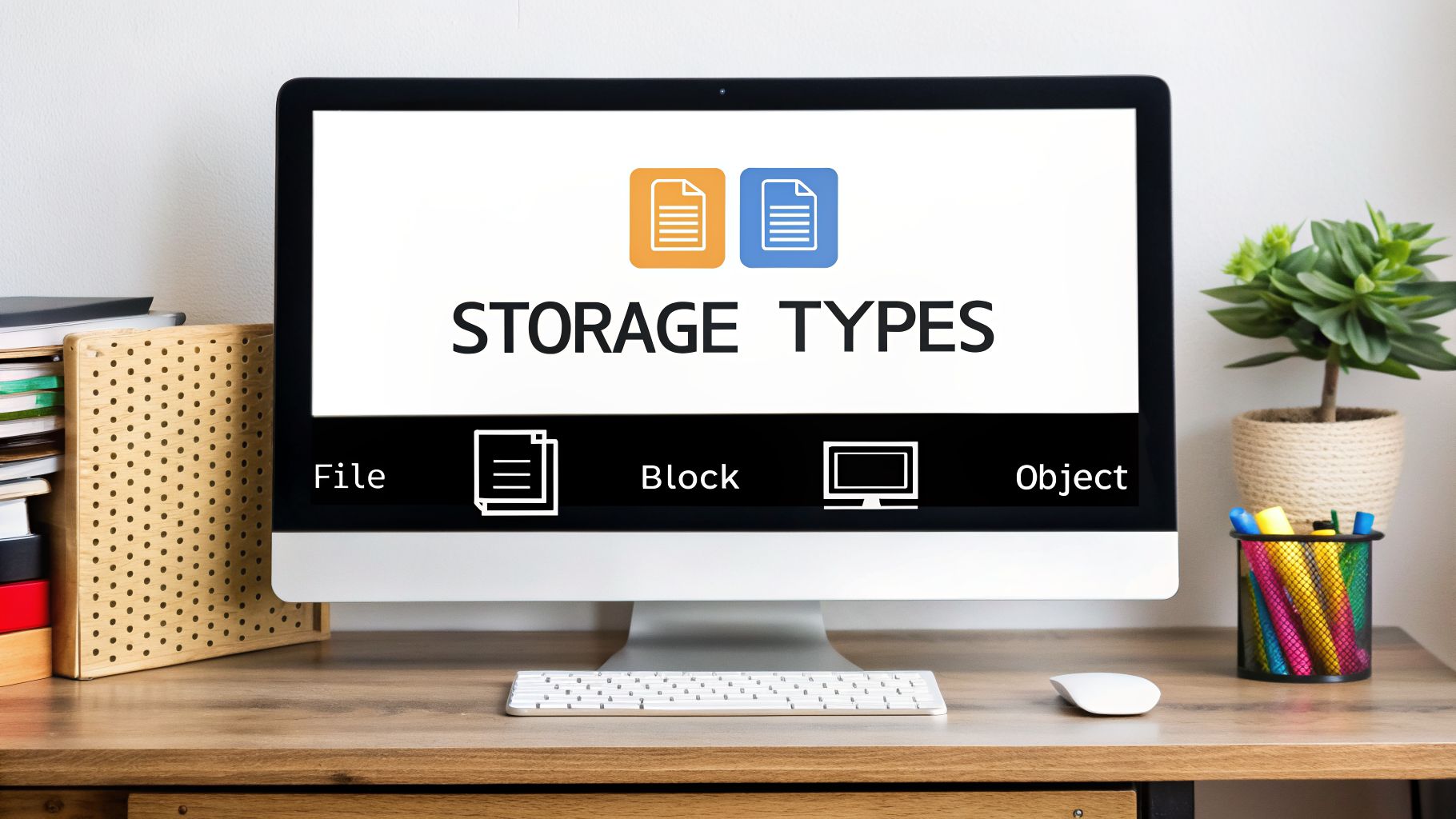
Forget the technical jargon for a moment. The best way to understand these is to think about how you already handle information in the real world.
File Storage: The Digital Filing Cabinet
This is the one you already know, even if you don't realize it. If you’ve ever used a shared network drive or opened a folder in Microsoft 365 or Google Drive, you’ve used File storage. It works just like the metal filing cabinets in your office—data is organized into files, which are placed inside folders, which might be inside other folders.
It’s intuitive, easy to navigate, and perfect for team collaboration.
- Practical Example: Your sales team is putting together a proposal. The contract (Word doc), pricing sheet (Excel file), and presentation (PowerPoint) are all saved in a shared project folder. Everyone knows exactly where to find the latest version. Simple and effective.
For everyday business documents, spreadsheets, and shared project files, file storage is the straightforward, go-to solution.
Block Storage: The High-Performance Lego Bricks
Now, let's talk about speed. Block storage is built for performance-hungry applications. Instead of storing data as complete files, it chops everything up into small, fixed-size chunks called "blocks." Each block gets a unique address but has no other information—it doesn't know it’s part of a Word doc or a customer record.
Think of them as high-tech Lego bricks. Your server’s operating system can grab these individual blocks and assemble them into whatever it needs, incredibly fast. This makes it the only choice for applications that need to read and write data in the blink of an eye.
Actionable Insight: If your team complains that your customer database or accounting software is slow, it's likely running on the wrong type of storage. Moving the application's data to block storage can often provide an immediate and dramatic performance boost.
This raw power comes at a higher price, so you reserve it for the jobs where speed directly impacts your bottom line.
- Practical Example: A local dental practice runs its patient management software on a server using block storage. When the front desk pulls up a patient's appointment history and billing records, the system retrieves thousands of tiny data blocks almost instantly, ensuring no one is left waiting.
Object Storage: The Limitless Digital Warehouse
Finally, there’s Object storage, which is all about massive scale and low cost. Here, data—like a document, photo, or video—is bundled with all its descriptive information (metadata) and a unique ID number. This entire package is called an "object."
These objects are all stored in one giant, flat space, like a massive warehouse where every box has a unique barcode. There are no folders. To get a file, you just present its barcode, and the system hands it over. This simple, flat structure allows it to scale to almost unimaginable sizes, making it perfect for holding huge volumes of data you don't need to change often.
- Practical Example: A construction firm needs to archive blueprints, daily site photos, and project video logs from every job they’ve completed over the last 20 years for compliance. Using object storage, they can keep petabytes of this data safe and accessible for a very low cost, without clogging up their expensive, high-speed systems.
Which Cloud Storage Type Is Right for You?
So how do you pick? It really comes down to matching the tool to the task. To make it a little easier, we’ve put together a simple table to help you decide.
A practical guide comparing Object, Block, and File storage to help businesses choose the best fit for their needs.
| Storage Type | Best For | Analogy | Common Use Cases for SMBs |
|---|---|---|---|
| File | Everyday file sharing and team collaboration | A shared office network drive | Storing and sharing Microsoft 365 or Google Workspace documents. |
| Block | Running databases and business applications | High-speed digital Lego bricks | Hosting a company CRM, an accounting database, or a custom app. |
| Object | Archiving, backups, and large media files | A massive, cost-effective warehouse | Long-term data backup, email archiving, and storing video or images. |
Getting this right from the beginning means your systems will run the way they’re supposed to and you’ll avoid paying for performance you simply don’t need. It’s one of the foundational decisions that ensures your cloud strategy is both effective and efficient.
Practical Cloud Storage Use Cases and Benefits
Knowing the technical details of cloud storage is one thing, but seeing how it solves real-world business problems is where it really clicks. For most businesses, the switch to the cloud isn't about chasing new tech—it's about fixing practical headaches, like improving teamwork, locking down sensitive data, and cutting operational costs.
Let's look at a local accounting firm during the chaos of tax season. They need a secure way to share confidential documents with hundreds of clients at once. Instead of juggling risky email attachments, they can use a platform like Microsoft 365 to create a secure, central hub. Clients upload their W-2s, and the firm shares the final returns, all protected by encryption and strict access controls.

That one simple change solves multiple issues instantly. It boosts security, streamlines how they talk to clients, and gives them a clear audit trail for every document.
Gaining Tangible Business Advantages
These kinds of practical uses translate directly into measurable benefits that any business owner can appreciate. Moving off of that old server in the closet immediately opens doors to new efficiencies and growth.
- Significant Cost Savings: You get to stop buying, maintaining, and replacing expensive server hardware. That big upfront capital expense turns into a predictable and manageable operating cost.
- Seamless Remote Collaboration: Your team can access and edit the same files in real-time, no matter if they’re in the office, at home, or on a project site. This is a massive boost to productivity and makes flexible work a reality.
- Ironclad Business Continuity: With your data safely copied to the cloud, a local disaster like a fire, flood, or server crash is just a minor bump in the road—not a business-ending catastrophe.
- Effortless Scalability: As your business grows, you can expand your storage in minutes with a few clicks. And if you need to scale back down, it’s just as easy, so you’re only ever paying for what you actually use.
This flexibility is a game-changer. Think of a retailer who can instantly scale up their storage to handle the holiday sales rush, then scale right back down in January. They optimize costs without getting bogged down in a complex IT project.
Real-World Scenarios in Action
The real power of cloud storage shines when you see how different industries put it to work for their specific needs.
A construction company, for instance, can keep all its blueprints and site plans updated in the cloud. The project manager can pull up the latest version on a tablet right on the job site, making sure everyone is working from the correct documents and avoiding expensive mistakes. No more confusion over outdated paper copies.
Or imagine a small retail shop gets hit with a ransomware attack. Instead of facing days of downtime and a massive ransom demand, they can use their cloud backups to restore their systems almost immediately. They're back to helping customers in hours, not weeks. For a closer look, read our complete guide on why cloud backup for small business is so critical for continuity.
The Foundation of Modern Work
Cloud storage has quickly become the bedrock of modern business. It powers remote work and guarantees that companies can keep running, no matter what. The market is expected to hit an incredible USD 725.598 billion by 2033, with 96% of companies now relying on the public cloud.
For small businesses, this isn't just a trend; it's a lifeline. Making the switch can slash IT costs by 70-80% compared to managing on-premise hardware. You can dig into the numbers in this Cognitive Market Research report.
These figures prove that understanding cloud storage isn't just for the IT folks. It's a strategic business decision that builds resilience, boosts efficiency, and gives you a serious competitive edge.
Managing Cloud Security and Compliance
Let's tackle the big question right away: is your data really safe in the cloud? The short answer is a resounding yes—when it’s managed the right way. In fact, a professionally configured cloud environment is almost always more secure than a server humming away in a back-office closet.
The secret is understanding that cloud security isn't just one company's responsibility. It's a partnership.
This partnership is called the shared responsibility model, and it’s a simple but powerful way to layer your defenses by clearly defining who handles what.
Understanding Your Role in Cloud Security
Think of it like renting a spot in a high-security bank vault. The bank—your cloud provider like Microsoft or Amazon Web Services—is responsible for the building itself. They’ve got the concrete walls, the steel doors, the cameras, and the guards. They secure the physical data centers.
But you’re responsible for what’s inside your personal safety deposit box. You decide who gets a key and who doesn’t. In the cloud world, that means your business manages user permissions, sets strong password rules, and makes sure only the right people can touch the right data.
This clear division of labor makes sure every angle is covered, from the massive server farms down to a single employee’s login.
Essential Security Features You Can Control
Your cloud provider gives you all the tools you need to lock down your data. It's just a matter of knowing which ones to use. These aren't just for tech wizards; they are practical steps any business can take to make a massive difference in their security.
Here are the three non-negotiables you should have in place:
- Encryption: This is what scrambles your data into gibberish while it's in transit or sitting on a server. Think of it as the digital version of an armored truck. Even if someone managed to get their hands on the data, it would be a useless, unreadable mess. To get a better handle on how this works, read our guide on unraveling encryption and why it matters.
- Multi-Factor Authentication (MFA): Honestly, this is one of the most effective security moves you can make. It simply requires a second proof of identity—like a code from your phone—before granting access. This one step is proven to block 99.9% of automated cyberattacks. It's a no-brainer.
- Access Controls: This is all about the principle of least privilege. You only give employees access to the specific files they need to do their jobs. Your marketing team doesn't need to see financial statements, and an intern certainly shouldn't have access to HR files.
Actionable Insight: Set a reminder to do a quick security audit every quarter. Just look at who has access to your most critical folders and revoke permissions for anyone who no longer needs them. It’s a five-minute task that could prevent a catastrophe.
Staying Compliant with Industry Regulations
For a lot of businesses, especially in healthcare (HIPAA) or finance, security is directly tied to compliance. The penalties for getting it wrong are steep.
The good news is that major cloud providers build their platforms with these regulations in mind. They provide dedicated, compliant environments and all the documentation you need to satisfy auditors.
Trying to build a HIPAA-compliant server in-house is a complex and expensive nightmare. Migrating to a platform like Microsoft Azure or AWS can make meeting those standards dramatically simpler and more affordable. By understanding your role and using the tools at your disposal, you can turn the cloud into a genuine fortress for your most important information.
When to Partner with a Cloud Expert
Even though many cloud storage solutions seem simple on the surface, knowing when to call in a professional is crucial for sidestepping expensive mistakes and dangerous security gaps. For a small business, recognizing that moment to partner with a managed service provider (MSP) can be the difference between a smooth operation and a chaotic, high-risk IT environment.
The signs that you need an expert are often hard to miss. Maybe you’re facing a complex data migration from an old server that’s on its last legs—a task that feels both intimidating and absolutely critical. Or perhaps your business is expanding into a regulated field like healthcare or finance, and you’re suddenly staring down the barrel of strict compliance standards like HIPAA.
These aren't just technical glitches. They're major business challenges that require specialized expertise.
The Value of a Strategic IT Partner
Bringing an MSP into the fold isn't about just handing off a problem; it's a strategic move to secure your company's stability and future growth. A great partner does more than just fix things when they break. We provide proactive, forward-thinking guidance that aligns your technology directly with your business goals—a process we detail in our guide to cloud migration for small business.
This kind of partnership brings immense value that goes well beyond basic tech support.
- Strategic Planning: An expert partner helps you navigate the options to choose the right cloud services. We build a clear roadmap so you aren’t paying for features you don’t need or missing out on key efficiencies.
- 24/7 Monitoring and Proactive Management: Instead of just reacting to disasters, an MSP constantly watches over your systems. We can spot and resolve potential issues, like a failing backup or unusual network traffic, long before they cause a crisis.
- Predictable IT Budgeting: The surprise costs of emergency repairs and unplanned hardware failures simply go away. With an MSP, you get a flat, predictable monthly fee that turns your IT spending from a chaotic variable into a manageable part of your budget.
Partnering with a cloud expert transforms your IT from a reactive cost center into a proactive business asset. It’s about reducing risk, boosting productivity, and ensuring your technology actively supports your long-term vision.
When You Lack the In-House Resources
For most small and medium-sized businesses, the clearest signal is a simple lack of internal resources. If you don't have a dedicated, experienced IT team on staff, trying to manage cloud security, data backups, and user permissions on your own can quickly turn into a disaster.
A single mistake in configuration could leave your most sensitive data exposed or make your backups useless right when you need them most. An MSP becomes your dedicated IT department, handling everything from daily maintenance to long-term strategy. This lets you and your team get back to what you do best—running and growing your business, all with the peace of mind that your digital foundation is solid and secure.
Frequently Asked Questions About Cloud Storage
It's natural to have a few lingering questions before you make the switch. Let's tackle some of the most common "what-if" scenarios we hear from business owners when they're thinking about how cloud storage really works.
If My Data Is in the Cloud, Do I Still Own It?
Let's clear this one up right away: yes, it's 100% your data.
Think of your cloud provider as the bank and your data as the contents of a safety deposit box. The bank is responsible for securing the vault, but what’s inside belongs to you and you alone. Your agreement with them is essentially a rental for their high-tech infrastructure and security team.
Top-tier providers like Microsoft and Amazon Web Services are simply custodians, not owners. While it's always smart to glance over the terms of service, the fundamental principle is non-negotiable: your data is always yours.
What Happens If Our Office Internet Goes Down?
This is a big one, and a perfectly reasonable concern. If the internet connection at your office goes out, your team won't be able to access files from that specific location. But here's the beauty of the cloud: your business doesn't grind to a halt.
Because the data isn't stuck on a server in your office, it remains safe and accessible from anywhere else. Your team can keep working by:
- Connecting from a home office network.
- Using a smartphone or tablet with a cellular data plan.
- Popping over to a coffee shop or any other spot with Wi-Fi.
For businesses where downtime is not an option, we often set up a secondary, redundant internet source, like a 5G wireless backup. It kicks in automatically, ensuring your team never misses a beat.
This built-in flexibility is a key part of modern business continuity. An internet outage at one location no longer has to bring your entire operation to a standstill, protecting your productivity and revenue.
How Can I Control and Predict My Cloud Storage Costs?
The "pay-as-you-go" model is a huge benefit of the cloud, but it can feel a little unpredictable if you're not managing it correctly. The key is being proactive.
First, you have to use the right tools for the job. We help clients select the right storage tiers—for instance, moving archived files you rarely touch into more affordable "cold storage." That simple move can cut storage costs by over 50%.
Next, we set up usage alerts to flag any unusual spikes in activity before they turn into a surprise bill. Finally, most providers offer savings plans if you can commit to a certain amount of usage, which unlocks deep discounts. A good technology partner can analyze your data patterns and build a strategy that gives you a predictable, budget-friendly bill every month.
Ready to make your IT a strategic asset instead of a constant headache? The team at Cyberplex Technologies LLC has been helping Henderson businesses secure their data and boost productivity since 2008. Schedule a consultation today to build a cloud strategy that fits your business goals.


