
A lot of small business owners live with the same background worry. The files are in Microsoft 365. Staff work from the office, from home, and from their phones. A few line-of-business apps still depend on old login habits. Everyone knows passwords matter, but the actual policy is usually a mix of default settings, old advice, and whatever employees can remember.
That is where most password problems start.
Strong password policies are not just a list of rules on paper. They are a system. The policy has to be usable, documented, technically enforced, explained to staff, and reviewed when reality gets messy. If any one of those parts is missing, users create shortcuts, IT spends time firefighting, and the business carries more risk than it realizes.
This guide is written for that real-world environment. It is built for owners, operations leaders, office managers, and the person who ends up wearing the IT hat. The focus is practical implementation. You will find policy language you can adapt, configuration guidance for Active Directory and Microsoft 365, and a training approach that helps employees follow the rules instead of working around them.
Why Your Passwords Are Your Biggest Vulnerability
If you run a small or midsize business, you already protect the obvious things. You back up data. You buy antivirus. You worry about phishing. But the account that gets breached first is often much simpler than that. It is an employee login with a weak password, a reused password, or a password that was stolen elsewhere and still works inside your environment.
That risk is not theoretical. In 2023, the Ponemon Institute's Cost of a Data Breach Report found that 50% of all data breaches were attributed to stolen or weak passwords, a point summarized in the U.S. Army CECOM guidance on strong passwords and password managers.
For an SMB, that matters even more because the damage spreads quickly. One compromised mailbox can expose invoices, customer communication, wire instructions, internal documents, and password reset emails for other systems. One reused password can become an attacker’s doorway into cloud storage, remote access tools, and vendor portals.
What makes passwords such a common failure point
Passwords sit at the center of daily work. Employees use them constantly, usually under time pressure. If the policy is confusing, people fall back to whatever gets them signed in fastest.
That is why strong password policies have to do two things at once:
- Reduce attack paths: Block easy guesses, reused credentials, and common password patterns.
- Reduce user shortcuts: Make the policy realistic enough that staff can follow it without sticky notes, spreadsheets, or predictable workarounds.
A workable password policy protects the business twice. It makes guessing harder for attackers and makes bad habits less attractive for employees.
What good looks like
A solid policy is not “change your password every few months and add a symbol.” That old model causes more trouble than many owners expect.
A modern approach uses longer passwords or passphrases, blocks known bad passwords, adds MFA, supports password managers, and applies technical controls so the policy is enforced instead of merely suggested. That is the difference between having a rule and having protection.
Designing a Modern and Usable Password Policy
Old password advice created bad behavior. Users were told to add symbols, rotate passwords constantly, and invent something hard to remember. In practice, many people responded with small variations like a capital letter at the front, a number at the end, or the same password reused everywhere with one character changed.
Modern guidance moved away from that for a reason. Overemphasis on password complexity rules often leads to weaker security in SMBs due to user workarounds. NIST SP 800-63B now favors passphrases and length over forced special characters, as discussed in this review of the benefits and drawbacks of password complexity rules.
The policy controls that matter most
For most SMBs, a strong policy starts with a short set of requirements that are clear and enforceable.
Start with length
Set a minimum that pushes users toward passphrases instead of short, clever passwords. In practice, 12 to 16 characters is the right working range for most businesses based on the implementation guidance in the verified data.
That gives users room to create something memorable, such as a phrase built from unrelated words, instead of trying to satisfy a puzzle.
Ban weak and exposed passwords
A policy should reject:
- Common passwords: Anything obvious, default, or widely used.
- Context-based passwords: Company name, department name, season-year patterns, or usernames.
- Known compromised passwords: Passwords already exposed in breach datasets.
This matters more than adding one special character to a weak base word.
Stop mandatory routine resets unless there is a reason
Forcing employees to change passwords on a fixed schedule often creates predictable patterns. People increment a number, recycle an old favorite, or store the new password somewhere insecure because they know they will have to change it again.
A better policy says passwords must be changed when there is evidence of compromise, when an account is exposed, after risky sharing, or when IT directs a reset during an incident.
Keep history and reuse restrictions
If users can cycle through a few quick changes and get back to an old password, the policy is weak even if it looks strict on paper. Keep a password history setting so employees cannot immediately return to a familiar pattern.
A plain-language template you can adapt
Below is a practical baseline policy for a small business. It is written so leadership, HR, and IT can all read it without needing to translate security jargon.
Sample password policy language
All employee accounts must use a password or passphrase that meets the company minimum length requirement. Passwords must not contain the employee’s name, username, company name, simple sequences, dictionary-style defaults, or reused credentials from personal accounts.Employees must create unique passwords for company systems and must not share them by email, text, chat, or written notes. Password changes are required when IT identifies possible compromise, after a reset event, or when a shared credential has been exposed. Routine periodic password changes are not required unless a specific system or regulatory control demands them.
Multi-factor authentication is required wherever the company enables it. Company-approved password managers may be used to generate and store unique credentials. Service accounts, shared accounts, and legacy systems require documented exceptions and separate review.
Password policy settings by compliance need
Not every business needs the same level of control. A property manager with cloud apps and mobile staff has a different risk profile than a financial office or public sector organization handling regulated data.
| Policy Control | General SMB Baseline | Financial / Public Sector Enhanced |
|---|---|---|
| Minimum length | 12+ characters | 14 to 16+ characters where systems allow |
| Password style | Passphrases encouraged | Passphrases encouraged, stronger deny lists |
| Complexity requirement | Avoid over-relying on forced complexity | Use only where a regulated system requires it |
| Password history | Enable and prevent reuse | Enable with stricter history settings |
| Expiration | Change only if compromised or required by system | Same approach unless a regulated platform mandates more |
| Breached password screening | Required | Required with documented review |
| MFA | Required for all supported systems | Required, with tighter enforcement for privileged access |
| Shared accounts | Minimize and document | Minimize, document, and review frequently |
| Exception handling | Written approval and compensating controls | Formal approval, logging, and recurring review |
Usability is part of security
If the policy only works for highly technical employees, it is not strong. It is fragile.
That why password managers belong in the design conversation early. If you are weighing that part of your rollout, this breakdown of whether password managers are really safe is worth reviewing before you finalize the policy.
The best SMB password policy is strict about what matters and flexible where humans need help. Length, uniqueness, screening, and MFA do more real security work than a maze of arbitrary rules.
Securing Buy-In Through Clear Documentation and Training
A password policy fails when employees do not understand it. They nod during onboarding, click through a training video, and then go back to doing whatever lets them log in without delay.
The fix is not more policy language. The fix is better communication.
Password reuse remains a pervasive issue, with up to 60% of individuals reusing passwords across multiple sites, according to Security.org’s review of online password strategies. That is exactly why employees need more than a technical standard. They need the reason behind it in plain English.
Turn the policy into a one-page employee version
Your formal policy can be detailed. Your staff version should not be.
A good one-page handout covers:
- What employees must do: Use a unique company password, enable MFA, and use the approved password manager.
- What employees must not do: Reuse personal passwords, share credentials in email, or save passwords in spreadsheets and browser notes if that violates company rules.
- What to do if something feels wrong: Report suspicious login prompts, password reset messages, and unusual MFA requests immediately.
This document should read like an operating rule, not a legal disclaimer.
Teach people how to create a strong passphrase
Most employees do not need a lecture on entropy. They need an easy method.
A practical training example is to show the difference between a short, “clever” password and a long passphrase built from unrelated words. Explain that memorable does not mean personal. Avoid family names, birthdays, addresses, pet names, or anything tied to social media.
Use examples like these in training:
- Bad: CompanyName2024!
- Better: a longer phrase built from unrelated words
- Best with a manager: a generated unique password for each site, stored in the company-approved vault
Cover the why in one short session
An effective rollout session does not need to be long. It needs to answer the questions employees have.
What to include in the session
Show how reuse becomes a business problem
Explain that a breach at a shopping site or social platform can turn into a work incident if the same password is reused for company email.Demonstrate the approved password manager
Walk through creating a vault, generating a password, and autofilling a login. Remove the friction.Explain MFA prompts
Employees should know that an unexpected MFA request is a warning sign, not an annoyance to approve quickly.Set a reporting expectation
Make it easy to say, “I clicked something,” or “I think this account is acting strangely,” without fear of blame.
Put it in policy context
Password rules should not float by themselves. They should fit within broader employee technology expectations. If your organization is formalizing those broader rules, this guide on how to define an acceptable use policy pairs well with password training and helps reduce confusion across the whole security program.
Employees usually do the right thing when the right thing is simple, visible, and supported by tools they can effectively use.
Enforcing Your Policy with Technical Controls
A password policy should not depend on memory, goodwill, or repeated reminders from IT. If the controls are not configured in your systems, the policy is advisory. That is not enough.
Small businesses typically gain the most ground fastest by applying these controls. Put the rules into Active Directory or Microsoft Entra ID. Turn on deny lists. Require MFA. Review exceptions separately instead of weakening the standard for everyone.
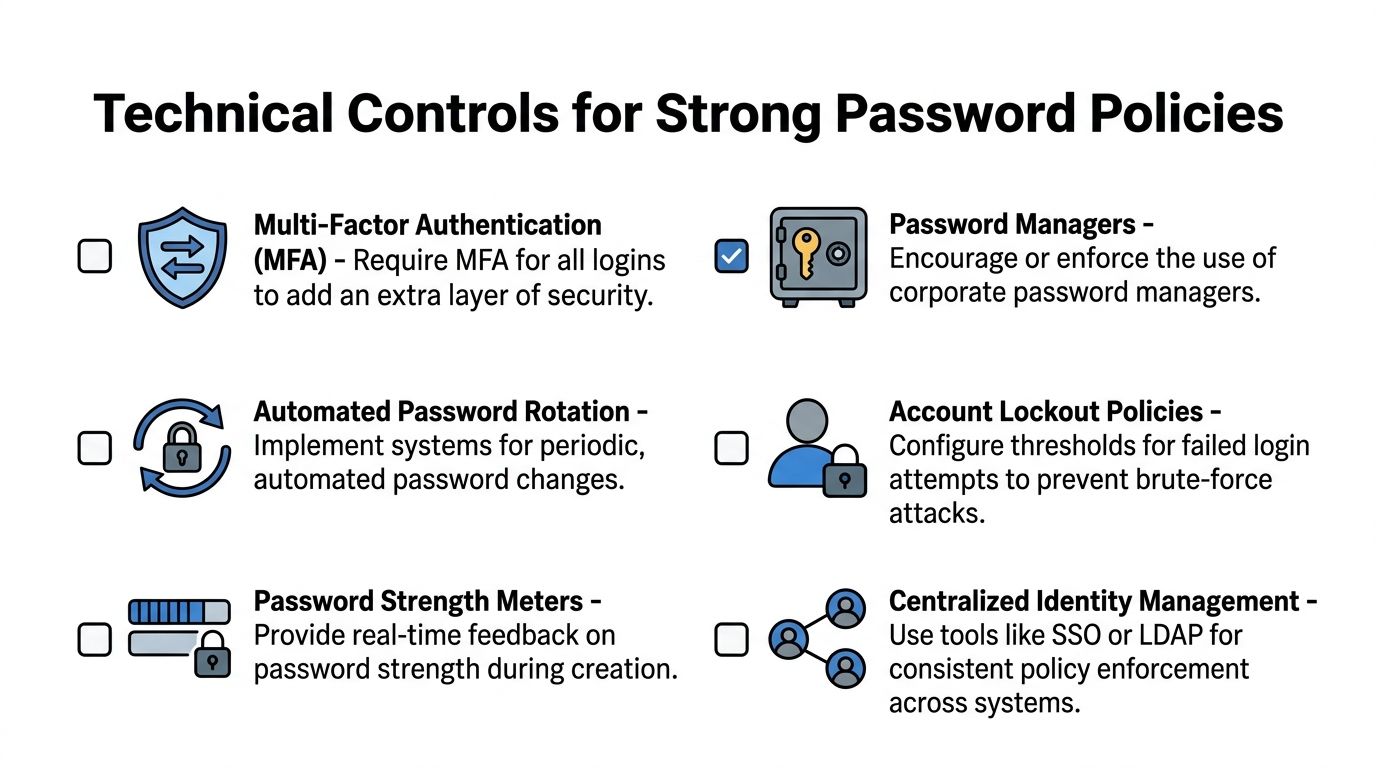
A complex 12-character password takes 62 trillion times longer to crack than a 6-character one, according to this implementation guide on strengthening organizational password policies. That is why minimum length is one of the first settings to lock down.
In on-premises Active Directory
If your business still runs traditional Active Directory, the default domain password policy is usually the starting point.
Where to configure it
Open Group Policy Management, edit the policy that applies to your domain, and go to:
Computer Configuration > Policies > Windows Settings > Security Settings > Account Policies > Password Policy
Settings to review first
- Minimum password length: Set this to your baseline.
- Password must meet complexity requirements: Use carefully. If you must enable it for a specific environment, pair it with training so users do not default to predictable patterns.
- Enforce password history: Turn this on to stop simple recycling.
- Maximum password age: Avoid using this as a blanket forced-reset tool unless a business or system requirement demands it.
- Minimum password age: Useful if you want to prevent rapid changes that let users rotate back to an old password.
Account lockout matters too
In the same policy area, review:
Account Lockout Policy
Look at:
- Account lockout threshold
- Account lockout duration
- Reset account lockout counter after
These settings help reduce brute-force attempts, but they need testing. Set them too aggressively and you create help desk noise. Set them too loosely and attackers get more room to guess.
In Microsoft 365 and Microsoft Entra ID
Cloud-first SMBs usually have a mix of Microsoft 365, Entra ID, line-of-business SaaS apps, and remote devices. Policy enforcement has to happen at the identity layer.
Core configuration areas
Check these areas in the Microsoft admin and Entra portals:
- Authentication methods
- Conditional Access
- Password reset
- Password protection
- User risk and sign-in monitoring, where licensed features allow it
The exact labels can vary slightly by licensing and interface updates, but the design principle stays the same. Put control at the account level and require more proof when risk goes up.
What to enable
Entra Password Protection is one of the highest-value controls to deploy. It helps block weak and common password choices, including variations users think are creative but attackers expect.
Use it to support a deny list that rejects:
- Common passwords
- Brand-based passwords
- Seasonal patterns
- Simple keyboard sequences
- Known bad variants
Practical enforcement order
For most SMBs, this sequence works well:
Set the password baseline
Establish minimum length and history expectations.Turn on Password Protection
Block weak choices at creation and reset time.Deploy self-service password reset carefully
Reduce lockout friction without creating a loose recovery path.Require MFA with Conditional Access
Apply it broadly, then tune exceptions.Review privileged roles separately
Admin accounts should follow stricter controls than ordinary user accounts.
A useful split for real environments
Not every account should be treated the same way. Break your enforcement into categories.
Standard user accounts
These get the baseline policy, MFA, and password manager support.
Privileged accounts
These should be separate accounts, not the same identity staff use for email and day-to-day work. Give them tighter sign-in rules and more scrutiny.
Service and application accounts
These are where many SMBs cut corners. They should not be exempt just because changing them is inconvenient. If a legacy system requires a weaker pattern, document that as an exception and isolate it with other controls.
Test before broad rollout
Do not apply a new policy to every user at once if your environment is messy.
Use a staged approach:
- Pilot with internal staff or a small department
- Review lockouts and reset behavior
- Check app compatibility
- Confirm password managers work cleanly with browser and app sign-ins
- Communicate cutover dates clearly
Technical enforcement should make the secure action the default action. If users have to remember every rule manually, the system is doing too little work.
Layering Defenses Beyond the Password
A password policy is necessary. It is not sufficient.
Even a well-built password can be stolen through phishing, infostealer malware, an old breach, or a bad login flow at a third-party site. That why mature identity security always adds layers around the password. For most SMBs, the three that matter most are MFA, password managers, and SSO.
Mandatory MFA blocks 99.9% of automated account takeover attacks, according to Microsoft data cited in Huntress’ roundup of password statistics and security practices. That one fact should settle the debate about whether MFA is optional. It is not.
A short explainer can help nontechnical teams understand why this matters in day-to-day use:
MFA stops one bad password from becoming one bad day
MFA changes the attack math. If an attacker has a password but does not have the second factor, the account is much harder to use.
For SMBs, the practical rule is simple:
- Require MFA for email
- Require MFA for remote access
- Require MFA for admin roles
- Require MFA anywhere sensitive data lives
The biggest failure point is inconsistent enforcement. If half your apps require MFA and half do not, attackers will aim for the weaker path.
If your team still sees MFA as inconvenient, this guide on the truth about MFA is a useful resource for internal conversations.
Password managers solve the uniqueness problem
Most employees are not going to memorize a long, unique password for every site. A password manager fixes that operationally.
Used correctly, it helps your team:
- Generate unique credentials
- Store them securely
- Autofill them accurately
- Share approved access without sending passwords through email or chat
- Remove access cleanly when someone changes roles or leaves
That is how a policy becomes sustainable. Without a manager, users often drift back toward reuse, simplification, and informal storage.
SSO reduces your password footprint
Single sign-on helps in a different way. It cuts down the number of separate passwords employees need to manage in the first place.
When SaaS apps are tied into a central identity provider:
- IT applies policy more consistently
- Users sign in through one controlled path
- Access reviews become easier
- Offboarding gets cleaner and faster
SSO does not replace strong password policies. It reduces the number of places where weak password practices can hide.
These controls work together
A lot of businesses buy one of these tools and assume the problem is solved. It is not.
Think of the stack this way:
| Control | What it does | What it does not do |
|---|---|---|
| Strong password policy | Sets the baseline for password quality and uniqueness | Does not stop phishing by itself |
| MFA | Blocks many takeover attempts after password compromise | Does not fix password reuse everywhere |
| Password manager | Makes unique passwords practical for staff | Does not enforce access governance on its own |
| SSO | Centralizes authentication and simplifies control | Does not protect unmanaged apps automatically |
The point is not to choose one. The point is to stop expecting any one control to carry the entire security load.
Auditing Compliance and Managing Exceptions
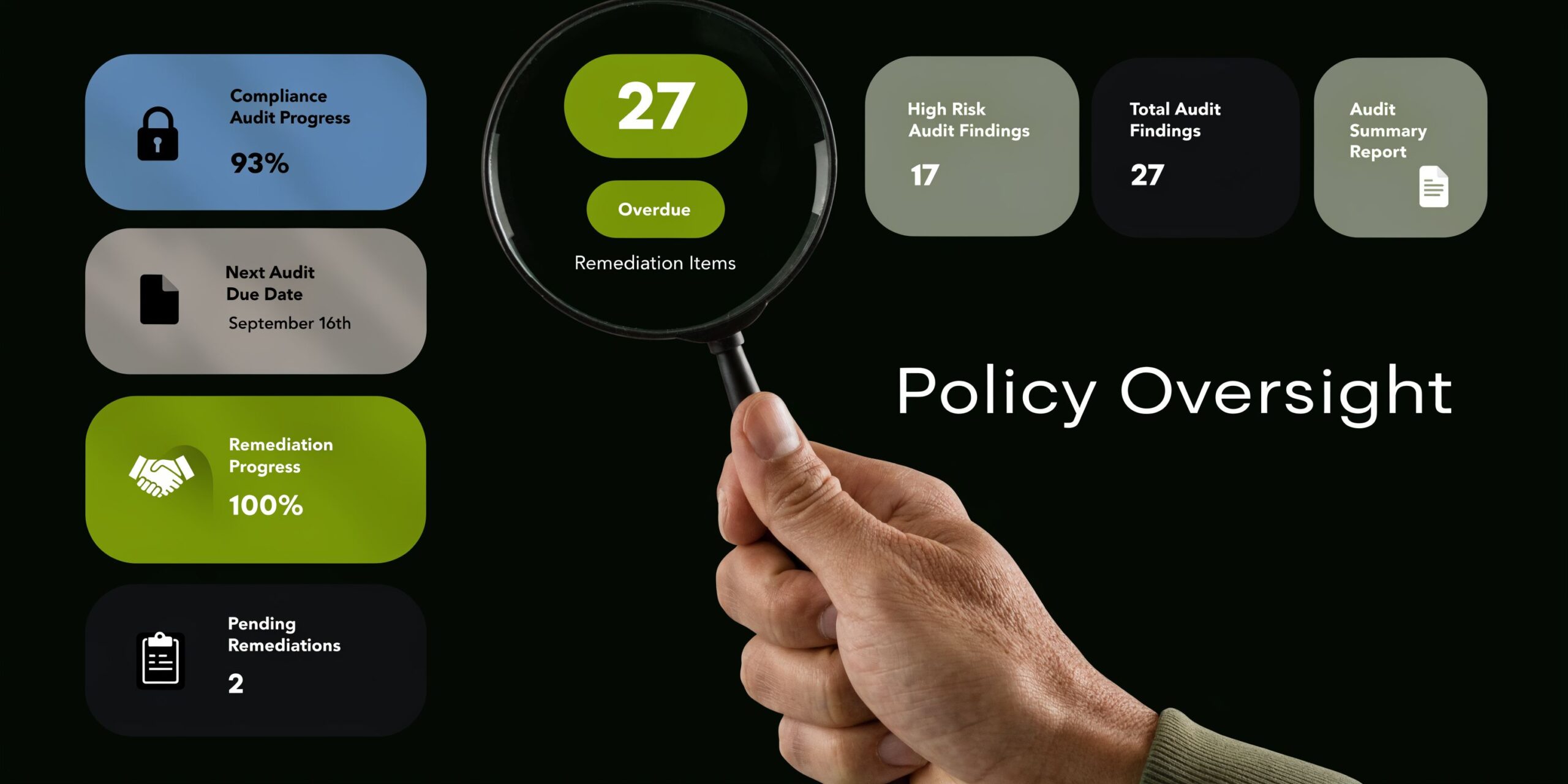
Most password policies look strongest on the day they are approved. Over time, exceptions pile up, old accounts stay active, a legacy app refuses modern settings, and no one is fully sure whether the original standard is still being followed.
That is why strong password policies need maintenance.
What to audit on a recurring basis
A useful audit routine does not have to be elaborate. It does need to be consistent.
Start with account categories
Review these groups separately:
- Active employee accounts
- Admin and elevated accounts
- Shared accounts
- Service accounts
- Former employee accounts
- Vendor or temporary access accounts
Each group creates different risks. A disabled employee account left behind is a governance problem. A service account with broad privileges and a weak exception is a security problem.
Check for policy drift
Look for signs that the environment no longer matches the written standard:
- MFA disabled on certain users
- Apps bypassing the normal sign-in flow
- Password settings that differ between cloud and on-prem systems
- Shared credentials still in use after staffing changes
- Local admin or line-of-business accounts that were never brought into the main policy
These findings are common in businesses that grew quickly or adopted cloud tools in stages.
Use a simple review cadence
A review process works best when ownership is clear.
Monthly checks
Focus on operational changes:
- New accounts created
- Disabled accounts confirmed
- Admin memberships reviewed
- Recent exceptions logged
- Shared access updated after personnel changes
Quarterly reviews
Look at bigger structural questions:
- Are all supported systems under MFA?
- Are any old password rules still forcing bad habits?
- Are password manager deployments complete?
- Are legacy systems creating policy holes?
- Do regulated systems need separate documentation?
Build an exception process that is secure
Every SMB has exceptions. The problem is not that they exist. The problem arises when they are informal.
A secure exception process should require:
A written reason
State why the system cannot meet the standard.Named ownership
Someone in the business must own the risk, not just IT.Compensating controls
Examples include tighter network restrictions, limited privileges, monitoring, or isolation from normal user workflows.Review date
Exceptions should expire or come back for approval.Exit plan
Note what has to change to bring the account or system back into normal compliance.
“Temporary” exceptions become permanent when no one assigns ownership and no one sets a review date.
Treat shared and service accounts differently
These accounts deserve special attention because they often sit outside normal user behavior.
Shared accounts
Avoid them where possible. If one is unavoidable, store the credential in a managed vault, restrict who can retrieve it, and rotate it when responsibilities changes.
Service accounts
Document where they are used, what they can access, and who approved them. Keep permissions narrow. Review them whenever applications change, vendors leave, or systems are upgraded.
Keep audit output readable
Do not bury findings in technical exports no one will act on. Turn results into a short action list:
| Finding | Risk | Owner | Action |
|---|---|---|---|
| MFA disabled on a user group | Higher chance of account misuse | IT | Re-enable and confirm exception status |
| Shared credential used by multiple staff | No accountability and hard offboarding | Department lead | Move to vault-based access |
| Legacy app cannot meet policy | Weak point in authentication | IT and business owner | Apply compensating controls and replacement timeline |
That format helps leadership and technical staff make decisions from the same page.
Frequently Asked Questions About Password Policies
A lot of businesses stall here. They agree with the principles, then one practical objection keeps the rollout from happening. Most of those objections are manageable.
Should employees change passwords on a schedule
Not as a blanket rule unless a specific system or regulatory requirement leaves you no choice. For most environments, changing passwords because of suspected compromise is better than forcing constant routine resets that teach users to make predictable edits.
Can MFA replace strong passwords
No. MFA is a critical layer, but it does not remove the need for strong password policies. You still need unique, screened passwords, especially for systems that may not handle every sign-in the same way or for recovery paths where weak credentials create risk.
How should we handle shared passwords for things like social media or vendor portals
Do not pass them around through email, chat, or a spreadsheet. Put them in a company-approved password manager or vault, control who can access them, and update them when staffing changes. Shared access without accountability creates offboarding problems fast.
What if employees push back on longer passwords or passphrases
That usually means the rollout is missing one of two things. Either the explanation was weak, or the tools were. If you give users a clear reason, show them how to build a passphrase, and back it up with a password manager, resistance drops quickly.
Do small businesses really need all this
Yes, but not all at once and not with enterprise-level complexity. Small businesses need right-sized controls. A sensible baseline policy, MFA, a password manager, and a documented exception process will go much further than an overly complicated rule set no one follows.
What about old applications that cannot support the new standard
Handle them as exceptions, not as the new baseline. Document them, limit access, isolate them where possible, and plan to replace or modernize them. Legacy constraints should be contained, not allowed to weaken the rest of the environment.
What is the first move if we have no formal password policy today
Start with four actions:
- Set a minimum password length
- Require MFA on core systems
- Adopt a business password manager
- Write and distribute a one-page employee policy
That gives you a working foundation quickly. Then you can tighten enforcement, review exceptions, and bring older systems into line.
If your business needs help turning these recommendations into an actual rollout, Cyberplex Technologies LLC can help. Cyberplex works with SMBs on practical identity security, Microsoft 365 hardening, policy design, user rollout, and ongoing support so strong password policies become part of daily operations instead of another document sitting unused.


