
For small businesses, especially right here in Henderson, NC, finding the right IT support isn't just about fixing what’s broken. It's about making a strategic move to lock down your data, supercharge your team's productivity, and get a real leg up on the competition. The best small business IT solutions near me aren’t some faceless national call center—they’re local partners who actually get our community and what your business needs to thrive.
Why A Local IT Partner Is Your Strategic Advantage

Let's be honest, trying to keep up with technology without a dedicated IT department feels like an uphill battle. You’re busy running your company, and every single moment you spend trying to fix a network glitch or worrying about a data breach is a moment you’re not focused on growing your business.
This is precisely where a local IT partner becomes so much more than a simple fix-it service. They become a core part of your strategy.
Actionable Insight: Consider an accounting firm here in Henderson during the chaos of tax season. Their entire operation hinges on secure, reliable access to sensitive client financial data. A single hour of network downtime could spell disaster—missed deadlines and shattered client trust. A local IT provider understands that urgency and can implement proactive monitoring to detect and fix a failing server drive before it crashes, ensuring zero disruption during your busiest period.
Gaining A Competitive Edge
Or, consider a small manufacturing plant where network uptime is directly tied to the production line. A sluggish or unreliable connection can bring operations to a grinding halt, costing thousands in lost revenue. A local IT partner gives you that on-the-ground presence to resolve critical hardware or connectivity failures fast. That's something a remote-only national provider just can't match.
Having a team nearby translates into some major advantages:
- Faster On-Site Response: When a server crashes or a key piece of equipment fails, having a technician who can be there in person, often within the hour, is a game-changer. For example, if a storm knocks out your main internet connection and the failover doesn't kick in, a local tech can be there immediately to troubleshoot the firewall and get you back online.
- Deeper Business Understanding: A local partner gets to know you, your team, your workflow, and your specific day-to-day challenges. This allows them to recommend solutions that are truly practical for your business, like suggesting a specific rugged tablet model for your field technicians after seeing how they work.
- Community Investment: When you work with a local business, you’re supporting our local economy and building a real relationship with a team that is genuinely invested in seeing you succeed.
A proactive approach to technology isn't some luxury reserved for giant corporations. It’s a fundamental need for any small business looking to slash risks, boost efficiency, and compete effectively. A local IT partner makes this happen.
Bridging The Technology Gap
The technology spending gap between big corporations and small businesses is massive. Global IT spending is projected to rocket to $4.96 trillion by 2026, but SMBs are only expected to capture about $460.5 billion of that. The good news? Strategic tech adoption lets small businesses punch way above their weight.
In fact, recent data shows that a staggering 93% of SMBs using AI saw revenue growth. The key to unlocking these benefits without a huge upfront investment is partnering with a managed service provider. You can discover more about how SMBs are leveraging AI with managed providers to see the incredible results for yourself.
By outsourcing your IT, you get access to a full team of experts for one predictable, manageable monthly cost. This proactive management helps you sidestep expensive downtime and unforeseen security nightmares.
If you're weighing the pros and cons, our detailed guide can help. You can learn more about why small businesses should outsource information technology services and see if it’s the right fit for you.
Choosing a local partner like Cyberplex Technologies transforms your IT from a reactive headache into a proactive driver of growth for your business.
Defining Your Business's Core IT Needs
It's tempting to jump straight into Google and type "small business IT solutions near me," hoping for a quick fix. But before you start making calls, you need a clear, honest picture of what your business actually requires.
Going into consultations without a solid self-assessment is like going grocery shopping hungry without a list—you’ll end up with a cart full of things you don't need and forget the essentials. This isn't just about making a list; it's about translating your daily headaches and future goals into a concrete IT blueprint.
Actionable Insight: Let's cut straight to the chase with the most important question: How much downtime can you realistically afford? For a busy law office, even an hour without access to case files could mean missed deadlines and unhappy clients, costing thousands in billable hours. For a retail shop, it's credit card machines going dark during a weekend rush, resulting in lost sales and frustrated customers. When you put a real dollar amount on that lost revenue, the need for proactive support becomes crystal clear.
This exercise arms you to have a meaningful conversation with a potential IT provider, showing up with a detailed roster of needs, not just a vague feeling that "our computers are slow."
From General Problems to Specific Services
Once you've figured out your risk tolerance, you can start sorting your needs into a few key buckets. Most of the IT challenges we see with small businesses fall into these categories. Let’s walk through them with some real-world examples to help you see where your company fits.
Think about your team's day-to-day. Are they constantly fighting with slow computers, a laggy network, or printers that have a mind of their own? If you’re spending more time troubleshooting than you are on your actual work, you're a prime candidate for Managed IT Services.
- Proactive Monitoring and Maintenance: Instead of just fixing things when they break, a managed services provider (MSP) watches your systems 24/7. For a financial services firm, this means we can spot and fix a potential server issue overnight, so you’re ready for the opening bell without a hitch.
- Help Desk Support: An employee can't log in or open a critical file. They need help now. A responsive help desk gets them back to being productive in minutes, not hours or days later.
- Vendor Management: We’ll be the ones to sit on hold with your internet or software provider for you. You have better things to do with your time.
A great MSP doesn't just react to problems; they get ahead of them. This is how you shift IT from a reactive, unpredictable expense to a strategic investment in uptime and productivity.
Securing Your Digital Assets
In today’s world, cybersecurity isn't an optional extra—it's a fundamental part of doing business. It’s no longer a question of if you'll be a target, but when. The real question is, what are your specific obligations for protecting your data?
If you're a medical practice in the Henderson area, you live and breathe HIPAA. A local accounting firm is entrusted with highly sensitive client financial data. These aren't just suggestions; they are legal and ethical requirements with serious consequences.
Actionable Insight: Your cybersecurity checklist should cover:
- Endpoint Security: Every laptop, desktop, and phone connected to your network needs to be locked down. For example, using advanced antivirus that can stop a ransomware attack in its tracks.
- Email Security and Phishing Protection: Over 90% of cyberattacks start with a simple phishing email. This is your first and most important line of defense. A practical solution is a system that scans attachments and links in real-time before they reach your inbox.
- Firewall and Network Security: Think of this as the high-tech security system for your digital office, keeping intruders out.
- Data Backup and Business Continuity: What’s your plan if ransomware hits and encrypts all your files? A proven, tested backup plan means you can restore your data quickly and tell the criminals to get lost, without paying a ransom. For a property management company, this means always having access to leases and tenant records, no matter what happens.
Connecting Your Team Securely
Finally, how does your team actually communicate and collaborate? If you have people working from home, on the road, or in different offices, a clunky, old-school phone system just creates friction. This is where VoIP and Cloud Communications are a game-changer.
A cloud-based phone system can bring a real estate team’s mobile agents together, letting them make and receive calls from their business number right on their cell phones. It keeps their personal numbers private while maintaining a professional image.
In the same way, cloud platforms like Microsoft 365 allow your team to securely share files and collaborate in real-time, so everyone is literally on the same page. If you want a closer look at how these pieces fit together, you can learn more about our managed IT services for small businesses and how we integrate these critical functions.
By getting specific about your needs in these areas, you’ll have a powerful blueprint ready for finding the perfect local IT partner.
How to Find and Vet Potential Local IT Providers
Once you have a clear blueprint of your IT needs, it’s time to find the right local partner. Sure, a quick Google search for "small business IT solutions near me" is a decent start, but real due diligence goes much deeper. This is where you shift from a wide-net search to a focused evaluation to find a provider who won’t just fix problems, but will actively prevent them.
The best partners aren't always the ones with the flashiest ads. They’re the ones with a solid reputation built right here in our local business community.
This process really boils down to three core stages.
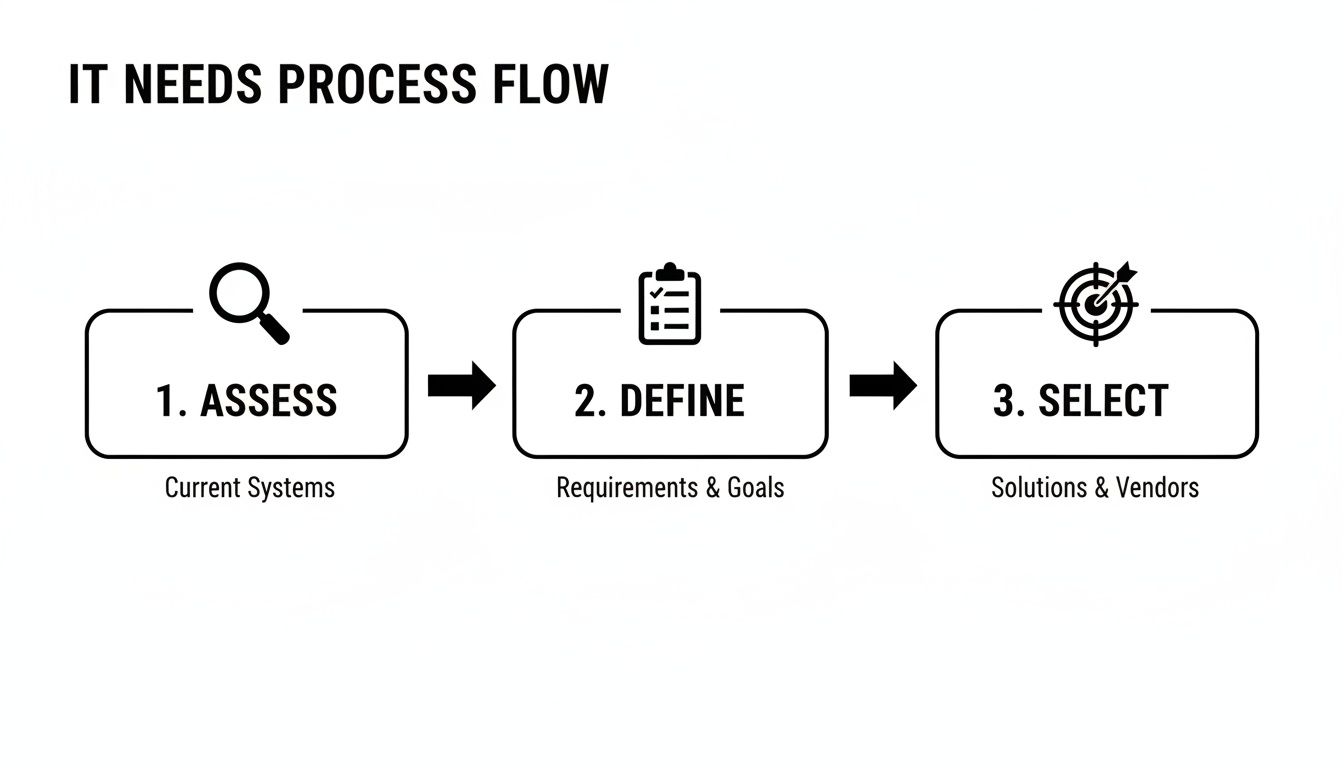
It's a straightforward journey: First, you assess your needs. Then, you define the services you require. Finally, you select the provider that’s the best fit.
Uncovering The Best Local Candidates
Instead of just trusting search engine results, it’s time to dig a little deeper. I always advise clients to try these proven methods:
- Ask for Local Referrals: This is huge. Talk to other non-competing business owners in the Henderson area. Ask your accountant, your lawyer, or even your commercial property manager who they trust for IT. A genuine recommendation is one of the strongest indicators of quality service.
- Check Local Business Directories: Look up members of your local Chamber of Commerce or other business associations. These groups often list reputable service providers who are genuinely invested in the local economy.
- Evaluate Industry Specialization: Does a potential provider get your business? If you run a medical practice, ask for case studies showing how they support other HIPAA-compliant organizations. A public safety agency has completely different needs focused on uptime and data security.
This initial work helps you build a solid shortlist of three to four potential providers. Now, you’re ready to start asking the tough questions.
Your Essential Vetting Checklist
During your first calls or meetings, your goal is to understand not just what they offer, but how they deliver. These questions are designed to cut through the marketing fluff and get to the core of their operations.
Actionable Insight: Service and Response Guarantees
- "What are your guaranteed response and resolution times in the Service Level Agreement (SLA)?" You're looking for specific, documented timeframes. A one-hour response time for a critical ticket is a good start, but what's their target for actually resolving the issue? Is it 4 hours? 8 hours? Get it in writing.
- "How do you handle after-hours or weekend emergencies?" Your business doesn't stop at 5 PM, and neither do IT problems. Get a clear picture of their 24/7 support process and any extra costs involved. Ask them to walk you through the exact steps: "If my server goes down at 2 AM on a Saturday, who do I call and what happens next?"
- "Can you share case studies or references from businesses similar to mine?" This is the ultimate proof of their experience. A property management firm has very different needs than a manufacturing plant. You can see our experience with various industries by exploring our business IT support near me solutions.
A provider's SLA is their promise to you. Vague commitments like "we'll get back to you soon" are a major red flag. Demand specific, measurable guarantees that protect your business from extended downtime.
Digging Deeper Into Technical Expertise
Beyond just fixing things, you need to verify their technical chops and strategic vision. A provider should be a partner who guides your technology decisions, not just a reactive help desk.
The global business software and services market is projected to hit $1,523.46 billion by 2034, which means the market is flooded with options. With 84% of small businesses planning to increase their tech spending, choosing the right partner is more critical than ever. The key is finding someone who can optimize your software investments and cut waste, especially since almost every organization is looking to get a handle on AI spending by 2026.
Actionable Insight: Technical and Strategic Questions
- "What certifications do your technicians hold?" Look for key credentials like CompTIA A+, Network+, Security+, and certs from major vendors like Microsoft or Cisco.
- "How do you proactively monitor our systems to prevent issues?" Ask them to walk you through their remote monitoring and management (RMM) dashboard or show you sample reports. A great partner should be able to show you how they spot and fix problems before you even know they exist. For instance: "Can you show me a report that identifies a failing hard drive or low server memory?"
- "What is your process for strategic planning and technology budgeting?" A true partner will meet with you quarterly or semi-annually. They should be reviewing your IT performance and helping you plan for the future, making sure your tech actually supports your business goals. Ask them: "What does your quarterly business review (QBR) look like and what information will you provide?"
Taking the time for this detailed vetting process is your best defense against partnering with an IT company that overpromises and underdelivers. It lays the groundwork for a long-term relationship built on trust, transparency, and real results.
Understanding IT Service Pricing Models and Contracts
Once you’ve narrowed down your list of potential IT providers, the conversation always pivots to the numbers. Let’s be honest, trying to make sense of IT service pricing and contracts can feel like you’re reading a different language, full of acronyms and confusing fine print.
But getting a handle on the most common models is the key to finding a plan that actually fits your budget. It’s the best way to avoid that dreaded sticker shock when the first invoice arrives. Most providers price their services in a few standard ways, and knowing the difference helps you find a partner whose goals are truly aligned with yours.
Demystifying Common Pricing Models
So, let's break down the three pricing structures you're almost certain to come across in your search for small business IT solutions near me. The right fit really depends on how your team works and the tech you rely on every day.
- Per-Device Pricing: This one is as straightforward as it gets. You pay a set fee for every piece of hardware they manage—think desktops, laptops, servers, and firewalls. It’s a great model for businesses where multiple people share the same computer, like on a manufacturing floor or at a retail counter. Your costs stay predictable as long as your equipment count remains steady.
- Per-User Pricing: With this model, you pay a flat fee for each employee, no matter how many devices they use. It’s become the go-to for many businesses, especially with hybrid and remote work being the new normal. If you run a growing law firm or an accounting practice where each person has a work desktop, a laptop, and a smartphone, this model simplifies everything. It scales perfectly as you bring on new team members.
- Tiered Flat-Rate Plans: Many IT companies, including us, bundle services into packages (like Gold, Silver, and Bronze). A basic tier might cover essentials like remote monitoring and help desk support. A premium tier could add advanced cybersecurity, on-site visits, and long-term IT strategy sessions. This gives you the flexibility to pick a plan that fits your budget now, with an easy path to upgrade later on.
Actionable Insight: It's so important to look past just the monthly fee. Always ask for a detailed list of what's included in any plan. But more importantly, ask what's excluded. For example: "Does this plan cover the cost of new hardware if something breaks, or is that extra? Are on-site visits included, or do they cost more?" This simple question can save you from a world of surprise charges for work you thought was covered.
Scrutinizing The Service Contract
The contract, often called a Master Service Agreement (MSA), is the official rulebook for your relationship. Don't just give it a quick scan—this document defines what they promise to do and what's expected of you. You’ll want to pay very close attention to a few key clauses to make sure your business is protected.
Actionable Insight: Scope of Work (SOW)
This is probably the most critical section in the entire agreement. It needs to spell out, in detail, every single service the provider will be delivering. If you talked about something like "on-site emergency support" or "managing our industry-specific software" but it's not written down in the SOW, then it's not officially part of the deal. Check for specifics like "24/7/365 server monitoring" and "management of third-party software patches."
Service Level Agreement (SLA)
The SLA is where promises become guarantees. It sets clear, measurable targets for things like:
- Response Time: How fast they'll acknowledge your request for help (e.g., within 15 minutes for critical issues).
- Resolution Time: Their target for actually solving the problem (e.g., within 4 hours for critical issues).
- Uptime Guarantees: A promise for how often your critical systems will be up and running (e.g., 99.9%).
If an SLA seems vague, that's a huge red flag. You need firm commitments so you know you'll get the support you’re paying for when things go wrong.
Term Length and Exit Clauses
Most IT contracts run for 12, 24, or 36 months. A longer term might get you a better price, but be careful about getting locked into a multi-year deal without an easy way out. Look for a "termination for convenience" clause. This lets you end the contract for any reason with proper notice (30-60 days is pretty standard), even if the provider hasn't technically done anything wrong.
Finally, always ask about hidden fees. It’s common to see extra charges for initial setup, on-site visits that aren't in your plan, or big projects that fall outside of your regular managed services. A transparent partner will be completely upfront about all potential costs, making sure your budget stays on track and your tech investment delivers real value—without any nasty surprises.
Making the Switch: A Smooth Onboarding and Migration

Let's be honest, the thought of switching IT providers can be daunting. The potential for disruption is real. But here's the thing: when it's done right, it’s less of a disruption and more of a seamless upgrade. A great partner won’t just show up and start unplugging things. We guide you through a structured, transparent process designed to keep your team working without missing a beat.
The key to a stress-free transition is a solid project plan and constant communication. We take the lead on project management, coordinating with your old provider and your team to make sure nothing—and I mean nothing—falls through the cracks. It's our job to handle the heavy lifting.
Laying the Groundwork for a Flawless Switch
Before we touch a single cable, we get to know your environment inside and out. This discovery and documentation phase is probably the most critical part of the entire process. It’s where we build the blueprint for a successful migration.
Actionable Insight: Here’s what that looks like in practice:
- Total Network Assessment: We map your entire IT infrastructure. Every server, workstation, printer, and network switch gets documented so we have a complete picture. This prevents "surprises" like an old, forgotten server in a closet that runs a critical process.
- System and Account Documentation: We'll document all your essential software, user accounts, permissions, and vendor contacts. This becomes our master guide for the transfer, ensuring every employee has the right access on day one.
- Final Backup Verification: This is non-negotiable. We verify a complete, restorable backup of all your data is secured before the migration begins. We perform a test restore of a few critical files to prove the backup works. It’s your ultimate safety net.
This is all about preparation. It’s the classic "measure twice, cut once" philosophy applied to your technology.
What to Expect During Onboarding
With all the planning done, the actual onboarding can begin. This isn't a chaotic, flip-of-the-switch moment. It’s a carefully phased approach with clear milestones, so you always know what’s happening and when.
Take a real-world example: we recently helped a property management company in Henderson migrate to Microsoft 365 to better support its team in the field. Here’s how a skilled partner like Cyberplex Technologies breaks down that kind of project:
- Deploy Monitoring Agents: First, we quietly deploy our remote monitoring and management (RMM) tools to your devices. This gives us visibility and control without interrupting your current operations.
- Migrate Email in Phases: Instead of a nightmare weekend migration, we move email one department at a time. This allows for focused support and quick fixes for any small issues that pop up. For example, we migrate the administrative team on Monday, then the sales team on Wednesday.
- Transition Data and Files: With email running smoothly, we then migrate your shared files over to a platform like SharePoint, making sure all permissions are perfectly replicated.
- Train Your Team: Finally, we'll hold short training sessions to show your staff how to access new systems and submit a help desk ticket. The goal is to make them feel comfortable and supported from day one.
A successful migration isn't about speed; it's about precision. The goal is to make the change so smooth that your team barely notices anything happened—except that their technology now works better.
This kind of detailed project management is what sets you up for success. Small businesses are heading into 2026 with record optimism, with 94% of owners projecting growth. This confidence is driving smart investments in technology. With 87% of SMBs reporting positive results from using AI, partnering with a provider who can execute a flawless onboarding is critical. A smooth IT transition ensures your tech is an asset, not a roadblock, to those goals. You can discover more insights about how SMBs are driving growth with new tech.
Ultimately, when you're searching for small business IT solutions near me, finding a partner who nails the onboarding process is just as important as the services they offer. A great start builds the foundation for a long-term relationship you can count on.
Frequently Asked Questions About Local IT Solutions
Even after you've done your homework and talked to a few potential partners, it’s completely normal to have some questions rattling around. Deciding on the right technology partner is a huge step for your business, and you need total clarity.
We get it. Here are some of the most common questions we hear from business owners just like you, with straight-to-the-point answers to help you make the right call.
How Much Should A Small Business Budget For IT Services?
There isn't a single magic number, but a good rule of thumb is to set aside between 3% and 6% of your annual revenue for technology. Think of this as a starting point, not a hard rule.
Practical Example: If your annual revenue is $1 million, a reasonable IT budget would be between $30,000 and $60,000 per year, or $2,500 to $5,000 per month. A healthcare practice with strict HIPAA compliance needs is going to be on the higher end of that range, while a local retail shop might be on the lower end. A company planning to double its team in the next year needs a much more scalable IT foundation than one with a stable headcount.
The only way to get a real number is to have a proper assessment done. A good provider will dig into your current setup, listen to your goals for the future, and put together a proposal that makes sense for both your operations and your wallet.
What Is The Difference Between Managed IT And Break-Fix Support?
Thinking about this is like comparing a proactive wellness plan to a reactive trip to the emergency room. One keeps you healthy, and the other just patches you up after something goes wrong—and is often way more expensive.
- Break-Fix Support: This is the old-school model. Your network goes down or a server crashes, and you call a technician. You get billed for their time, plus the cost of any parts. For example, a server crash could cost you $200/hour for 5 hours of emergency labor ($1,000) plus the cost of a new hard drive. The biggest problems here are the surprise costs and the guaranteed downtime you'll face while waiting for a fix.
- Managed IT Services: This is a true partnership. For a predictable, flat monthly fee, an IT provider like us constantly monitors, manages, and secures your entire technology environment. Our goal is to stop problems before they ever happen. Our monitoring might detect that same server hard drive is failing and we'd replace it during off-hours, all covered under your monthly plan. This model aligns our success with yours—we profit when your systems are running smoothly, not when they’re broken.
With break-fix, you pay for downtime. With managed services, you invest in uptime. The shift to a proactive model is one of the most impactful technology decisions a small business can make.
Can A Local IT Provider Support My Remote Team?
Absolutely. In fact, supporting a distributed workforce is no longer a "nice-to-have" but a core part of what a modern IT provider does. A top-tier local partner has the tools and know-how to make sure your remote and hybrid employees are just as secure and productive as the people in your office.
Actionable Insight: We use powerful Remote Monitoring and Management (RMM) software to securely access and fix employee devices from anywhere. That means if an employee working from home gets a suspicious email, we can remotely access their machine, verify it's safe, and remove any threats immediately. We can also push out security updates, solve software issues, and manage cloud platforms like Microsoft 365 without ever needing to step foot in their home office. You get the best of both worlds: a robust remote toolkit for daily needs and a local team ready to go onsite when you need it.
My Business Is Very Small. Do I Really Need Managed IT Services?
Yes. We'd argue you need it even more than a larger company. Cybercriminals love targeting smaller businesses because they assume their defenses are weak. Just one security breach or a few days of downtime can hit a small team's revenue and reputation in a way a big corporation could absorb.
Practical Example: Imagine your 3-person accounting firm gets hit with ransomware during tax season. Without managed IT, you're on your own trying to recover data, which could take days or weeks. With a managed services provider (MSP), we would have a verified backup ready. We can wipe the infected systems and restore your entire business operation, often in a matter of hours, for a predictable monthly cost. It's the smartest, most cost-effective way to protect your business so you can get back to focusing on what you do best.
Ready to stop worrying about technology and start using it as a strategic advantage? Cyberplex Technologies LLC has been helping Henderson businesses do just that since 2008. Let’s build a custom IT solution that fits your business and your budget. Get your free consultation today!


